
Why AI-Generated Apps Fail Security Review
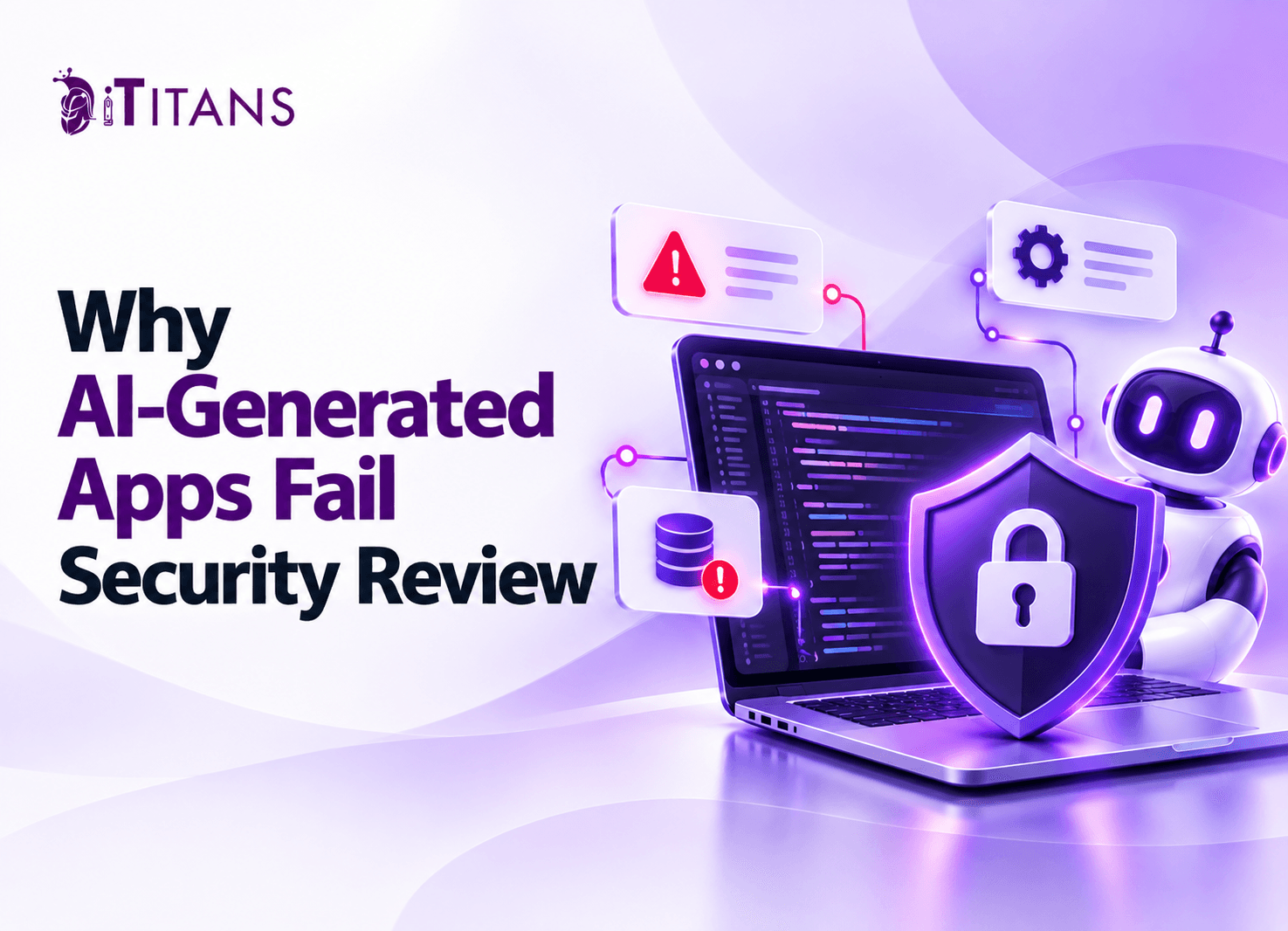
AI coding tools can turn an idea into a working application in hours. However, a working demo does not prove that an application can protect user data, prevent unauthorized access, or withstand attacks. Many teams discover this gap when enterprise clients or security teams review their software.
The problem is rarely the use of AI itself. Instead, missing security controls, untested assumptions, and weak code review often leave serious gaps.
Understanding why AI-generated apps fail security review helps businesses identify vulnerabilities early, reduce costly rework, and prepare their applications for production.
Why AI-Generated Apps Fail Security Review
AI coding tools focus on generating code that meets a request. They may not understand every business rule, access requirement, or security policy surrounding the application.
For example, a developer might ask an AI tool to create a customer dashboard. The generated code may display customer records correctly. However, it might not check whether each customer can access those records.
This creates a serious gap between functionality and security. Enterprise reviewers assess access controls, data protection, system configuration, and evidence of testing. A polished interface cannot compensate for missing safeguards.
OWASP recommends reviewing AI-generated code with the same care as other code. Developers remain responsible for the changes they accept and deploy.
6 AI-Generated App Security Risks That Cause Rejection
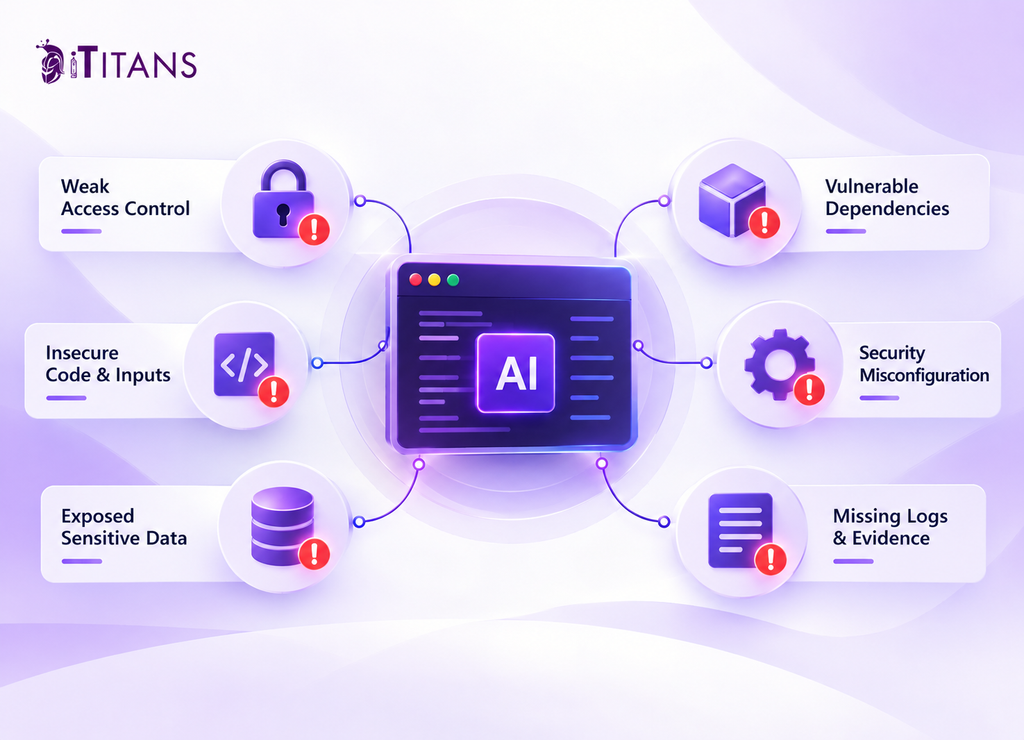
1. Broken Authentication and Access Control
Authentication confirms a user’s identity. Authorization determines what that user can access. AI-generated applications sometimes implement login functionality without enforcing permissions across every protected resource.
Consider a project management application. A logged-in user changes a project ID in an API request. If the server does not verify ownership, that user might access another company’s records.
Security reviewers look for these gaps in APIs, database queries, admin panels, and user roles.
How to fix it:
- Enforce authorization on the server for every sensitive action.
- Apply role-based access control where appropriate.
- Test whether users can access other users’ records.
- Require additional checks for administrative operations.
2. Exposed API Keys and Sensitive Data
AI-generated code may place API keys, database credentials, or service tokens in source files. Developers sometimes commit these secrets to public repositories or expose them through browser code.
An API key in frontend JavaScript is particularly risky because users can inspect downloaded files. Attackers may then use the exposed credential to access services or incur unauthorized charges.
Applications can also leak sensitive information through error messages, logs, and poorly configured database permissions.
How to fix it: Store secrets in server-side environment variables or a secrets manager. Rotate exposed credentials immediately. Restrict database permissions and remove sensitive information from logs and error responses.
3. SQL Injection and Poor Input Validation
AI-generated code can mishandle data submitted through forms, URLs, APIs, and file uploads. If an application inserts untrusted input directly into database queries, attackers may manipulate those queries.
Cross-site scripting (XSS) presents another risk. It occurs when an application handles untrusted content unsafely and allows malicious scripts to run in another user’s browser.
These weaknesses can expose records, compromise sessions, or change application behavior.
How to fix it: Use parameterized database queries, validate inputs against defined schemas, and encode output according to its context. Also, enforce file size limits and verify uploaded file types. Never assume that client-side validation alone protects the backend.
4. Vulnerable or Unverified Dependencies
AI coding tools may suggest outdated libraries, unnecessary packages, or dependencies with known vulnerabilities. In some cases, they may even suggest package names that do not correspond to legitimate projects.
Each dependency adds code that developers must maintain and assess. A vulnerable library can undermine an otherwise secure application.
How to fix it: Verify packages through trusted registries. Check maintenance activity, known vulnerabilities, and dependency ownership. Use software composition analysis (SCA) to identify vulnerable components. Remove packages the application does not need and update affected dependencies.
5. Security Misconfiguration
Generated applications can inherit development settings that should never reach production. Examples include debug mode, permissive cross-origin resource sharing (CORS), default credentials, and overly broad cloud permissions.
These settings may help an application run during development. However, they can expose internal details or create unnecessary entry points after deployment.
How to fix it: Separate development, testing, and production configurations. Disable debug features in production. Restrict CORS to approved origins and apply least-privilege permissions to cloud services, databases, and deployment accounts.
6. Missing Logs and Security Evidence
Enterprise security review involves more than checking source code. Reviewers often need evidence that access restrictions work, security events are recorded, and incidents can be investigated.
AI-generated apps may lack audit logs, documented architecture, or repeatable testing procedures. Without these records, security teams struggle to verify whether the application meets internal requirements.
How to fix it: Record relevant authentication events, permission changes, administrative actions, and security failures. Protect logs from unauthorized access and avoid recording credentials or sensitive personal data. Maintain architecture diagrams, test results, and a record of security-related changes.
How to Prepare an AI-Generated App for Security Review
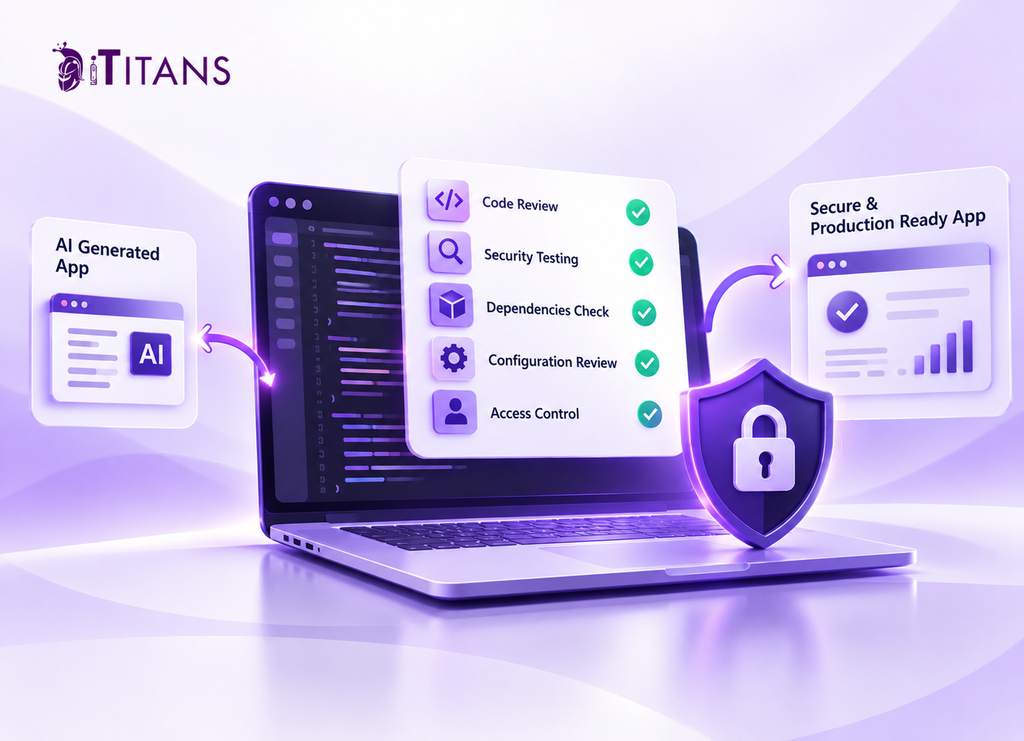
A structured review helps teams identify problems before enterprise approval or production deployment. Start with the application’s most sensitive features, including authentication, payments, personal data, and external integrations.
Step 1: Run Automated Security Tests
Use static application security testing (SAST) to inspect source code for known vulnerability patterns. Run SCA scans to check third-party dependencies. Use dynamic application security testing (DAST) to examine the running application for weaknesses.
Add secret scanning to detect exposed credentials. Automated tools help identify common problems, but their results require review and verification.
Step 2: Test Realistic Attack Scenarios
Do not test only the expected user journey. Attempt to access another user’s records, submit malformed inputs, reuse expired tokens, and bypass restricted actions.
Also, test rate limits on login, password reset, and expensive API endpoints. These checks reveal weaknesses that basic functional tests may miss.
Step 3: Arrange an Independent Code Review
A qualified developer or security specialist should examine the code, architecture, and test results. Give special attention to authentication, authorization, encryption, database access, and third-party integrations.
Review AI-generated tests, too. Passing tests do not guarantee security if the tests repeat the same incorrect assumptions as the generated code.
Step 4: Prepare Evidence for Reviewers
Before submitting the application, organize the documentation security teams may request:
- Architecture diagrams showing system boundaries and data flows.
- Access-control rules and user-role definitions.
- Dependency scan and security testing results.
- Records of resolved vulnerabilities and approved exceptions.
- Logging, incident response, and credential-rotation procedures.
Requirements vary by organization, industry, and application type. Confirm the review criteria with the client’s security team before submission.
Why AI-Generated Apps Pass Functional Tests but Fail Security Tests
An application can pass functional testing and still contain serious security flaws. Functional tests check whether features behave as expected. Security tests examine whether attackers can misuse those features or access restricted resources.
For example, a generated application might allow users to view their orders correctly. However, its API might return another customer’s order when someone changes an order ID. The feature works, but its access controls fail.
The same gap appears in password resets, file uploads, payment workflows, and administrative dashboards. A successful login test does not prove that session handling or account permissions are secure.
Functional Testing vs. Security Testing
| Functional testing | Security testing |
| Checks whether features work as intended | Checks whether features can be abused |
| Tests expected user journeys | Tests unexpected inputs and attack scenarios |
| Verifies successful operations | Checks access restrictions and failure handling |
| Confirms application behavior | Examines data exposure and security weaknesses |
AI coding tools can also generate tests that mirror the assumptions in their own code. If both contain the same mistake, the tests may pass without detecting the underlying flaw.
Therefore, developers should write independent security tests. They should test unauthorized access, invalid inputs, expired sessions, and unexpected API requests. Human reviewers should also examine the application’s business logic rather than relying solely on automated test results.
How to Fix Security Findings Before Resubmitting Your App
Finding vulnerabilities is only the first step. Teams must determine which issues pose the greatest risk, fix the underlying causes, and verify that the changes work.
1. Prioritize Findings by Risk
Start with vulnerabilities that expose sensitive data, allow account takeover, or grant unauthorized administrative access. Consider the affected system, exploitability, potential impact, and available mitigations.
A critical issue in a payment API deserves attention before a minor security header configuration problem. However, do not ignore lower-severity findings that could combine into a larger attack.
2. Fix the Root Cause
Avoid applying patches that address only the immediate symptom. If an API exposes customer records, investigate its server-side authorization checks and database queries.
Similarly, removing a hardcoded key from the latest code commit is not enough if the credential remains active in a repository’s history. Revoke or rotate the exposed secret and review its access logs.
3. Retest the Original Failure
After fixing a vulnerability, repeat the test that identified it. Then check related functionality to ensure the change has not introduced another weakness.
For example, after restricting access to customer records, verify that legitimate users can still retrieve their own records. Confirm that unauthorized users receive an appropriate denial.
4. Document Changes and Residual Risks
Maintain a record of each finding, its severity, the corrective action, and the retest result. If a risk remains unresolved, document the reason and obtain the appropriate approval.
This evidence helps security reviewers verify that the team addressed their concerns. It also gives developers a clear record for future maintenance and audits.
Before resubmission, confirm that every required finding has been addressed, affected tests have passed, and the evidence matches the current application version.
How iTitans Can Help Secure AI-Generated Applications
AI-generated code can speed up development, but businesses still need experienced engineers to verify its security and production readiness. iTitans helps businesses assess software risks, strengthen application security, and address weaknesses before deployment.
Our software development expertise can support code reviews, application testing, API security, and remediation planning. Contact iTitans to discuss your application, identify security gaps, and determine the next steps toward a stronger production release.
Frequently Asked Questions
1. Can AI-generated code be secure enough for enterprise use?
Yes. AI-generated code can be suitable for enterprise applications when developers review it, test security controls, and follow the organization’s security requirements. The source of the code matters less than its verified behavior and the safeguards surrounding it.
2. What security tools should I use to test AI-generated code?
Start with SAST for source-code analysis, SCA for dependency checks, and secret scanning for exposed credentials. Add DAST and penetration testing where appropriate. No single tool identifies every vulnerability, so combine automated checks with human review.
3. Can an AI-generated app pass a penetration test?
Yes, provided it meets the relevant security requirements. A penetration test may uncover weaknesses in authentication, authorization, input handling, APIs, or deployment settings. Fix confirmed findings and retest affected areas before release.
4. Why do AI-generated apps expose API keys?
Generated code may place credentials in frontend files, source repositories, or configuration files without sufficient protection. Keep sensitive keys on the server, restrict their permissions, and rotate any credentials that have been exposed.
5. Is passing automated security scans enough for approval?
No. Scanners detect known patterns and certain configuration problems, but they may miss business-logic flaws and broken access controls. Enterprise reviewers may also require documentation, manual testing, and evidence that security controls operate correctly.
6. When should developers review AI-generated code?
Review code before merging it and deploying it to production. Prioritize changes involving authentication, authorization, cryptography, payments, sensitive data, and infrastructure. Repeat security checks whenever changes affect these controls.