
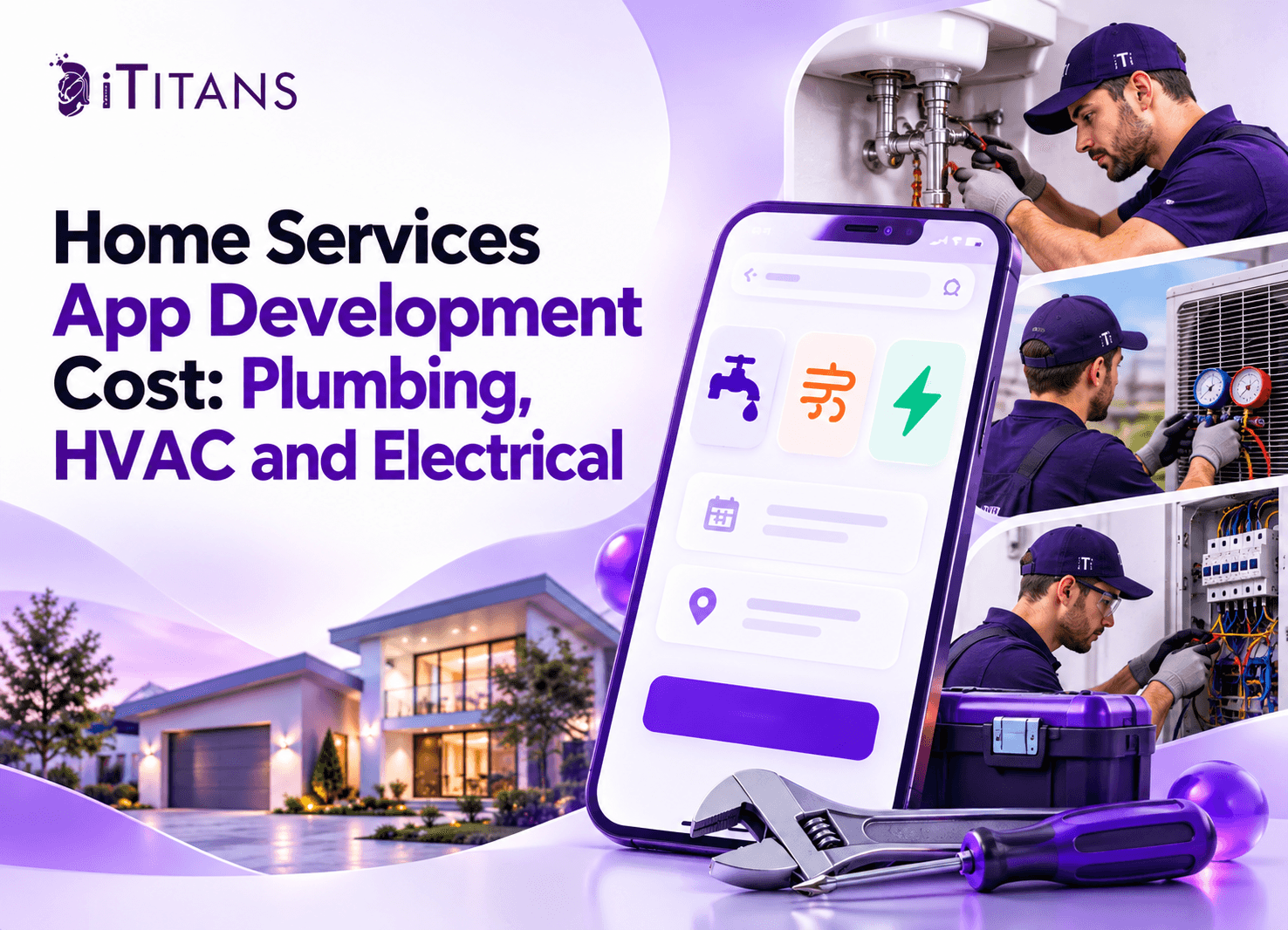
Home Services App Development Cost: Plumbing, HVAC and Electrical
Home service businesses need more than a phone number and a booking form to manage growing customer demand. Plumbing, HVAC, and electrical companies must coordinate appointments, assign technicians, track jobs, and collect payments. A dedicated app brings these activities into one place.
However, the home services app development cost depends on your business model, required features, and operational needs. A simple booking app costs less than a platform with technician tracking, automated dispatch, and recurring maintenance plans.
This guide explains development costs, essential features, timelines, and budget decisions for each trade.
How Much Does Home Services App Development Cost?
The home services app development cost can range from $10,000 to $150,000 or more. Your final budget depends on the number of features, supported platforms, integrations, and user roles.
The following estimates provide a starting point for businesses planning a custom app.
| App type | Estimated development cost | Typical timeline |
| Basic booking app | 10,000–25,000 | 2–4 months |
| Mid-level service app | 25,000–60,000 | 4–6 months |
| Advanced service platform | 60,000–150,000+ | 6–12+ months |
A basic app may include service listings, appointment requests, and customer notifications. A mid-level solution can add technician profiles, payments, scheduling, and job management. An advanced platform may include automated dispatch, multiple locations, recurring contracts, inventory management, and detailed reporting.
These figures are planning estimates, not fixed quotations. Development rates, project scope, and integration requirements can change the final price.
For example, a plumbing company serving one city may need a booking app and technician dashboard. A national HVAC company may require multiple service areas, complex scheduling rules, and integration with existing business systems.
How Plumbing, HVAC, and Electrical App Costs Differ
Although these businesses share booking and scheduling needs, their daily operations differ. Those differences affect development time, required features, and overall cost.
1. Plumbing App Development Cost
Plumbing businesses handle emergency repairs, leaking pipes, drain cleaning, installations, and routine inspections. Their apps must support quick service requests and flexible scheduling.
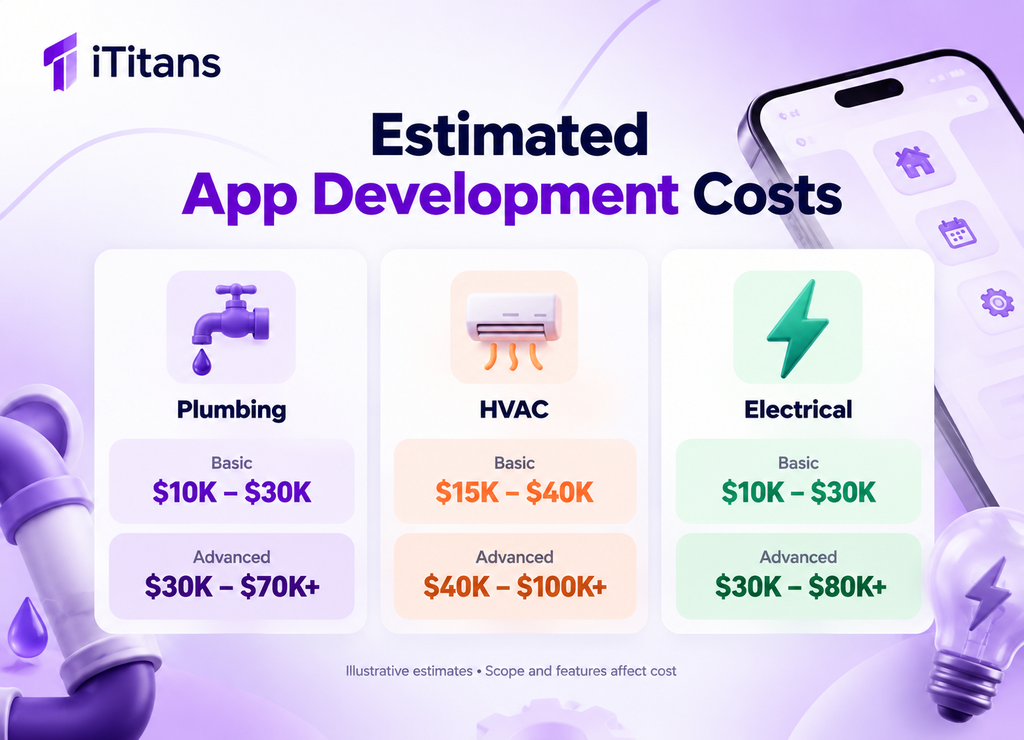
A basic plumbing service app may cost 10,000–30,000. A larger platform with advanced dispatching, estimates, payments, and technician management may cost 30,000–70,000 or more.
Important features include:
- Emergency booking: Let customers request urgent assistance and share details about the problem.
- Job estimates: Allow technicians to prepare quotes for repairs, installations, and replacement work.
- Photo uploads: Let customers share pictures of leaks, damaged pipes, or affected fixtures.
- Technician scheduling: Assign jobs according to availability, skills, and service areas.
- Invoices and payments: Generate bills and collect payments after completed work.
Emergency dispatch and variable job pricing can increase development costs. A leaking pipe may require a different response process than a planned bathroom installation.
2. HVAC Service App Development Cost
HVAC businesses manage air conditioning, heating, ventilation, equipment installation, and preventive maintenance. Their apps often require more scheduling and equipment-management functionality.
An HVAC app may cost 15,000–40,000 for a focused solution. A more advanced platform can reach 40,000–100,000 or more, depending on integrations and operational requirements.
Important features include:
- Maintenance scheduling: Arrange seasonal inspections and recurring service visits.
- Equipment records: Store model numbers, installation dates, warranties, and service histories.
- Technician dispatch: Assign jobs based on qualifications, location, and availability.
- Service agreements: Track maintenance contracts, renewal dates, and included visits.
- Parts and inventory: Help technicians check equipment and spare parts before traveling.
HVAC companies benefit from linking each customer account to equipment records and previous repairs. Technicians can review service history before arriving, helping them prepare for appointments.
Connected thermostats, remote monitoring, and predictive maintenance require additional integrations and testing. Businesses should include these features only when they support clear operational needs.
3. Electrician App Development Cost
Electrical service businesses handle wiring repairs, lighting installations, inspections, panel upgrades, and commercial projects. Their apps need to support job scheduling, estimates, documentation, and technician qualifications.
A basic electrician app may cost 10,000–30,000. A larger platform with advanced work orders, compliance documentation, and team management may cost 30,000–80,000 or more.
Consider these features:
- Service request forms: Collect details about electrical faults, installations, and inspection requests.
- Technician qualifications: Record relevant licenses, certifications, and permitted work categories.
- Digital work orders: Document tasks, materials, labor, and completed work.
- Inspection records: Store checklists, photographs, and required reports.
- Project estimates: Prepare quotes for installations and larger electrical jobs.
Electrical projects can involve several visits and multiple technicians. Businesses handling commercial contracts may need project tracking alongside ordinary appointment booking.
These estimates represent different levels of complexity. A standalone company app usually requires fewer marketplace features than a platform connecting customers with independent service providers.
Which Features Affect Home Services App Development Cost?
The feature list often has a greater impact on pricing than the choice of trade. A simple company app requires fewer workflows than a marketplace serving multiple providers.
Customer App
The customer interface should make it easy to request services, select appointments, and follow job progress.
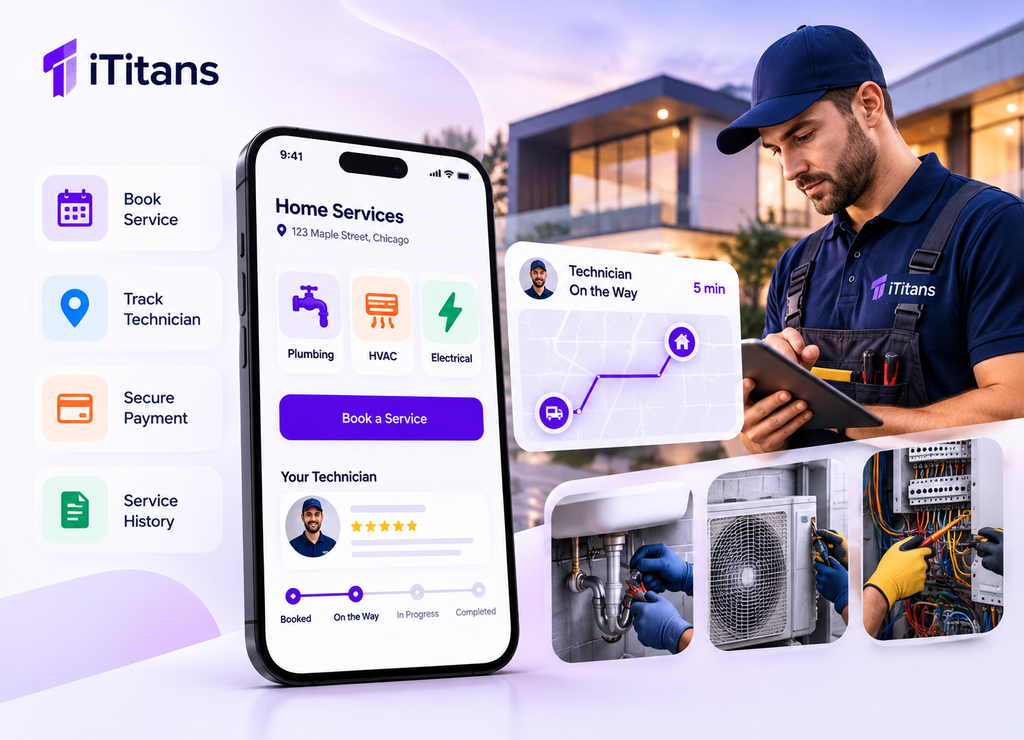
Core features include account registration, service listings, booking, appointment changes, notifications, payment options, and booking history.
Advanced features might include saved properties, recurring appointments, technician tracking, loyalty programs, and customer support chat.
Technician App
Technicians need tools that help them manage their daily workload without repeated phone calls.
The app may include job assignments, availability settings, navigation, work orders, photographs, digital signatures, and job completion reports.
For HVAC and plumbing businesses, equipment records and parts tracking may also be necessary.
Admin Dashboard
The admin dashboard gives managers control over bookings, staff, pricing, customer records, and business performance.
A basic dashboard can manage appointments and customer accounts. Advanced versions may include automated dispatch, technician utilization, inventory, payroll integrations, and revenue reporting.
Payments and Third-Party Integrations
Payment gateways allow customers to pay deposits, settle invoices, or purchase maintenance plans. Mapping services help technicians navigate between appointments. SMS and push notifications keep customers informed about arrival times and booking changes.
Each integration requires configuration, testing, and ongoing usage fees. Payment processing charges and mapping API costs may continue after launch.
Businesses should also plan for secure authentication, access controls, and appropriate handling of customer information.
What Other Factors Influence the Development Budget?
Several decisions can change the final quote, even when the feature list remains similar.
- Platform selection: Building separate native iOS and Android apps may require more work than using a shared cross-platform codebase. A web dashboard can add further development and testing.
- Design complexity: Custom booking flows, multiple user roles, and complex scheduling screens require additional design and usability testing.
- Backend architecture: Real-time dispatch, recurring appointments, multiple branches, and complicated pricing rules require more backend logic.
- Security requirements: Customer addresses, payment records, employee details, and service histories require appropriate access controls and data protection.
- Integrations: Connecting an app with existing CRM, accounting, inventory, or field-service systems adds development and testing work.
- Development team: Rates differ by location, experience, and engagement model. Compare deliverables and technical experience rather than choosing solely by hourly price.
How Long Does It Take to Develop a Home Services App?
A focused MVP may take two to four months, while an advanced platform can require six to twelve months or longer. These are estimates rather than guaranteed delivery dates.
| Development stage | Typical activities |
| Discovery and planning | Define user roles, workflows, and requirements |
| UI/UX design | Create wireframes, screens, and prototypes |
| Development | Build mobile interfaces, backend services, and dashboards |
| Integrations and testing | Verify payments, notifications, scheduling, and security |
| Deployment | Prepare releases, configure infrastructure, and publish the app |
Some stages can overlap. However, late changes to booking rules, pricing, or integrations can delay testing and increase costs.
Starting with essential features helps businesses validate demand before investing in a larger platform. A clear project scope also helps developers provide a more accurate estimate.
How Can You Reduce Home Services App Development Cost?
You do not need to launch every feature at once. Start with the workflows your customers and technicians use most frequently.
- Choose one initial market. Launch in one city or service area before expanding operations.
- Prioritize core bookings. Begin with service selection, scheduling, notifications, and payment collection.
- Build shared functionality. Reuse customer accounts, payment flows, and notification systems across all three trades.
- Use established integrations. Consider existing mapping, payment, and messaging services instead of building everything from scratch.
- Delay advanced automation. Add predictive maintenance, automated dispatch, and complex analytics when operational data supports them.
- Plan future expansion. Choose an architecture that supports additional service categories without requiring a complete rebuild.
A phased approach does not mean compromising on essential security or testing. It means spending first on features that solve immediate business problems.
What Should You Include in Your App Development Budget?
The initial development quote is only one part of the total investment. Businesses must also account for expenses that continue after launch.
Initial Development Expenses
Your first budget should cover requirements analysis, UI/UX design, mobile app development, backend development, integrations, testing, and deployment.
Ask whether the quotation includes both customer and technician apps. Confirm whether the admin dashboard, payment integration, and deployment support are included.
Ongoing Operating Expenses
After launch, businesses may need to pay for hosting, software licenses, messaging, mapping services, payment processing, and technical support.
Maintenance also includes bug fixes, operating system updates, security improvements, and compatibility testing. New features and changes to business workflows may require separate development budgets.
A Practical Budget Checklist
Before approving a proposal, confirm these points:
- Which user roles and app platforms are included?
- How many service categories will the app support?
- Are payment, mapping, and notification integrations included?
- Who handles deployment, maintenance, and technical support?
- What happens when the business requests additional features?
- How will the team measure performance after launch?
These questions help you compare proposals fairly and avoid unexpected expenses.
How Do You Choose the Right App Development Approach?
The right approach depends on how your business delivers services and plans to grow.
An existing plumbing, HVAC, or electrical company may need an internal platform for booking management, technician assignments, invoices, and customer communication. A marketplace requires additional features for provider registration, service listings, commissions, reviews, and payment distribution.
A startup can begin with an MVP that tests its booking process and customer demand. An established business may benefit from integrations with its existing operational systems.
Before development begins, map the complete service journey. Include the steps from the initial customer request through scheduling, technician arrival, work completion, invoicing, and follow-up.
This process helps identify missing requirements before they become expensive changes. It also gives the development team a clear basis for estimating the project.
Build a Home Services App With iTitans
Planning an app for plumbing, HVAC, or electrical services starts with understanding your workflows, customers, and budget. Contact iTitans to discuss your requirements, prioritize essential features, and plan a development project that fits your business.
Frequently Asked Questions
1. How much does it cost to build a home services app?
A custom home services app may cost 10,000–150,000 or more. The final price depends on features, supported platforms, integrations, and whether the solution serves one company or multiple providers.
2. How much does it cost to develop a plumbing app?
A basic plumbing app may cost 10,000–30,000. Advanced features such as emergency dispatch, technician tracking, estimates, and payment processing can increase the budget.
3. What features should an HVAC service app include?
An HVAC app should support appointment scheduling, technician dispatch, equipment histories, maintenance reminders, service contracts, and invoices. Larger businesses may also need inventory management and accounting integrations.
4. Can electricians use one app for scheduling and work orders?
Yes. A custom electrician app can combine appointment scheduling, technician assignments, digital work orders, inspection records, and invoices. Commercial contractors may also require project tracking and additional documentation.
5. Is it cheaper to build one app for plumbing, HVAC, and electrical services?
Sharing core functionality can reduce duplicated development work. However, each trade may need separate forms, pricing rules, qualifications, and workflows. The final savings depend on how much functionality can genuinely be shared.
6. What ongoing costs should businesses budget for after launch?
Ongoing costs may include hosting, third-party API usage, payment processing, bug fixes, security updates, and new features. Ask your development team for a separate estimate covering maintenance and recurring service fees.