
What App Maintenance Actually Costs After Launch
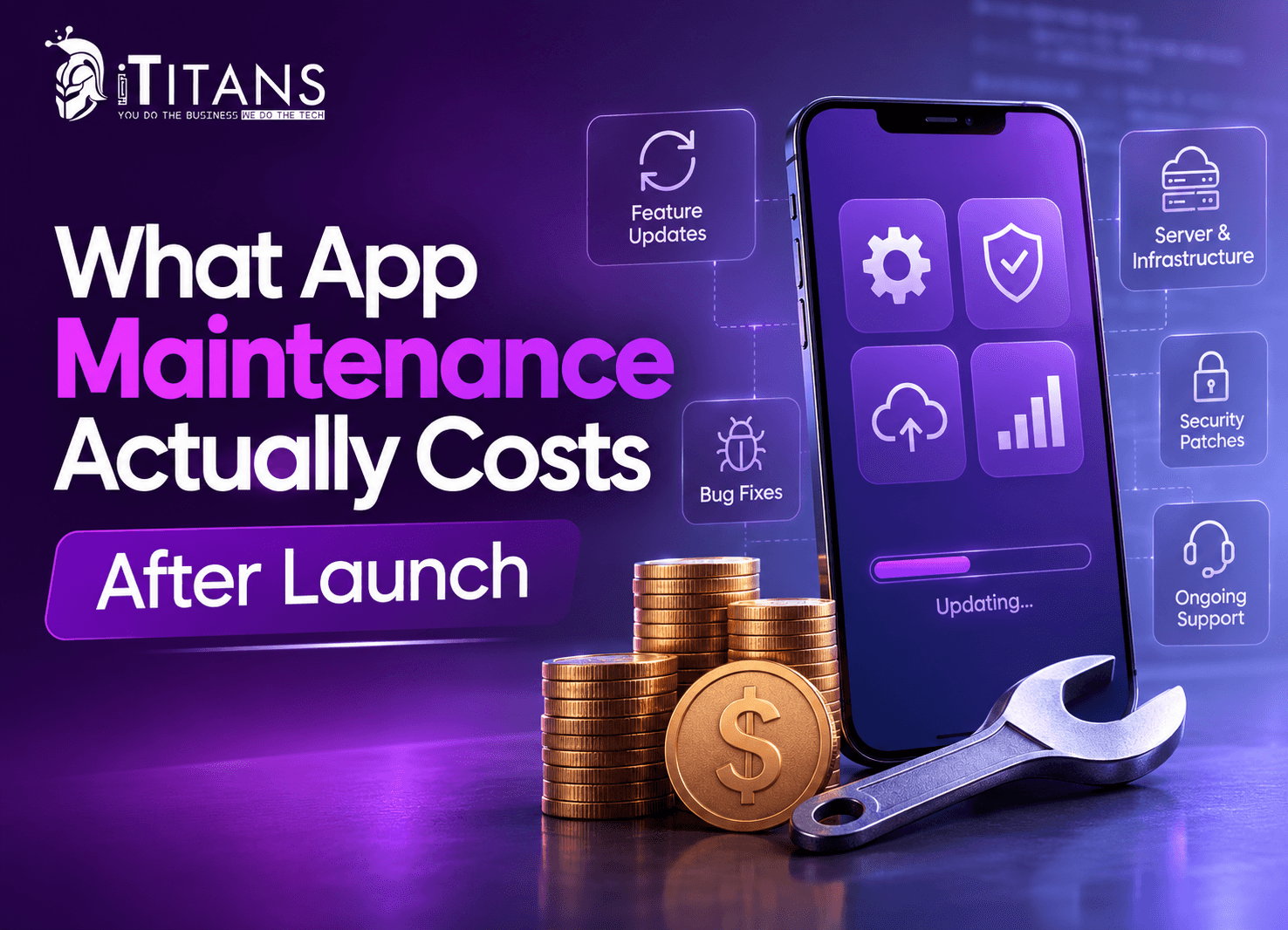
You just launched your app, budget spreadsheet closed, maybe even a little celebration. Then the real bills start showing up: a server invoice, a crash report from an angry user, an OS update that quietly breaks your login screen.
Here’s the direct answer: app maintenance cost typically runs 15% to 20% of your original development budget every year, sometimes climbing to 25% or 30% once you factor in security patches, OS compatibility, and feature updates. For a $100,000 app, plan on $15,000 to $30,000 a year. Year one almost always costs more, since post-launch bugs surface faster than most teams expect.
This guide breaks down exactly what drives that number, what’s actually included in post-launch app maintenance, and how to budget for it without guessing.
The Real Answer: What Does App Maintenance Cost?
So what is the real cost to maintain an app? Every credible industry source lands in a similar zone. Annual app maintenance cost sits between 15% and 25% of what you originally spent building the app, with some estimates citing 30% to 35% for apps that update often or run on multiple platforms.
Here’s how that breaks down by app size, based on benchmarks from Cleveroad and Aalpha:
| App Complexity | Monthly Cost | Annual Cost |
|---|---|---|
| Small / simple app | $500 – $1,700 | $6,000 – $20,000 |
| Mid-size app | $1,700 – $6,700 | $20,000 – $80,000 |
| Complex / enterprise app | $6,700 – $25,000+ | $80,000 – $300,000+ |
These figures cover the ongoing costs: bug fixes, hosting, security, OS compatibility, and minor updates. A full redesign or a major new feature build gets quoted separately, on top of this budget.
One more data point worth knowing: web apps generally cost 10% to 15% less to maintain than native mobile apps, mainly because there’s no app store review cycle and no second operating system to track.
Why Your First Year of Maintenance Costs More
Launch-day QA never catches everything. Real users find bugs on devices, networks, and edge cases your test team never simulated. That’s why year-one app maintenance cost often spikes to 30% or even 50% of the build cost, before settling into the 15% to 20% range by year two or three.
If you’re still validating your idea, starting with a lean build keeps that spike smaller, since there’s simply less surface area for bugs to hide in. Our MVP Machine approach exists for exactly this reason.
What Your App Maintenance Cost Actually Pays For
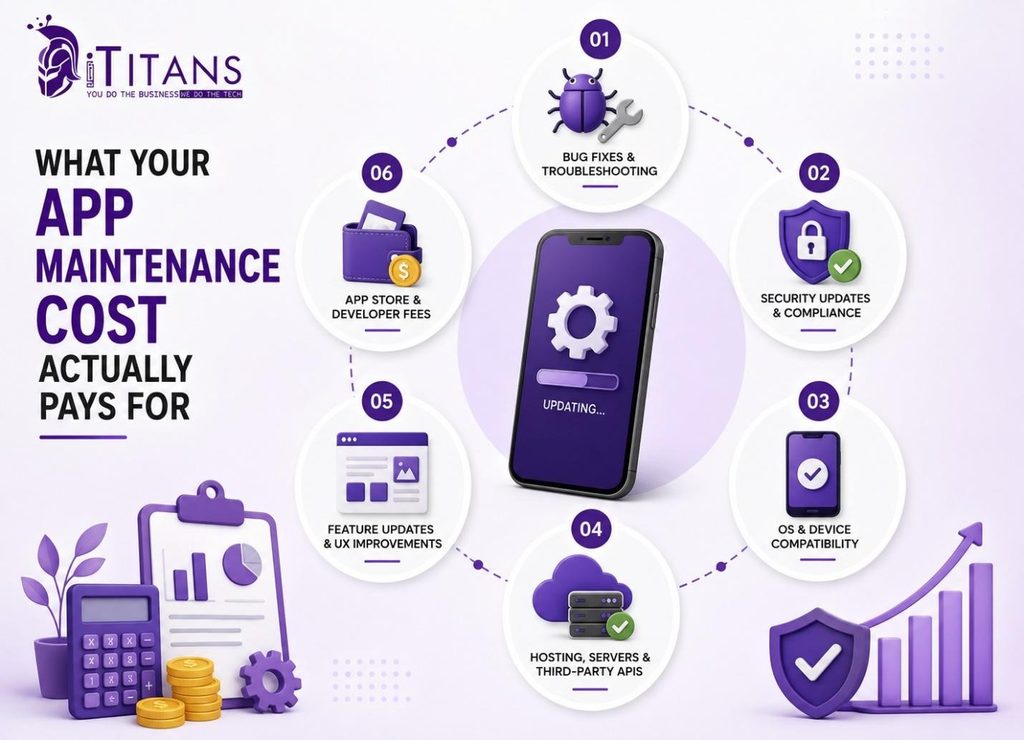
Maintenance is not one bill. It is six or seven smaller ones, and knowing what each covers helps you catch overspending before it becomes a pattern.
Bug Fixes and Troubleshooting
This is the cost users notice first. A minor fix typically runs $300 to $500, while a major bug involving backend logic can cost $3,000 to $10,000 or more.
Security Updates and Compliance
Dependency patches, vulnerability scans, and access reviews usually take 5 to 20 hours a month for a mid-size app. Skip this, and small vulnerabilities quietly turn into real breaches.
OS and Device Compatibility
Apple and Google each ship a major OS update every year, and your app has to keep pace or risk breaking on newer devices. This cost is ongoing, not optional.
Hosting, Servers, and Third-Party APIs
Server and hosting costs alone can run $70 to $320 a month for smaller apps, scaling up fast as active users grow. Payment gateways, push notifications, and analytics tools add to this line.
Feature Updates and UX Improvements
User expectations don’t freeze at launch. Regular UX refinements keep an app competitive, and our UI/UX design team usually steps in here for anything beyond a small tweak.
App Store and Developer Fees
Apple charges $99 a year for the Apple Developer Program, while Google Play charges a one-time $25 registration fee, according to Magora Systems. Small numbers, but easy to forget until renewal notices land.
The 4 Types of App Maintenance (and Where Your Budget Really Goes)
Most articles stop at “expect to pay 15% to 20% a year” without explaining where that money actually goes. Software engineering research, first classified by E.B. Swanson and later refined by Lientz and Swanson, splits maintenance into four categories, and that split matters more than the headline percentage.
| Maintenance Type | Share of the Work | What It Covers |
|---|---|---|
| Corrective | ~20% | Fixing bugs users report after launch |
| Adaptive | ~25% | Keeping the app working as iOS, Android, and third-party APIs change |
| Perfective | ~50% | New features and UX improvements based on real usage data |
| Preventive | ~5% | Code cleanup and refactoring that heads off bigger problems later |
The nuance most budgets miss: if corrective maintenance is eating more than 20% to 25% of your monthly spend, month after month, that usually points to weak QA before launch, not bad luck after it. Our SQA team builds testing into development specifically to keep that ratio healthy from day one.
iOS vs. Android vs. Cross-Platform Maintenance Costs
Platform choice changes your mobile app maintenance cost too. Here’s a general monthly range, based on data compiled by Tenet:
| Platform | Typical Monthly Cost |
|---|---|
| Android only | $250 – $1,000 |
| iOS only | $300 – $1,200 |
| Cross-platform (iOS + Android) | $500 – $5,000 |
iOS maintenance tends to cost slightly more per release cycle because of Apple’s stricter review process. Android maintenance eats more QA hours because of device fragmentation across manufacturers and screen sizes. Supporting both means paying for both realities.
What Happens When You Skip App Maintenance
Skipping maintenance does not save money. It just moves the cost onto your churn rate.
Survey data from Applause found that 88% of users abandon an app after hitting a bug or glitch, and 51% leave for good after encountering bugs more than once a day. Separate research on app retention shows nearly 90% of users have stopped using an app because of poor performance, according to Panto.
Put those numbers next to your cost per acquired user, and the math gets uncomfortable fast. A skipped security patch or an unfixed crash is not a maintenance cost you avoided. It is a customer acquisition cost you are about to pay twice.
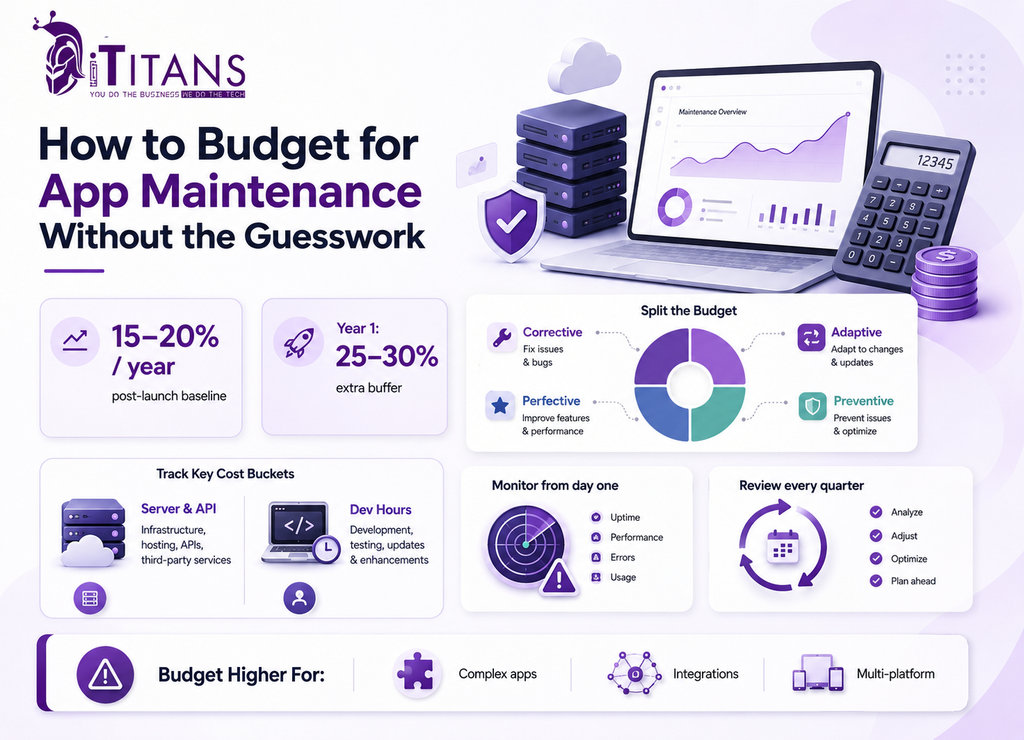
How to Budget for App Maintenance Without the Guesswork
A workable budget does not need to be complicated. It needs to exist before launch, not after the first crash report lands in your inbox.
- Start with the 15% to 20% rule as a baseline, then adjust up for complexity, integrations, or a multi-platform build.
- Split the budget across the four maintenance types above, so you can spot when corrective costs are running too high.
- Set aside a bigger year-one buffer, closer to 25% to 30%, since early bug discovery is unavoidable.
- Track server and API costs separately from developer hours. They scale differently as your user base grows.
- Build in monitoring from day one. Catching an issue before users report it always costs less than catching it after. Our DevOps team sets this up as part of ongoing support.
- Revisit the budget every quarter instead of once a year. Costs shift as the app grows.
How iTitans Supports Your App After Launch
Budgeting for app maintenance cost is only half the job. The other half is having a team that actually shows up when something breaks.
Flexible Maintenance Plans Built Around Your Stage
iTitans offers mobile app maintenance and support services across three tiers: Basic Maintenance for early-stage apps needing bug fixes and a monthly health check, Growth Support for scaling apps that need performance optimization and priority response, and Enterprise Support for mission-critical apps that need 24/7 monitoring and SLA-backed response times.
Engineers Who Cover the Full Maintenance Stack
Our team handles bug fixing, security patching, OS and device compatibility, performance monitoring, and feature updates for iOS, Android, and cross-platform apps. That full coverage matters, because a maintenance partner who only handles bug fixes still leaves you exposed on security and compatibility.
Support That Scales With Your Team
Some clients want a dedicated support engineer full time. Others want on-demand help when something breaks. iTitans structures maintenance engagements both ways, including flexible staff augmentation when you need extra hands without a long hiring process. You can see how this plays out for real products in our portfolio.
Keep Your App Maintenance Cost Working For You, Not Against You
App maintenance cost is not the fine print of app development. It is an ongoing part of running a real product, and treating it that way protects everything you already spent building the app.
Budget 15% to 20% of your build cost annually, expect a heavier year one, and split that spend across bug fixes, security, compatibility, and feature work instead of lumping it into one vague number.
The businesses that get this right treat maintenance as a planned budget line, not an emergency fund, and their apps are still running cleanly years after launch. If you want a team that handles the full picture, from bug fixes to security to feature updates, talk to iTitans about a maintenance plan built around your app’s actual stage and needs.
Frequently Asked Questions
How much does app maintenance cost per month?
Most apps cost $500 to $5,000 per month to maintain, depending on complexity, platform count, and user base. Enterprise apps with heavy integrations can run $6,000 or more per month.
Is app maintenance included in the development cost?
No. Development and maintenance are almost always billed separately. Maintenance covers bug fixes, updates, and hosting after launch, and typically starts once the app goes live.
What percentage of development cost is app maintenance?
Industry benchmarks put annual app maintenance cost at 15% to 20% of the original development budget, sometimes reaching 25% to 30% in year one or for complex apps.
How often should an app be updated after launch?
Most apps need updates every 4 to 6 weeks for bug fixes and compatibility, plus larger feature releases every quarter or two, depending on user feedback and OS changes.
Do I still need maintenance if my app rarely changes?
Yes. Even a stable app needs OS compatibility updates, security patches, and server upkeep. Skipping maintenance on an unchanged app still risks crashes and security gaps over time.
What happens if I don’t maintain my app?
Bugs and crashes accumulate, security gaps grow, and the app eventually breaks on newer devices. Studies show 88% of users abandon apps after encountering bugs, driving up churn.