Static vs Dynamic Websites | Which One Should You Choose?
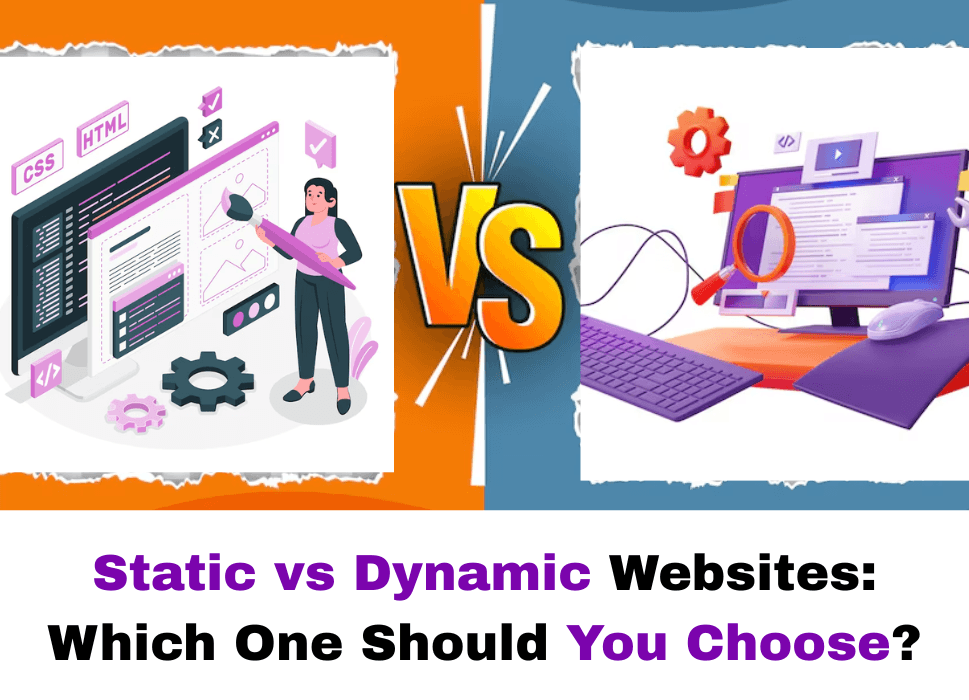
When you’re developing a website, the first big question isn’t always about color schemes, fonts, or even what your homepage should say. The first real decision that lays the groundwork for everything else is this:
Should you go with a static or a dynamic website?
This choice shapes how your site behaves, how it’s built, and how it will grow with your business. Both options have their strengths and limitations. And your decision depends on what your website is meant to do, not just today, but months or years down the road.
In this blog, we’re going to take a closer look at static and dynamic websites, compare how they work, what they’re best suited for, and help you figure out which one makes more sense for your goals.

What Is a Static Website?
A static website is made up of fixed content. Each page is a separate HTML file that lives on a server. When someone clicks a link to visit a static page, the server sends exactly that file to their browser. There’s no back-end processing, no database pulling in content, and no real-time updates unless someone manually changes the files.
Think of a static website like a printed brochure: once it’s designed and published, it doesn’t change unless you go back and edit it yourself.
Examples of Static Websites:
- Personal portfolios
- Brochure-style business websites
- Event landing pages
- Informational sites that rarely change
What Is a Dynamic Website?
When you develop a dynamic website, it is more like a living, breathing system. It pulls content from a database and builds the page on the fly when someone visits. Instead of serving a pre-written file, it assembles the page in real time based on what the user asks for.
For example, when you log in to your Facebook account, your newsfeed is generated dynamically based on your activity. The same URL would show completely different content for someone else.
Examples of Dynamic Websites:
- E-commerce sites with product listings and user accounts
- News websites with frequently updated articles
- Social media platforms
- Membership portals and dashboards
Core Differences at a Glance
Performance and Speed
One of the biggest perks of static websites is speed. Since pages don’t need to be built on the spot, they load fast. You can even host a static site on a simple content delivery network (CDN), so users from around the world get the same quick response.
Dynamic websites, on the other hand, have more moving parts. Every time someone visits a page, the server often has to:
- Pull data from a database
- Process scripts (like PHP or Python)
- Assemble everything and then send it out
This doesn’t mean dynamic sites are always slow, many modern ones are optimized to be just as fast. But they need more tuning and infrastructure to match the natural speed of a static setup.
Cost of Development and Maintenance
Here’s where the gap widens.
If your website just needs to sit there and look good with a few updates once in a while, static is a good bet. You can get it built quickly and host it for very little. There’s no need for databases, CMS platforms, or regular back-end maintenance.
Dynamic websites, though, require more work behind the scenes:
- Backend development
- Database design
- Security protocols
- Admin interfaces
This means more investment in development, ongoing support, and potential server costs. However, if you plan to scale, update content regularly, or offer a customized website, a dynamic site ultimately pays off in the long run.
Security
Static websites are generally safer because there’s less that can go wrong. They don’t interact with databases, they don’t have forms that accept input (unless added separately), and they’re not running code on the server for every visitor. There’s simply less to exploit.
Dynamic websites open more doors, and while that’s great for flexibility, it also means there are more ways for someone to try and get in. Any place that accepts user input or connects to a database needs to be watched closely, patched often, and protected properly.
That said, security is never guaranteed just by the website type. Even a basic static site can be compromised if hosted poorly or updated through a vulnerable system.
SEO and Content Updates
When it comes to search engine visibility, both static and dynamic websites can rank well on Google, but how you manage your content plays a big role.
On static sites, every page exists as a separate HTML file, making it easier for search engines to index the content. But there’s a downside: updating content means going into the code and changing it by hand.
Dynamic sites usually come with a content management system (CMS) like WordPress, Joomla, or a custom-built one. This makes it far easier to:
- Add blog posts
- Update text and images
- Change navigation or layout
- Manage products or listings
If content updates are frequent, a dynamic site saves time and energy. You don’t need a developer every time you want to tweak a sentence or upload a new image.
When Static Websites Make Sense
Static websites are a solid choice when:
- You only need a few pages
- You want to get online quickly
- You don’t plan to change your content often
- Your budget is limited
- You prefer a simple structure with minimal interactivity
For example, if you’re a freelance photographer, an artist, or a consultant looking to put up a digital resume, static might be all you need. You can have a fast, elegant online presence without diving into a full CMS or dealing with server-side logic.
When Dynamic Websites Make Sense
Choose dynamic if:
- Your content updates often
- You have user accounts or login features
- You’re selling products or services
- You want to offer personalized content
- Your business will grow and require more features
A small e-commerce shop might start out with just a few products. But over time, if you plan to offer discount codes, run flash sales, track inventory, or allow customers to create wishlists, a dynamic site gives you the structure to make it all happen.

Real-World Examples: How Brands Use Static vs Dynamic Websites
To better understand the difference, let’s look at how real businesses use each type of website in practice. These examples will help you visualize which approach fits specific goals.
Static Website in Action: A Local Cafe
Imagine a small coffee shop called Bean & Brew in a quiet neighborhood. They don’t take online orders. They don’t update their menu very often. Their website includes:
- About Us
- Menu
- Location & hours
- A few high-quality photos
For them, a static site works just fine. They hired a developer once, the site was done in two weeks, and now it sits there working like a digital business card. Their hosting costs are low, they’ve never had a security scare, and they’ve only needed one update in the past year, to change opening hours.
This is a perfect example of when going static saves money, reduces hassle, and still gets the job done.
Dynamic Website in Action: An Online Learning Platform
Now take SkillHatch, a growing platform for online courses. Their users:
- Sign up with accounts
- Browse hundreds of courses
- Stream video content
- Track progress
- Receive certificates
Everything here is interactive. The system needs to:
- Display personalized dashboards
- Record user activity
- Store and retrieve course data
- Process payments
This setup is impossible to achieve with static pages. It needs a full back-end framework, a database, and real-time communication between the server and the user. The website responds to user behavior, changes frequently, and requires ongoing updates and security checks. A dynamic website is not just a better choice, it’s the only choice.
The Question of Scale
How much do you expect a scalable website?
This question matters more than most people realize. A static website may serve you well in the short term, but what happens if:
- Do you start blogging weekly?
- Do you add more services?
- Do you open an online store?
If your content will stay largely the same for a long time, static is smart. But if you’re heading into a world where updates are frequent, and interaction is important, then building dynamic from the start saves you from redoing everything later.
Scalability isn’t just about adding more pages, it’s about how your website handles complexity. For example, a five-page static site becomes painful to manage if you suddenly need 200 product pages or 1,000 blog posts.
Content Management: Static Generators vs CMS
Let’s pause and address a point that’s been getting more attention lately, static site generators.
These tools, like Hugo, Jekyll, and Gatsby, blur the line between static and dynamic. They let developers build static websites with templates and even fetch content from APIs. The result: a fast-loading site that’s technically static but more flexible than hand-coded HTML files.
However, you still need developer support to use them. They’re not plug-and-play for the average business owner. If you’re not comfortable with code, or don’t want to depend on someone who is, then a content management system (CMS) like WordPress or Webflow makes more sense.
CMS Pros:
- Easy to update content without technical skills
- Add plugins or features as needed
- Built-in admin dashboard
Static Generator Pros:
- Very fast performance
- Cleaner codebase
- Easier to host and secure
So, if you like the speed and simplicity of static, but want a bit more control and automation, static site generators offer a middle ground. Just know they require more technical setup.

Dynamic Features That Matter in 2025
As we move further into a connected, user-first world, dynamic websites are picking up more momentum, not because they’re trendy, but because users expect interactivity.
Here are some features people take for granted now that only dynamic websites can handle properly:
- Search Functionality: Users expect to search your site and get instant results. Whether it’s a blog, store, or documentation site, search is essential.
- User Accounts and Personalization: Sites that greet you by name, save your preferences, or remember where you left off? That’s dynamic.
- Live Content: Think stock prices, weather updates, sports scores, or news headlines. This information changes constantly and needs to be pulled dynamically.
- Forms and Feedback: Whether it’s a contact form, survey, or product review, data being collected from the user and stored somewhere needs a dynamic setup.
- Shopping Carts and Checkout: No e-commerce site can function without dynamic pages. Cart items, prices, taxes, discounts, all of that has to be processed on the server.
Maintenance and Long-Term Effort
Let’s talk about what happens after your site is launched. Every website needs updates. Some need them daily. Others barely need them yearly.
Static Website Maintenance:
- Update content manually (HTML edits)
- No software updates needed
- Low chance of breaking changes
You rarely have to worry about updates going wrong. The site sits there, unchanged, unless you touch it.
Dynamic Website Maintenance:
- Regular updates to CMS, plugins, or back-end
- Database optimization
- Backups and patches
- Monitoring for traffic spikes or slowdowns
More moving parts mean more chances for something to go off track. But they also mean your website is alive, responsive, and capable of growing with your business.
Think of it like comparing a bicycle to a car. A bike requires little upkeep, but it won’t get you across the country. A car requires more attention, but it gets you much farther.
Hosting Requirements
Another key difference lies in where and how your site is hosted.
Hosting a Static Website:
- Works on any basic server or CDN
- Can be hosted for free on platforms like GitHub Pages or Netlify
- Easy to move or migrate
Hosting a Dynamic Website:
- Needs a server with support for databases and scripting languages (e.g., PHP, Node.js)
- Might require load balancing, caching, or autoscaling if traffic spikes
- Usually has monthly hosting fees based on resources used
Static hosting is like renting a locker, you store your files and forget about them. Dynamic hosting is like running a shop, you’ve got electricity, equipment, and daily visitors to serve.
Myth-Busting: Clearing the Confusion
Many people still misunderstand what static and dynamic websites really are, especially with new tools and hybrid models blurring the lines. Let’s clear up some common myths that confuse businesses when making a decision.
Myth 1: Static Websites Are Outdated
Truth: They’re far from obsolete. Many top-performing websites today are static or built with static site generators. Developers and marketers choose them for speed, security, and cost-efficiency. For content that doesn’t change daily, static can outperform more complex systems.
Myth 2: Dynamic Means Better SEO
Truth: Search engines care about structured, crawlable content, not whether your site is static or dynamic. A well-optimized static website can rank just as well, if not better, than a bloated dynamic site with poor structure. What matters is how you implement titles, metadata, sitemaps, and performance improvements.
Myth 3: You Need a Dynamic Site to Have a Blog
Truth: Not at all. Blogs can absolutely be built as static pages using generators like Hugo or Gatsby. In fact, many developer blogs are static because they load faster and require fewer server resources.
Myth 4: Static Sites Can’t Handle Complex Designs
Truth: Visual design is completely separate from whether a site is static or dynamic. You can have gorgeous animations, scroll effects, video backgrounds, and everything else on a static site. It’s about content delivery, not aesthetics.
When Should You Choose a Static Website?
Here’s when it makes perfect sense to go static:
- You’re building a brochure-style website (like for a local business).
- Your content changes very rarely.
- You don’t want to deal with databases or server maintenance.
- Speed and simplicity are your top priorities.
- You’re comfortable with HTML/CSS or have someone who is.
- You’re hosting on platforms like GitHub Pages, Netlify, or Vercel.
Some good use cases:
- Photographer or designer portfolios
- Resume/CV websites
- Event pages
- Marketing landing pages
- Restaurant websites with static menus
When Is a Dynamic Website the Right Call?
Go dynamic when your site:
- Needs user interaction (login, comments, search, etc.)
- Handles frequent updates
- Has a content-heavy structure (e.g., blogs, news, media)
- Involves transactions (e.g., e-commerce or booking)
- Needs data stored and fetched in real time
- Will be managed by a non-technical team through a CMS
Examples include:
- Online stores (Shopify, WooCommerce)
- SaaS platforms
- Membership or subscription sites
- News/media outlets
- Corporate websites with many pages and stakeholders

What About Hybrid Websites?
Many modern websites blend static and dynamic elements to get the best of both worlds. For example:
- The marketing pages are built statically for fast loading.
- The user dashboard is dynamic and interacts with a database.
- Blog content is pre-rendered but fed through a CMS for easy editing.
Tools like Next.js, Astro, and Nuxt allow developers to combine static generation with server-side rendering. If you’re working with a dev team and want flexibility, these hybrid models offer a solid middle path.
Cost Breakdown: Static vs Dynamic
Money matters. Let’s take a realistic look at what you might expect to spend, not just upfront but over time.
Static Website Cost:
- Initial build: $500–$2,000 depending on design complexity
- Hosting: Often free (GitHub, Netlify) or under $10/month
- Maintenance: Rare, mostly when updating content
Total cost of ownership is low, ideal for startups and small businesses.
Dynamic Website Cost:
- Initial build: $1,500–$10,000+ depending on functionality
- Hosting: $10–$100/month (shared hosting, VPS, cloud)
- Maintenance: Ongoing costs for CMS updates, plugin fixes, backups
Dynamic sites offer more, but also ask for more, in time, budget, and management.
Ask Yourself These 5 Questions
Still unsure? Answering these questions can help you make a smart, confident decision:
- How often will I update the site? If updates are rare, go static.
- Will users interact with my site beyond just reading content? If yes, you need a dynamic structure.
- Do I need login systems, databases, or shopping carts? These require a dynamic site.
- Do I have a tech team, or will I rely on no-code tools? Static might be harder to manage without developers.
- What’s my budget now, and for ongoing maintenance? Static is lighter on long-term expenses.
What We Recommend at iTitans
At iTitans, we’ve built both types of websites for clients across industries. Our honest take? Don’t chase trends. Choose based on what your business needs right now and how you expect it to grow.
For example:
- A local plumbing company might thrive with a fast-loading static site built in 3 days.
- An edtech startup aiming to onboard users, track progress, and offer dynamic content will need a strong dynamic framework from day one.
If you’re unsure, we often recommend starting static and switching to dynamic later if and when the business demands it. This staged approach keeps costs down early on and gives you room to grow when it makes sense.

Final Thoughts
Choosing between a static and dynamic website isn’t about right or wrong, it’s about fit. Like choosing the right vehicle for a trip, you wouldn’t take a bicycle on a cross-country journey, but you also wouldn’t buy a bus for a five-minute ride to the store.
Static websites are fast, secure, and simple. Perfect for smaller projects with fixed content. Dynamic websites are powerful, interactive, and scalable. Ideal for businesses with changing content and active user involvement. Hybrid models give you flexibility but require skilled development.
At iTitans, we’re happy to guide you. Whether you’re launching your first site or revamping an old one, we build websites that work. Contact us today.
Related Posts