Pagination vs Infinite Scroll in Website
In today’s digital-first world, user experience (UX) defines the success of how your visitors would interact with the website based on their device. Whether you’re running an e-commerce platform, a blog, a news portal, or a service-based, it’s important to ensure your users can seamlessly interact with your content is critical.
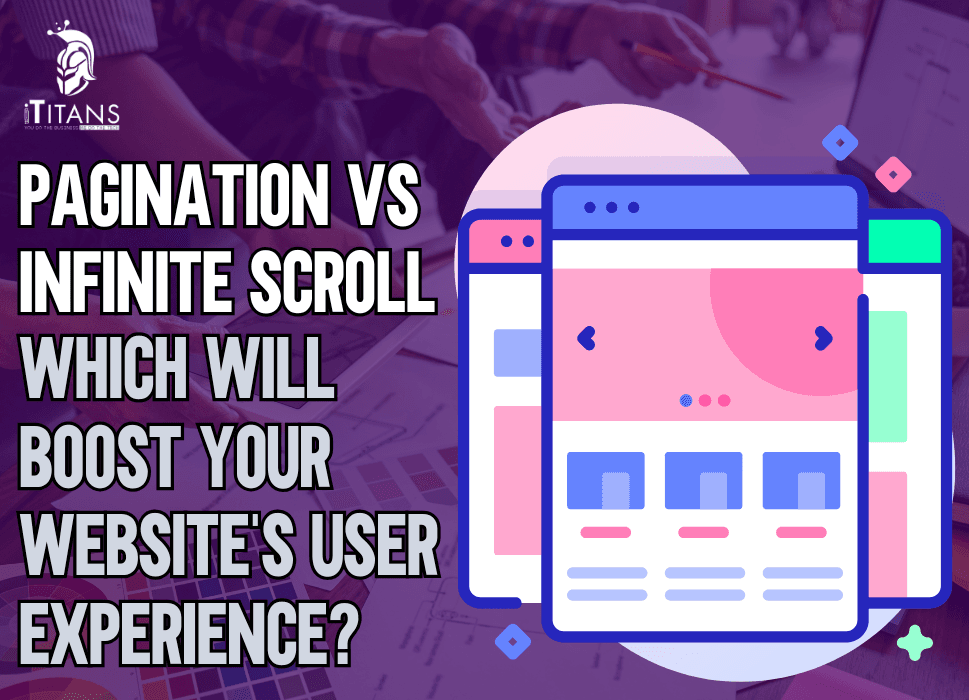
But when it comes to how your content is presented and navigated, one of the biggest debates in website development is: pagination vs infinite scroll. Which one truly enhances user experience? Which boosts engagement, performance, and conversions? The answer isn’t as black and white as it may seem. It depends on various factors, including your website’s objectives, the nature of your content, and how your users interact with your pages.
So how do you choose the right UI/UX design for your website that boosts the overall user experience for your business? In this article, we are going to compare pagination vs infinite scroll and how it impacts the user experience on a website by discussing pros, cons, and scenario-based examples.
Understanding Pagination and Infinite Scroll
Before we start dissecting the pros and cons, it’s essential to understand what each approach really is.

What is Pagination?
Pagination is the traditional method where content is divided into discrete pages. Users can navigate using numbered page links or “Next” and “Previous” buttons. It’s been the go-to navigation system for years, especially in blogs, forums, and product catalogs.

What is Infinite Scroll?
Infinite Scroll, on the other hand, continuously loads content as the user scrolls down the page, no clicks required. It’s commonly seen on social media platforms like Instagram and Twitter, where the stream of content never seems to end.
Both methods aim to present large sets of data or content without overwhelming the user, but they do so in strikingly different ways. In most cases, it may depend on the personal preference of website developer or designer and user-persona of the website users to choose the right one.
Why User Experience Matters More Than Ever in 2025
In 2025, user expectations have reached new heights. According to a recent report by Statista, over 60% of users expect websites to load in under three seconds, and 70% will abandon a site if the navigation feels clunky or unintuitive. That’s a massive deal.
At iTitans, the mission revolves around user-centric design clean, intuitive, and efficient interfaces that make digital interaction effortless. Choosing the right navigation structure, like pagination or infinite scroll, is a decision rooted deeply in UX strategy. And getting it wrong? That can cost you traffic, sales, and brand trust.

What Makes Pagination the Right Choice for Website?
More Control for Users
One of the most significant advantages of pagination is the control it offers users. People can decide which page they want to visit, go back to previous ones, or even skip to the end. This structure is particularly beneficial for content that users might want to revisit think tutorials, articles, or documentation.
For a software development company, web apps that have complex, multi-page applications, its wise to offer better user control through pagination can be a UX game-changer, especially when combined with clean UI and optimized loading.
Better Performance for Large Datasets
Paginated pages typically load faster than infinite scroll because only a small portion of the data is retrieved at a time. This controlled loading reduces strain on the server and provides a more predictable performance, a key requirement for enterprise websites, SaaS platforms, and B2B services. In fact, Google’s own UX researchers recommend pagination for large datasets and search results, citing that user often prefer the clarity and sense of location that pagination offers.
SEO-Friendly Navigation
Pagination is far easier for search engines to crawl. Each page has its own unique URL, meta tags, and structured data. This means more opportunities for content to be indexed and ranked individually.
From an SEO standpoint, this is gold. At iTitans, when building content-heavy sites or e-commerce platforms for clients, they often lean towards pagination to support robust search engine optimization strategies.
Encourages Goal-Oriented Browsing
With pagination, users tend to navigate with a goal in mind looking for a specific article, product, or answer. This focused interaction reduces bounce rates and increases time-on-site, especially in contexts where decision-making is key.

What Makes Infinite Scroll the Right Choice for Website?
Seamless User Experience
Infinite scroll delivers content in a fluid, uninterrupted stream. It feels natural and modern, like flipping through a magazine without stopping. It’s highly engaging and encourages exploration, making it ideal for visual-heavy platforms or discovery-based apps.
Take social media platforms or lifestyle blogs, for instance. The more users scroll, the more content they see and the more time they spend on the platform. This same technique is used by iTitans in designing entertainment, social, and lifestyle mobile apps where user engagement is the top priority.
Great for Mobile-First Design
With mobile traffic now exceeding desktop globally, UI/UX has to be optimized for thumbs, with over 58% of all web traffic according to StatCounter. Infinite scroll works beautifully with mobile devices. It minimizes interaction friction by eliminating the need for clicking and waiting for new pages to load.
Increased User Engagement
Infinite scroll can boost metrics like session duration and pageviews. On sites designed to entertain or inform through discovery users often consume 20-30% more content than they would through pagination, like image galleries, news feeds, or product catalogs.
Visually Appealing and Modern
Let’s not forget the aesthetics. Infinite scroll can make a website feel sleek, fast, and visually rich. It offers a futuristic feel that resonates with tech-savvy users and digital natives—two audiences that are growing fast.
What are the Challenges and Limitations of Pagination and Infinite Scroll?
Pagination: Slower Browsing Experience
While it provides control, pagination can slow down the browsing experience. Users have to click, wait for a page to load, and repeat. This interrupts flow, especially in fast-paced, content-consumption environments. It also creates barriers on mobile. Tapping small pagination links can be frustrating on smaller screens.
Infinite Scroll: SEO Headaches and Navigation Issues
The very fluidity that makes infinite scroll appealing also makes it problematic for search engines and accessibility. Without unique URLs for each content block, search bots struggle to index the site fully. This can seriously hurt your organic traffic. Moreover, infinite scroll often breaks the browser’s back button, confuses users who want to return to previous content, and creates challenges in locating specific pieces of information.
Which Performs Better for Conversion Rates?
Conversions are the holy grail, and the choice between pagination and infinite scroll can significantly impact them.
eCommerce
For e-commerce sites, a study by Baymard Institute found that pagination often outperforms infinite scroll in terms of cart additions and purchases. Users like to browse deliberately, compare products, and revisit previous pages. Infinite scroll, while engaging, can overwhelm and lead to decision fatigue.
Content Based Websites or Blogs
In content discovery sites, infinite scroll typically yields higher engagement metrics, including longer sessions and more ad impressions both of which can indirectly lead to higher conversion in terms of sign-ups, shares, or returning visits.
When Should You Choose Pagination?
- Your site relies heavily on SEO and discoverability
- Users need to find specific pieces of information
- Your data is structured in categories (e.g., tutorials, case studies, FAQs)
- You want to provide a clear sense of location and navigation
- Your users are on desktop more than mobile
When Should You Choose Infinite Scroll?
- Your goal is high engagement and passive content discovery
- Your content is highly visual (e.g., images, memes, videos)
- You’re designing for mobile-first or mobile-only experiences
- You’re aiming for longer session durations
- Your users enjoy exploration over structured browsing
How iTitans Crafts the Best of Both Worlds
With a team of expert designers, developers, and strategists, iTitans builds websites that marry function with form. We often recommend hybrid models that offer both pagination and infinite scroll elements depending on user behavior. For instance, lazy loading combined with a “Load More” button allows for continuous discovery without overwhelming the user or search engines.
Tailored Services
By analyzing heatmaps, scroll depths, and session replays, iTitans tailor’s website development that reflect how real users engage not just how trends dictate design. This data-backed approach ensures that every client from startups to Fortune 500s, gets a site optimized for both performance and experience.
iTitans leverages this technique on several mobile applications and websites that rely on time-on-site and content exposure to drive conversions.
Hybrid Models
iTitans addresses these challenges by using hybrid models, combining infinite scroll with checkpoint-based pagination or lazy loading that offer the best of both worlds.
Research Based Approach
iTitans uses this performance data to inform client decisions. For example, a news app they developed for a media company adopted infinite scroll for headlines but switched to pagination for detailed content, resulting in a 34% increase in reader retention over six months.
When iTitans Uses Pagination
For corporate websites, B2B platforms, or eCommerce projects, iTitans tends to recommend pagination. Why? Because it keeps things organized and measurable. For example, in a large B2B product catalog, being able to bookmark or revisit “Page 5” makes the experience far more practical for the buyer. Our experts also consider the SEO factor. Since iTitans builds with search engine visibility in mind, pagination supports clearer indexing and sitemap organization critical for organic traffic growth.
When iTitans Leverages Infinite Scroll
On the flip side, iTitans may implement infinite scroll for media-heavy apps, entertainment platforms, or social features. They’ve integrated smart scroll mechanics into news apps, real-time dashboards, and community platforms to encourage immersion and flow.
But even then, they often include UX safety nets like floating navigation buttons or “scroll-to-top” features to ensure usability doesn’t suffer. This hybrid thinking is what sets iTitans apart. Rather than treating pagination and infinite scroll as binary choices, iTitans tailor the website development to the user journey and business objectives.

17 Essential Elements of a Well-Designed Website
Understanding the elements of a well-designed website is crucial when comparing pagination and infinite scroll, as each design choice directly impacts usability, performance, and overall user experience. Let’s explore the core components that define an effective, engaging, and user-friendly website.
1. Clear Navigation Structure
An intuitive navigation system helps users find content easily without confusion. Whether you’re using pagination or infinite scroll, the menu structure, breadcrumb trails, and categorized filters guide visitors smoothly across the site. Pagination often works better for clear navigation, while infinite scroll may require additional cues to maintain user orientation.
2. Mobile Responsiveness
Mobile responsiveness ensures that your website adapts seamlessly across devices—smartphones, tablets, and desktops. With the rise in mobile browsing, both pagination and infinite scroll must be optimized for touch and swipe gestures. Infinite scroll tends to feel more natural on mobile, but paginated layouts can offer more structured access to content.
3. Fast Loading Speed
Page speed is a critical factor in user retention and SEO performance. Websites using infinite scroll must optimize data loading with techniques like lazy loading to avoid sluggishness. Paginated sites, on the other hand, can preload critical pages or reduce content load per page for faster performance.
4. Visual Hierarchy
A solid visual hierarchy helps users prioritize information, guiding their eyes to key elements like headlines, calls to action, and navigation links. This is especially important when deciding between infinite scroll and pagination. In infinite scroll, a lack of visual breaks can lead to content fatigue, while pagination offers clear segmentation.
5. Consistent Layout and Design
Consistency in font styles, color schemes, and button placements builds user trust and brand recognition. Whether employing infinite scroll or pagination, the design layout should remain uniform across all pages or content feeds. This prevents confusion and ensures users can predict where to find key information.
6. Accessibility Features
A well-designed website is inclusive, ensuring people with disabilities can navigate with ease. Features like keyboard navigation, screen-reader compatibility, and alt text are essential. Pagination typically offers better accessibility out-of-the-box since it creates distinct content segments, while infinite scroll can pose challenges if not properly coded.
7. Effective Use of Whitespace
Whitespace improves readability and reduces cognitive load. It allows elements like text, images, and buttons to breathe. In infinite scroll designs, it helps differentiate blocks of content, whereas in paginated layouts, whitespace can be used to clearly define each page’s purpose and focus.
8. Strong Call to Action (CTA)
Strategically placed CTAs guide users toward conversions—whether it’s signing up, buying, or reading more. Pagination allows for CTAs at the end of each page, naturally aligning with decision points. Infinite scroll may bury CTAs in a never-ending flow, so designers must creatively intersperse them.
9. Search Functionality
Robust search functionality enhances user experience by helping visitors find specific content quickly. This is critical in both paginated and infinite scroll formats, though paginated designs often allow for better indexing and keyword-specific results. Infinite scroll may load too much irrelevant content if search logic isn’t tightly defined.
10. Content Organization and Categorization
Well-organized content ensures that users don’t get overwhelmed. Paginated sites naturally divide content into digestible pieces, improving user focus. Infinite scroll demands dynamic categorization or filters to prevent content chaos, especially in blogs or e-commerce platforms with diverse topics or products.
11. Optimized Images and Multimedia
Multimedia elements should be high-quality but optimized to avoid slowing down your site. Infinite scrolls benefit from lazy loading images to prevent heavy initial loads, whereas paginated designs can load relevant assets per page. Regardless of the method, compressed, fast-loading visuals are key.
12. SEO-Friendly Architecture
Search engine visibility hinges on a site’s architecture. Pagination generally offers better control over indexed content and internal linking. Infinite scroll, if not well-implemented, can hinder crawling and indexing due to dynamic content loading. Proper use of crawlable links and structured markup is essential in both cases.
13. Interactive Elements and Feedback
Interactive elements like hover effects, loading indicators, or scroll animations keep users engaged. Infinite scroll should use progress indicators to reduce user frustration, while pagination benefits from “Next” or “Previous” button interactions. Instant feedback upon actions (like clicking or swiping) improves UX.
14. Error Handling and 404 Pages
Even the best websites may have broken links or removed content. A creative and helpful 404 page maintains user trust and guides them back to useful areas. Pagination makes it easier to handle missing pages, while infinite scroll needs to ensure data requests don’t result in invisible or broken UI.
15. Analytics and User Behavior Tracking
A well-designed website integrates analytics to understand how users interact with different layouts. Pagination can show clear metrics per page, while infinite scroll may require event-based tracking like scroll depth. Proper tracking helps refine UX decisions based on actual usage patterns.
16. Security and Privacy Measures
Design must consider secure browsing practices, including HTTPS, cookie consent, and data protection. Infinite scroll and pagination both need to guard user data during loading actions. Forms, logins, or personalized content should always be encrypted and adhere to compliance standards.
17. Scalability and Maintenance
A future-ready website is scalable, meaning it can grow with your content or user base. Pagination allows for modular scaling, easily adding new pages. Infinite scroll needs to manage large data sets dynamically without performance degradation. Maintenance is easier with modular (paginated) layouts due to isolated content loading.

Pagination vs Infinite Scroll: Which One is the Right Option?
There’s no one-size-fits-all answer in the pagination vs infinite scroll debate. Each has its strengths, and each carries limitation. The real question isn’t which one is objectively better but which one is better for your users, your goals, and your content.
If you’re building a structured, SEO-optimized site, pagination might be your best friend. If you’re designing for mobile, aiming for engagement, or building discovery-first platforms, infinite scroll can be a powerful tool.
And if you’re unsure? Let the experts at iTitans guide you. With their deep understanding of user behavior, digital strategy, and technical implementation, they don’t just build websites they create experiences that work. To get the best experience for your website, contact iTitans now and let us help you develop websites that provide the best user experience with increased user retention.
FAQs
What’s the basic difference between pagination and infinite scroll?
Pagination splits content into numbered pages think page 1, 2, 3, while infinite scroll dynamically loads more as you scroll, let’s you keep going forever until content runs out. It’s like comparing flipping pages in a book versus one continuous magazine roll.
Which one user prefer for browsing large content libraries?
For casual browsing such as on social feeds or photo galleries, infinite scroll often wins. It removes interruptions and entices engagement. Nielsen Norman Group notes it “minimizes interaction costs and increases user engagement”. But for goal-oriented browsing like product searches, users tend to prefer pagination, where they can easily backtrack or jump to specific pages.
How do these approaches impact SEO and indexing?
Pagination, with its clear, indexable URLs, is SEO-friendly. Infinite scroll can hide content from search crawlers if not implemented with care. It often fails to let search engines crawl beyond the “fold.” SEO experts still recommend pagination for discoverability.
Does infinite scroll improve engagement metrics like bounce rate?
It depends. Websites using “Load More” or infinite scroll can reduce bounce rates because users stay on the page. One report found readers who scrolled deeper were far more likely to return. However, full infinite scroll without controls can hurt conversions. Etsy and Booking.com observed fewer clicks and conversions after switching
What about load times and performance?
Infinite scroll constantly pulls more content, chewing more bandwidth and slowing page performance, especially painful on mobile or slow connections. Pagination restricts data loads to individual pages, providing faster initial load times and better performance.
Which method is more accessible for users?
Pagination is generally easier for users with disabilities. Infinite scroll lacks landmarks, making it hard for screen readers or keyboard users to navigate
Can infinite scroll cause more harm than good?
Yes. Psychologically, it can fuel “doomscrolling,” as its continuous flow removes natural stopping cues. Studies show social media users can dissociate and lose track when scrolling indefinitely leading to fatigue or reduced memory of content. Adding friction like a “Load More” button can help reset user control
Is there a hybrid solution that works best?
Absolutely. The “Load More” approach offers a sweet spot: users scroll naturally but still choose when to fetch more content. Nielsen Norman Group and others recommend “infinite scroll with Load More” or integrated pagination letting content load dynamically while still giving users orientation landmarks
What does research say about conversions and infinite scroll?
One UX study found that infinite scroll “may support browsing behavior, but it can cause inaction (and lower conversions)” a concern for e-commerce sites. Large e-commerce platforms have seen conversion rates drop significantly when switching to infinite scroll. Pagination helps users feel in control and more likely to act.
So which one should I pick for my website?
It boils down to your goals. If you’re offering a visually rich, exploratory experience like social feeds or news, infinite scroll or “Load More” makes sense. But if your site focuses on tasks finding something, comparing products, boosting conversions pagination (or hybrid solutions) usually works better. For maximum results, test with your audience using A/B trials and monitor metrics such as engagement depth, bounce rate, and SEO ranking.
Related Posts