Mistakes to Avoid When Developing a Website
Building a website seems simple on the surface. You buy a domain, pick a design, throw in your services, and you’re live. But here’s the hard truth: most business websites never perform the way they should, not because of lack of effort, but because of avoidable mistakes made during development.
These missteps don’t just affect your design, they impact your traffic, sales, search visibility, credibility, and user experience. And the worst part? Many of them aren’t obvious until it’s too late.
Whether you’re launching your first site or revamping an old one, this blog is your reality check. We’re breaking down the most common mistakes people make when developing websites, why they happen, how they hurt your brand, and, most importantly, how to avoid them.
Let’s start with the most common ones.

1. Ignoring the Purpose of the Website
A website without a clear goal is like a store with no signage.
Before you write a single line of code, ask: What is the purpose of this site? Is it to:
- Get leads?
- Sell products?
- Book appointments?
- Share information?
Most websites try to do everything, and end up doing nothing well. The result? Visitors don’t know where to click, what to read, or what you want from them.
What to do instead: Define a clear primary goal for your site before development. Every page, button, and image should support that goal. Secondary goals are fine, but never confuse the two.
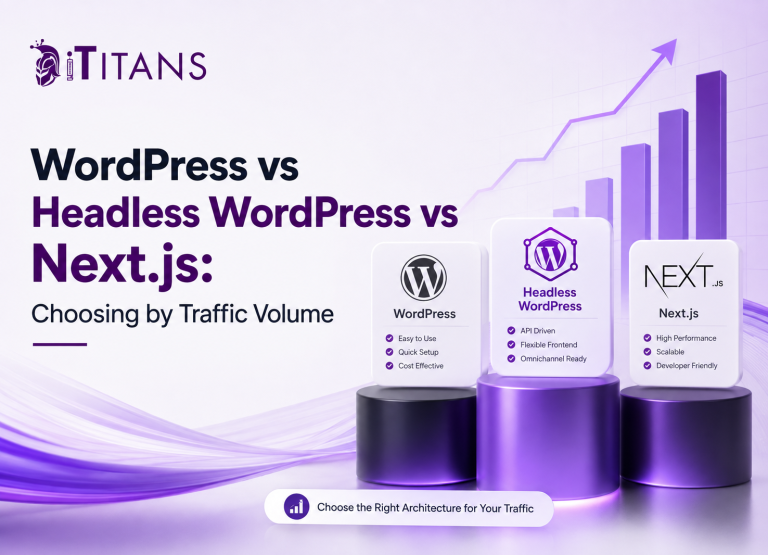
2. Choosing the Wrong Platform
Not every business needs a fancy custom-coded site. And not every site should live on a $5 WordPress template either.
Choosing the wrong platform creates a domino effect of issues:
- You can’t scale when needed
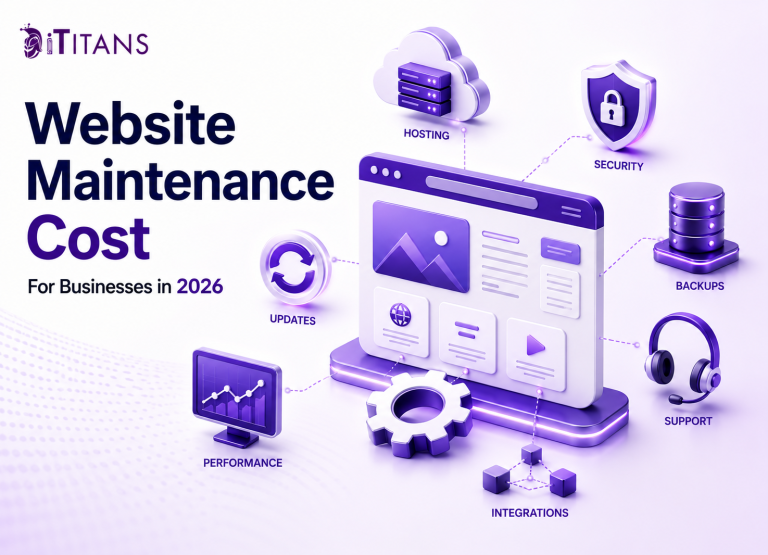
- Updates become painful
- You’re stuck with limited features
- Customization is expensive or impossible
What to do instead: Don’t blindly follow trends. Choose a platform based on your business needs. WordPress, Shopify, Webflow, and custom-built solutions all serve different use cases. If you’re not sure, get expert input before development starts.
3. Cluttered and Confusing Navigation
Visitors should never feel lost on your website.
Confusing menus, too many dropdowns, inconsistent link styles, these things chase people away faster than bad content ever could.
Signs of poor navigation:
- Users have to click more than twice to find something
- Important pages are buried or missing
- Menu labels are vague or generic
- There’s no clear path through the site
What to do instead: Map out your site’s structure before designing it. Use clear, intuitive labels. Keep navigation simple and consistent across all pages. Make sure users can get where they want without friction.
4. Poor Mobile Experience
In 2025, mobile isn’t optional. It’s the default.
If your website breaks, lags, or looks weird on mobile devices, you’re losing traffic, trust, and conversions daily.
Common mobile mistakes:
- Tiny text that’s hard to read
- Buttons too small to tap
- Menus that don’t open or collapse properly
- Slow load times due to heavy media
What to do instead: Design your site for mobile first. Test on real devices, not just simulators. Keep layouts responsive, simplify interactions, and make sure every mobile visitor gets the same experience as desktop, if not better.
5. Overloading With Fancy Features
Popups. Sliders. Autoplay videos. Parallax effects. Animation overload.
It’s easy to fall into the trap of adding “cool” features for the sake of looking modern. But the more bells and whistles you add, the more problems you create:
- Slower load times
- Confused users
- Browser incompatibility
- Increased bounce rates
What to do instead: Function always beats flash. Stick to features that support your website’s goal and enhance user experience. Keep it clean, fast, and focused.
6. Forgetting About Speed
Website speed is not just about convenience, it’s about survival. A 3-second delay can cost you 50% of your visitors.
And no, speed doesn’t improve magically over time. It has to be baked into your site from day one.
Speed killers include:
- Uncompressed images
- Bloated themes or templates
- Too many plugins or third-party scripts
- Poor hosting
What to do instead: Use tools like Google PageSpeed Insights or GTMetrix to test performance. Compress files, limit plugins, and choose a good hosting provider. Don’t launch until your speed is up to par.
7. Weak or Generic Content
Design brings people in. Content keeps them there.
Too many websites invest in layouts, colors, and logos, then treat content as an afterthought. The result? Boring headlines, vague descriptions, and pages that don’t actually tell visitors anything useful.
Content mistakes to avoid:
- Talking only about yourself
- Using jargon that your audience doesn’t understand
- Writing without a clear benefit to the reader
- Copy-pasting from competitors
What to do instead: Write for your users, not yourself. Focus on how you solve their problems. Use clear, everyday language. And invest in real content, not filler.

8. No Clear Call-to-Action (CTA)
If you don’t ask people to take action, they won’t.
Whether it’s “Get a Quote,” “Schedule a Call,” or “Start Free Trial,” every key page on your site should have a clear and visible CTA.
Mistakes with CTAs:
- They’re missing entirely
- They’re buried at the bottom
- They’re too generic or vague
- They lead to broken or irrelevant pages
What to do instead: Place CTAs above the fold and at logical breaks. Use action-driven language that matches your goal. Make sure the button leads exactly where it should, no surprises.
9. Not Testing Before Launch
Rushing to launch is one of the biggest development mistakes.
Without proper testing, you risk launching a broken experience, errors, typos, broken links, and design issues that destroy trust.
Things to test:
- All contact forms
- Mobile and tablet responsiveness
- Load speed across devices
- Cross-browser compatibility
- All links and buttons
- Image loading and compression
What to do instead: Run a pre-launch checklist. Get real users to test your site. Catch issues before your customers do.
10. Building Without SEO in Mind
You can’t just “add SEO later.”
A website that isn’t built with search engines in mind is harder (and more expensive) to fix down the line.
SEO mistakes during development:
- No meta tags or alt text
- URLs that make no sense
- Missing headers (H1, H2, etc.)
- No structured data or sitemap
- No plan for blog or content updates
What to do instead: Include basic on-page SEO from day one. Create clean URLs, add relevant titles and descriptions, and structure your content properly. It’s not about tricking Google, it’s about building a site that’s easy to understand.
11. Skipping Website Analytics
Imagine running a business without knowing what customers do, where they drop off, or what interests them most.
That’s exactly what happens when you launch a website without proper analytics. You won’t know:
- Which pages perform well
- Where users spend time
- What content drives action
- How visitors find your site
What to do instead: Set up tools like Google Analytics and Google Search Console before launch. If you’re using a CMS like WordPress, integrate them with simple plugins. Data is your compass, don’t launch without it.
12. Inconsistent Branding
Your logo says one thing. Your colors say another. Your tone of voice sounds like it was written by five different people.
Inconsistency confuses visitors and waters down your identity.
Branding mistakes include:
- Using different fonts and styles across pages
- Inconsistent color palette
- Switching between formal and casual tones
- Logo usage that varies by page
What to do instead: Before development, create a simple brand style guide. Stick to it across every page. Your design, tone, and visuals should all feel like they’re coming from one voice, yours.
13. Not Optimizing Forms
Contact forms, quote requests, subscriptions, these are goldmines for business websites.
But if your forms are too long, confusing, or broken, people won’t bother filling them out.
Common form mistakes:
- Asking for too much information
- No success or error messages
- Forms that don’t work on mobile
- Missing CAPTCHA or spam protection
What to do instead: Keep forms short and simple. Only ask for what’s absolutely necessary. Test every form regularly, and always provide feedback when a user clicks “submit.”
14. Ignoring Accessibility
Many websites are built for the average user, but forget about users who rely on assistive technologies.
Ignoring accessibility doesn’t just exclude users, it can lead to legal trouble in some regions.
Accessibility mistakes include:
- Low contrast between text and background
- No alt text for images
- Videos without captions
- Poor keyboard navigation
What to do instead: Use clear fonts, proper headings, and descriptive alt text. Make sure your site is easy to navigate with just a keyboard. Accessibility isn’t just nice to have, it’s essential.

15. Weak Product or Service Pages
Far too many businesses treat their product or service pages like afterthoughts, just bullet points and price tags.
But these pages are where decisions are made.
Mistakes to avoid:
- No clear benefits or features
- Generic descriptions
- No images or visuals
- No trust signals like testimonials or FAQs
What to do instead: Think like your customer. What would you want to know before buying? Highlight what sets you apart. Add real photos, case studies, or short videos. Make it personal and persuasive.
16. Using Low-Quality Images
Stock photos that scream “generic” do more harm than good.
Grainy logos, stretched banners, or outdated visuals instantly ruin trust, even if everything else on your site is perfect.
Signs of poor visuals:
- Images that don’t match your brand
- Blurry or pixelated photos
- Visuals with no emotional connection
- Overuse of cliché stock imagery
What to do instead: Use high-quality, original images wherever possible. If you must use stock, pick visuals that feel human and natural. And always compress images without losing quality to keep load times fast.
17. Not Including Social Proof
You could say you’re the best at what you do, but let’s be honest, that’s what every site says.
Without proof, it’s just noise.
Types of social proof you should include:
- Client testimonials
- Case studies
- Logos of companies you’ve worked with
- Media mentions or awards
- Google or Trustpilot ratings
What to do instead: Sprinkle testimonials across your website, not just on one “Reviews” page. Include names, photos, and even video if possible. Let happy customers sell for you.
18. Ignoring Website Maintenance
A website isn’t a one-time build. It’s a living thing.
Fail to maintain it, and you’ll deal with broken plugins, security issues, outdated content, and tech that doesn’t work anymore.
What goes wrong when you skip maintenance:
- Links stop working
- Pages break with browser updates
- Contact forms stop sending
- Security vulnerabilities open up
What to do instead: Schedule regular check-ins to update plugins, review content, and test functionality. Consider a maintenance plan or partner with a development agency like iTitans to handle this on your behalf.
19. Not Having a Backup Plan
Things go wrong. Files get deleted. Plugins clash. Hosting fails.
Without backups, one bad update can wipe everything, and set you back months.
What happens without backups:
- Permanent data loss
- Downtime that affects your business
- Expensive restoration costs
- Damage to your brand reputation
What to do instead: Use automatic daily backups. Most hosting providers offer this as a feature. Store a recent version offsite as well, just in case. Backups are your safety net. Don’t skip them.
20. Trying to Do Everything Alone
This one’s tough to admit, but it’s one of the biggest mistakes people make.
Trying to design, build, write, optimize, and maintain a website without help is like trying to build a house with no team.
The result?
- Burnout
- Mediocre results
- A website that doesn’t actually work for your business
What to do instead: Bring in professionals when needed. Work with designers, developers, copywriters, and marketers who know what they’re doing. Agencies like iTitans can handle everything, from planning to launch, so you can focus on growing your business.
21. Not Thinking About Website Scalability
A lot of businesses build a website just to “get online.” But then, the business grows, more pages, more features, more traffic, and the site can’t keep up.
What happens when your site isn’t built for growth?
- Slow performance
- Crashes during traffic spikes
- Expensive reworks later
- Poor user experience with new sections or tools
What to do instead: Plan for growth from day one. Choose platforms and technologies that won’t hold you back. Build with flexibility in mind so you can add new pages, update content, or integrate features without a major overhaul.

22. Leaving Out Legal Pages
Privacy Policy. Terms & Conditions. Cookie Consent.
They’re not exciting, but they’re important, especially if you’re collecting user data, running ads, or serving users in different countries.
Missing legal pages can lead to:
- Fines or legal issues under regulations like GDPR or CCPA
- Loss of trust from users
- Problems with ad platforms or payment processors
What to do instead: Add all required legal pages to your site. There are tools and generators to help you do this properly. And make sure users can easily find these pages in your footer.
23. Forgetting About Local SEO
If your business serves a local area, your website needs to work harder to attract people nearby, not just from the other side of the world.
Signs you’ve ignored local SEO:
- No mention of your city, region, or neighborhood
- No Google My Business listing linked to your site
- Poor search rankings in local results
- Generic contact pages without location details
What to do instead: Use your local city or service areas naturally in your content. Add location-based schema. Make sure your NAP (Name, Address, Phone) is consistent across the web. And embed a Google Map for easy access.
24. Launching Without a Clear Goal
A surprising number of websites go live with no clear idea of what they’re meant to do.
Are you selling? Booking? Generating leads? Showing off work?
Without a goal, even a beautiful website is just digital wallpaper.
What goes wrong without a goal:
- Confusing calls to action
- No direction for users
- Poor conversion rates
- Frustrated visitors who don’t know what to do next
What to do instead: Decide your top one or two goals before designing anything. Whether it’s filling out a form, calling your team, or buying a product, everything should support that action.
25. Not Writing Content for Humans
Stuffing your website with keywords in every sentence might sound like a smart SEO trick, but it makes for robotic, boring reading.
People want to connect with your brand, not decode it.
Mistakes include:
- Over-optimizing content for search engines
- Keyword stuffing that kills readability
- No storytelling or emotional connection
- Writing in jargon or vague generalities
What to do instead: Write like you’re speaking to a real person. Focus on their needs, their questions, and their pain points. SEO matters, but not more than clarity, tone, and personality.
26. Too Many Pop-Ups
Pop-ups can help drive conversions, but overdo them, and they’ll send users running for the exit.
Annoying pop-up practices:
- Multiple pop-ups on the same page
- Exit-intent pop-ups that block content
- Pop-ups before users read anything
- Difficult-to-close overlays on mobile
What to do instead: Use pop-ups wisely. Time them carefully. Give users a few seconds to engage with your content first. And always offer something valuable, not just a demand for their email.

27. Ignoring the Competition
Your website doesn’t exist in a vacuum. Customers are comparing your site to others before making decisions.
If your competitors are easier to navigate, clearer in their message, or better at explaining their value, you’ll lose attention.
What to do instead: Before you build, research your top competitors. Identify what they’re doing well and where they’re falling short. Then make sure your site gives visitors a reason to choose you.
28. Using Templates Without Customization
Templates can be useful, especially when working with tight budgets. But leaving them untouched can make your website feel generic and disconnected from your brand.
Common template issues:
- Stock images left unchanged
- Placeholder content still visible
- Layouts that don’t suit your business
- Fonts and colors that clash with your identity
What to do instead: Customize every template to reflect your brand. Change the layout if needed. Replace every image and block of text. A template should be a starting point, not the final result.
29. Forgetting to Test Everything
Clicking “Publish” is not the end of the job. Many websites go live without proper testing, only to realize later that important parts don’t work.
What often goes untested:
- Contact forms
- Checkout processes
- Mobile responsiveness
- Page speed
- Links and buttons
What to do instead: Create a launch checklist. Test your site across devices and browsers. Ask a friend or team member to navigate the site as a customer would. The time you invest here will prevent embarrassment later.
30. Launching and Walking Away
This might be the biggest mistake of all, launching the site and then ignoring it.
Websites are not static brochures. They’re ongoing tools for growth, marketing, and engagement.
What happens when you walk away:
- Content becomes outdated
- SEO rankings drop
- Bugs go unfixed
- Opportunities are missed
What to do instead: Have a plan for ongoing updates. Refresh content. Add blogs. Improve speed. Optimize pages based on performance data. And if you’re busy growing your business, hire a trusted team like iTitans to handle it for you.

Build with Purpose, Avoid the Pitfalls
Creating a successful website isn’t about having flashy animations or fancy features. It’s about doing the basics right, avoiding avoidable mistakes, and always putting the user first.
From poor navigation to broken forms, from slow pages to unclear goals, every mistake we’ve covered can quietly kill your conversions and credibility.
But the good news? Every one of these is fixable. And when you fix them, you set your website up not just to exist, but to work for your business.
Ready to build a website that actually brings results? Let iTitans take the guesswork out of development and help you launch a site that gets noticed, and gets business.
Related Posts