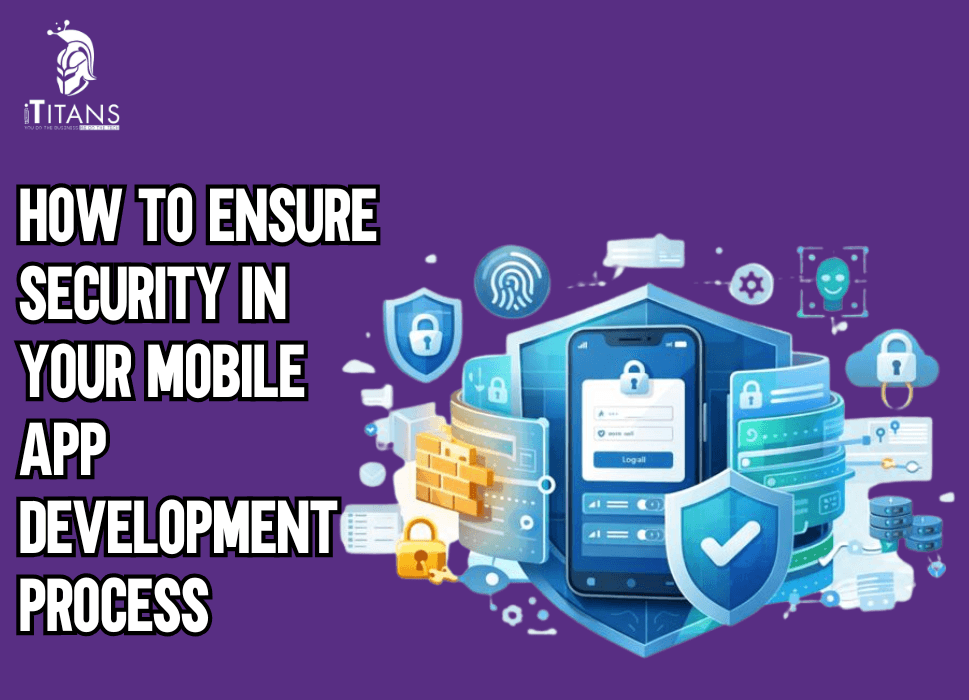
How to Ensure Security in Your Mobile App Development Process
Mobile apps are no longer passive tools on a user’s phone. They process payments. They store personal identities. They handle business logic and connect directly to APIs and cloud systems.
One weak security decision can expose thousands of users and damage a brand beyond repair. This is why secure mobile app development is no longer optional. It is the foundation of user trust and long-term growth.
Most security failures do not happen because developers ignore security. They happen because security is added too late. Or it is treated as a checklist. Or it is handled separately from mobile app development decisions.
Mobile app security must be part of how an app is planned, built, tested, and maintained. This guide breaks security down in a clear and practical way. It shows how to protect your app at every stage, without vague advice, surface-level tips, or recycled theory.

Why Mobile App Security Must Be a Priority from Day One
Every mobile app interacts with users, devices, servers, APIs, and third-party services. Each interaction creates a possible entry point for attackers. Ignoring security early often leads to rushed fixes, unstable patches, and higher costs later.
Here’s what weak application security in mobile apps can lead to:
- Data leaks exposing user credentials and personal information
- Unauthorized access through weak authentication
- Reverse engineering of business logic
- API abuse and backend manipulation
- App store removal due to compliance violations
Strong mobile app security best practices protect not only user data but also your reputation, revenue, and growth potential.
Understanding the Threat Landscape: Common Mobile App Vulnerabilities
Before securing anything, you must understand what you’re defending against. Most real-world attacks exploit known and preventable issues.
The Most Common Mobile App Vulnerabilities
Based on industry research and OWASP Mobile Top 10 insights, these risks appear repeatedly:
- Insecure data storage on the device
- Weak authentication and session handling
- Unencrypted data transmission
- Insecure APIs and backend endpoints
- Hardcoded secrets inside the app
- Poor input validation
- Lack of runtime protection
Ignoring these risks is not a strategy. Addressing them systematically is how secure mobile app development actually works in practice.
Secure Mobile App Development Starts with Planning, Not Code
Security doesn’t begin when the app is almost finished. It begins before the first line of code is written.
Threat Modeling for Secure Mobile App Development
Threat modeling helps teams answer critical questions:
- What data does the app collect?
- Where is sensitive data stored?
- How does data move between client and server?
- What happens if someone intercepts or manipulates requests?
This process identifies risks early and reduces last-minute surprises. Teams that apply threat modeling consistently see fewer vulnerabilities during mobile app security testing later.
Secure Architecture: The Foundation of Application Security in Mobile Apps
An app’s architecture decides how resilient it will be against attacks.
Key Architectural Principles
- Separate sensitive logic from the client
- Keep critical operations server-side
- Use token-based authentication
- Enforce strict API access control
- Apply role-based permissions consistently
Poor architecture cannot be fixed with patches alone. This is why secure coding practices must align with architectural decisions.
Secure Coding Practices Every Mobile App Must Follow
Secure architecture means little if the code itself is unsafe. Many attacks exploit small mistakes that appear harmless during development.
Core Secure Coding Practices
- Never hardcode API keys or secrets
- Validate all inputs on both client and server
- Handle errors without exposing system details
- Use platform-provided cryptographic libraries
- Apply least-privilege access across features
These practices form the daily discipline behind secure mobile app development and significantly reduce attack surfaces.
Authentication and Authorization: Where Many Apps Fail
Weak authentication is one of the most exploited weaknesses in mobile app security.
Authentication Best Practices
- Use strong password policies
- Enforce multi-factor authentication where possible
- Avoid custom authentication logic
- Expire tokens properly
- Protect session tokens from reuse
Authorization Controls
Authentication proves who the user is. Authorization controls what they can do. Missing authorization checks allow attackers to access restricted data even after login.
Strong authorization is essential for application security in mobile apps, especially in apps handling payments, healthcare data, or enterprise workflows.
Data Encryption: Protecting Information at Rest and in Transit
Encryption is not a checkbox. It’s a requirement.
Encryption in Transit
- Always use HTTPS with modern TLS
- Block insecure network connections
- Validate certificates to prevent man-in-the-middle attacks
Encryption at Rest
- Encrypt sensitive data stored locally
- Avoid storing credentials unless absolutely necessary
- Use secure storage APIs provided by the OS
Encryption is one of the most visible and effective mobile app security best practices, yet many apps still apply it incorrectly.
Secure APIs: The Hidden Target in Mobile Attacks
Most attackers don’t break into apps directly—they attack the APIs behind them.
API Security Best Practices
- Authenticate every request
- Rate-limit endpoints
- Validate payloads strictly
- Monitor unusual access patterns
- Avoid exposing internal logic through APIs
Insecure APIs undermine even the strongest front-end protections. This is why API protection is a core part of secure mobile app development.
Building Security into the Development Workflow
Security must be part of daily development, not an afterthought.
DevSecOps Practices for Mobile Development
DevSecOps integrates security checks into CI/CD pipelines so vulnerabilities are caught early.
Key practices include:
- Automated code scanning
- Dependency vulnerability checks
- Secure build pipelines
- Environment access controls
Teams using DevSecOps practices for mobile development detect risks earlier and reduce production incidents significantly.

Preparing for Mobile App Security Testing Early
Security testing should not wait until launch week.
Types of Mobile App Security Testing
- Static analysis to detect insecure code
- Dynamic testing to observe runtime behavior
- Penetration testing to simulate real attacks
- API testing to detect backend weaknesses
Regular mobile app security testing techniques ensure vulnerabilities are identified while they’re still affordable to fix.
Why Secure Development Is a Business Advantage
Security isn’t just about protection. It builds user confidence, reduces legal exposure, and improves app store approval rates.
Companies that invest in secure mobile app development:
- Retain users longer
- Face fewer compliance issues
- Reduce emergency fixes
- Scale faster without risk
Security is not slowing development, it prevents setbacks.
Secure SDLC for Mobile Apps: Building Security into Every Stage
Security only works when it’s consistent. Random checks or last-minute fixes don’t protect apps in real-world conditions. That’s why teams that care about secure mobile app development follow a secure SDLC for mobile apps, where security is part of every phase, not a separate task.
A secure SDLC reduces risk, saves time, and prevents costly post-launch disasters.
Planning Phase: Setting Security Expectations Early
Every secure app starts with clear security goals. During planning, teams should define:
- What data the app collects
- Which data is sensitive
- Who has access to that data
- Legal and compliance requirements
Skipping this step leads to confusion later and weak application security in mobile apps.
Security planning also helps teams prioritize protections instead of guessing later under pressure.
Design Phase: Threat Modeling and Risk Assessment
Design is where most security decisions are locked in.
Threat Modeling in Secure SDLC
Threat modeling helps identify:
- Entry points attackers might exploit
- Weak trust boundaries
- Potential abuse scenarios
- Impact of data exposure
This process allows developers to prevent vulnerabilities before they appear in code, strengthening mobile app security best practices.
Development Phase: Enforcing Secure Coding Practices
Development is where security habits matter most. Teams must treat secure coding practices as non-negotiable rules, not optional guidelines.
Practical Secure Coding Rules
- Sanitize all user inputs
- Avoid unsafe third-party libraries
- Handle authentication securely
- Log errors without revealing system details
- Follow platform security guidelines strictly
Developers who consistently apply these practices create apps that are naturally resistant to common attacks.
Dependency and Library Security: A Silent Risk
Most mobile apps rely heavily on third-party libraries. These dependencies can become serious threats if not monitored.
Best Practices for Dependency Security
- Audit libraries before use
- Track known vulnerabilities
- Remove unused dependencies
- Update libraries regularly
Ignoring dependency risks weakens mobile app security, even if your own code is well written.
Build and Integration Phase: Security Automation
Security checks should run automatically with every build.
DevSecOps Practices for Mobile Development
- Automated code scanning
- Secret detection
- Dependency vulnerability alerts
- Secure CI/CD pipelines
Integrating DevSecOps practices for mobile development ensures security issues are caught before they reach production.
Testing Phase: Deep Mobile App Security Testing Techniques
Testing is where assumptions are validated.
Types of Mobile App Security Testing
- Static testing identifies insecure patterns in code
- Dynamic testing monitors app behavior during runtime
- Penetration testing simulates real attack scenarios
- API testing exposes backend weaknesses
Strong mobile app security testing techniques focus on how attackers think, not just how the app behaves under normal conditions.
Real-World Attack Scenarios Developers Often Miss
Understanding attacks helps prevent them.
Common Exploitation Methods
- Session hijacking through token reuse
- Reverse engineering mobile binaries
- API parameter tampering
- Data extraction from insecure storage
These attacks target apps with weak application security in mobile apps and poor testing coverage.
Secure Deployment: Locking Down Production Environments
Security doesn’t end after testing.
Deployment Security Measures
- Secure server configurations
- Environment separation
- Strict access control
- Monitoring and alerting
Weak deployment practices undo months of careful secure mobile app development work.
Post-Launch Security Monitoring and Updates
Launching an app doesn’t mean security work is finished.
Ongoing Security Responsibilities
- Monitor logs and abnormal behavior
- Patch vulnerabilities quickly
- Respond to user reports
- Re-test after updates
Apps that don’t maintain security degrade over time, even if they started strong.
Compliance and Regulations: Why Security Is Non-Negotiable
Many apps must comply with regulations such as:
- GDPR
- HIPAA
- PCI-DSS
Failing compliance can result in penalties, lawsuits, and app store removal. Strong mobile app security best practices support compliance naturally.
Balancing Security and Performance
Security should protect users without harming experience.
Smart teams:
- Use lightweight encryption
- Optimize authentication flows
- Avoid unnecessary permissions
When done right, secure mobile app development improves trust without slowing the app.
Security as a Culture, Not a Feature
The most secure apps are built by teams that treat security as a shared responsibility.
Security-aware teams:
- Share knowledge
- Review code collaboratively
- Stay updated on threats
- Improve continuously
Culture is what sustains application security in mobile apps over time.
Advanced Mobile App Security Testing That Actually Prevents Breaches
Basic testing catches obvious issues. Advanced testing is what stops real attackers.
Most security failures happen because teams test for functionality, not for abuse. Attackers don’t use apps the way users do. They manipulate requests, reverse-engineer logic, and exploit trust assumptions.
This is where advanced mobile app security testing techniques make the difference.
Penetration Testing: Thinking Like an Attacker
Penetration testing simulates real-world attacks against your mobile app and backend.
What Penetration Testing Reveals
- Broken authentication flows
- API authorization bypasses
- Insecure session handling
- Data leakage through logs
- Weak encryption implementations
Pen testing validates whether your secure mobile app development efforts actually hold up under pressure.
Static and Dynamic Testing: Catching Hidden Flaws
Static Testing (SAST)
- Scans source code for insecure patterns
- Detects hardcoded secrets
- Identifies unsafe API usage
Dynamic Testing (DAST)
- Tests app behavior at runtime
- Detects insecure data transmission
- Exposes logic flaws during execution
Combining static and dynamic methods strengthens application security in mobile apps and reduces blind spots.
Runtime Protection: Defending the App While It Runs
Some attacks only happen after the app is installed.
Runtime Protection Techniques
- Detect rooted or jailbroken devices
- Block debugging and tampering
- Prevent screen scraping
- Monitor abnormal behavior
Runtime defenses are essential for apps handling sensitive data and financial transactions.
API Abuse Prevention: Securing the Real Target
Attackers often ignore the app interface and go straight for APIs.
Advanced API Security Measures
- Strict schema validation
- Token expiration enforcement
- Request signature verification
- Behavioral monitoring
Strong API protection reinforces mobile app security best practices across both client and server.
Incident Response: What to Do When Security Fails
No system is immune. The difference is how fast you respond.
Incident Response Plan Essentials
- Detect suspicious activity quickly
- Contain the breach
- Fix the vulnerability
- Notify affected users if required
- Document lessons learned
Prepared teams recover faster and protect user trust, even during incidents involving mobile app security failures.
Why Most Apps Fail at Security And How to Avoid It
Many apps fail for predictable reasons:
- Security added after development
- Overconfidence in frameworks
- Ignoring API security
- Skipping real testing
- Poor update practices
Avoiding these mistakes requires discipline, not complexity. Strong secure coding practices and structured workflows prevent most issues.
Security Metrics That Matter
Security should be measurable.
Useful Security Indicators
- Number of vulnerabilities per release
- Time to fix critical issues
- Failed authentication attempts
- API abuse patterns
Tracking these metrics helps teams continuously improve secure mobile app development.
Security and User Trust: The Invisible Advantage
Users may never see your security systems—but they feel the results.
Secure apps:
- Earn better reviews
- Retain users longer
- Face fewer crashes and data issues
- Gain credibility with enterprise clients
Trust is built quietly through consistent mobile app security best practices.

The Future of Application Security in Mobile Apps
Mobile threats are evolving. Security must evolve faster.
Key trends shaping the future:
- AI-driven attack detection
- Stronger app store security policies
- Privacy-focused OS updates
- Increased regulatory pressure
Apps that ignore security trends fall behind quickly.
Ready to Build Secure Mobile Apps with Confidence?
At iTitans, we build mobile apps with security woven into every stage, from planning and development to testing and long-term maintenance.
Let’s build mobile apps that users trust and attackers can’t break.
FAQs
How early should security be introduced in the mobile app development process?
Security should be introduced during planning and architecture, not after development. Early security decisions prevent design flaws that are expensive to fix later.
Can mobile apps be secure if business logic runs on the client side?
Client-side business logic increases risk because attackers can reverse-engineer the app. Sensitive logic should always be handled on secure backend servers.
What role do APIs play in mobile app security risks?
APIs are often the primary attack surface in mobile apps. Weak API authentication or validation allows attackers to bypass the app entirely.
Is mobile app encryption enough to protect user data?
Encryption is essential but not sufficient on its own. Poor key management and insecure storage can still expose encrypted data.
How does DevSecOps improve mobile app security outcomes?
DevSecOps integrates security checks into development pipelines. This allows teams to detect vulnerabilities continuously instead of fixing them after release.
Why do many mobile apps fail security audits despite using modern frameworks?
Frameworks provide tools, not guarantees. Security failures usually occur due to misuse, misconfiguration, or missing authorization logic.
What makes mobile app security testing different from web app testing?
Mobile app testing must account for device storage, operating system behavior, and app binaries. These attack vectors do not exist in traditional web apps.
How often should mobile apps be re-tested for security after launch?
Security testing should occur after every major update or backend change. New features often introduce new vulnerabilities.
Can app store approval ensure strong mobile app security?
App store checks focus on policy compliance, not deep security testing. Apps can pass reviews and still contain serious vulnerabilities.
What is the biggest mistake teams make with mobile app authentication?
Many teams focus only on login security and ignore authorization checks. This allows users to access data or actions they should not be allowed to perform.