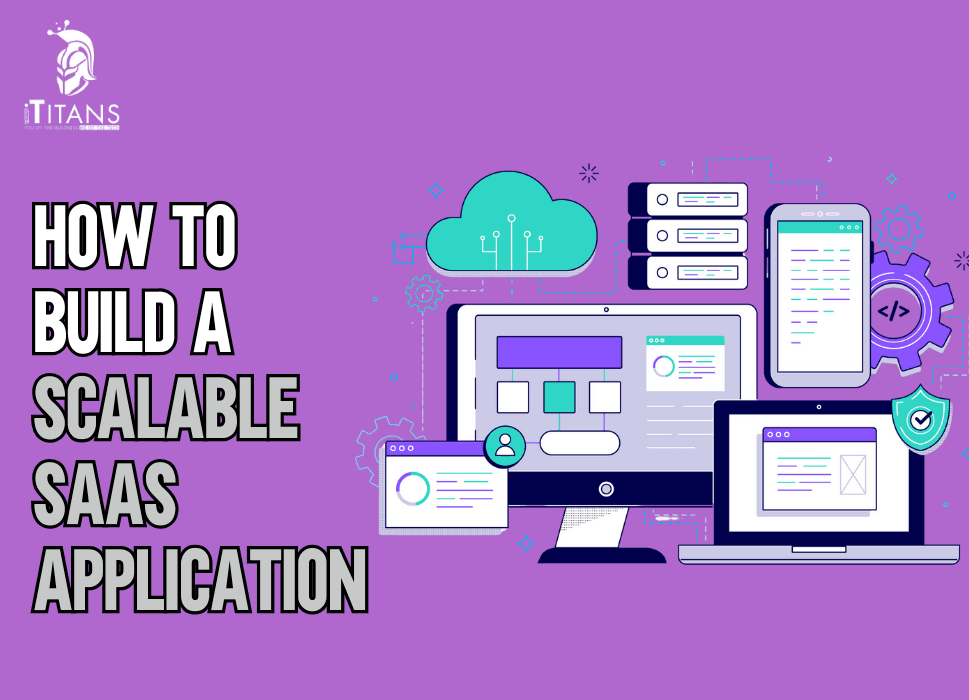
How to Build a Scalable SaaS Application
Is building a SaaS product just about launching an app? It’s not.
Most founders think that once they’ve got the MVP, a few features, and a shiny UI, they’re set to scale.
But here’s the truth no one likes to talk about: most SaaS products don’t fail because of bad design, they fail because they weren’t built to grow.
They buckle under pressure when users spike. They break when teams try to add new features. They turn into messy spaghetti code because the foundations weren’t built to support scale in the first place.
If you’re planning to launch a SaaS product or already have one in the market, your first priority shouldn’t be “How fast can I launch?” It should be:
“Can my product handle 10x more users, data, traffic, and expectations a year from now?”
That’s what this blog is about, how to build a SaaS application that doesn’t collapse under its own success.
Let’s dive in.

Start with the Right SaaS Architecture
Your architecture isn’t just a technical diagram. It’s the foundation of your entire business. If it’s weak, you’ll constantly be firefighting. If it’s strong, your product can grow with confidence.
At iTitans, we’ve seen it again and again, companies hit a ceiling not because their idea was bad, but because their backend wasn’t ready for growth.
So, what does a scalable architecture look like?
- Microservices over monolith: A monolithic architecture might help you launch faster, but it becomes a nightmare when you want to update one feature without affecting others. Microservices allow your dev team to work independently, deploy faster, and scale specific components as needed.
- Stateless APIs: Keep your APIs stateless to make them easier to manage, scale, and deploy across multiple environments. Think REST or GraphQL, and ensure every service call is clean and predictable.
- Use message queues: When real-time processing isn’t needed, message queues like RabbitMQ or Kafka can help manage traffic surges without overwhelming your app.
- Containerization and orchestration: Use Docker to containerize your services and Kubernetes to orchestrate them. This combo makes scaling effortless as your product grows.
If you’re starting from scratch, get this part right. If you already have something running, evaluate your current structure for scalability gaps now, before traffic starts flooding in.
Choose the Right Tech Stack, Not Just the Trendy One
There’s no universal “best stack” for SaaS. The right one depends on your team, your product’s goals, and how fast you plan to scale.
But here’s the mistake too many startups make:
They chase hype instead of fit.
We’ve worked with companies that use a hot new JS framework simply because “everyone else is using it,” only to realize six months later that they can’t find reliable developers or scale past certain performance bottlenecks.
Instead, ask:
- Is the tech stack stable and well-documented?
- Is it easy to find talent to maintain and grow it?
- Will it work well with the cloud environment I plan to use?
- Does it support modularity and clean separation of concerns?
Some tried-and-tested stacks for SaaS include:
- Frontend: React.js, Vue.js
- Backend: Node.js, Python (Django), Ruby on Rails, Go
- Database: PostgreSQL, MongoDB (for unstructured data), Redis (for caching)
- Cloud and DevOps: AWS, GCP, Azure, Docker, Kubernetes, CI/CD with GitHub Actions or Jenkins
Pick based on long-term needs, not what’s hot on Hacker News this week.
Design for Multi-Tenancy from Day One
One of the biggest mistakes SaaS founders make?
Not thinking about multi-tenancy early enough.
If your app is going to serve more than one customer (which it probably will), you need a way to isolate each tenant’s data while keeping the application codebase shared.
There are three models of multi-tenancy:
- Shared database and schema: Cheapest and easiest to start with. All customer data sits in the same tables with tenant IDs to separate them.
- Shared database, separate schemas: Each tenant gets its own schema within the same database. A good middle-ground between isolation and performance.
- Separate databases per tenant: Expensive, but offers full isolation and is best suited for enterprise clients with stringent data compliance requirements.
Choose based on who you’re building for.
If you plan to sell to SMBs, a shared schema is fine. But if you’re targeting enterprise? You’ll need stronger isolation from the beginning.
Make Security a Built-in Feature, Not an Afterthought
You don’t want your SaaS product to hit the front page of Reddit for a data leak.
Security isn’t something you “add on” later. It should be part of your build process.
Here’s what that means:
- Encrypt data at rest and in transit: Use HTTPS everywhere. Store sensitive data such as passwords, user tokens, and billing information using proper encryption standards (e.g., AES-256, bcrypt).
- Role-based access control (RBAC): Not every user should have access to everything. Build roles and permissions from day one.
- Audit trails: Keep track of who did what, when. This helps with debugging and builds trust with clients.
- Regular Pen Testing: Don’t wait for a breach to discover you have a vulnerability. Run security audits quarterly.
- Comply with industry regulations: GDPR, HIPAA, SOC 2, know what your audience needs and build compliance into your roadmap.
Remember that trust is currency in SaaS. Don’t burn it.
Think Scalability Beyond Just the Code
SaaS scalability isn’t just about your tech. It’s about how your team, support, and operations scale too.
Ask yourself:
- Can your onboarding process handle 100 new customers a month?
- Will your customer support collapse when ticket volumes double?
- Is your billing system automated enough to handle recurring payments, upgrades, downgrades, trials, and cancellations?
If your product scales but your team doesn’t, growth will become painful.
Automate what you can, email onboarding, support ticket routing, usage tracking, billing reminders.
Use tools like:
- Intercom or Crisp for customer chat
- Stripe or Chargebee for payments
- Mixpanel or Segment for analytics
- Notion or Confluence for internal documentation
Build systems, not just features.

Build in Observability from Day One
You can’t fix what you can’t see.
As your SaaS product grows, you’ll need more than just logs. You’ll need real-time visibility into how every part of your system is performing.
This includes:
- Monitoring (Are things up and running?): Use Datadog, Prometheus, or Grafana.
- Alerting (When something breaks, who knows?): Set up alerts for downtime, CPU usage, memory, and other relevant metrics.
- Logging (What happened when it broke?): Centralize logs using Logstash or ELK.
- Tracing (Why is this process slow?): Tools like OpenTelemetry help identify bottlenecks in microservices.
Set this up early. It’ll save you hours of blind debugging later.
User Management: Don’t Reinvent the Wheel
When your SaaS app grows, your users won’t just increase in number—they’ll also come with more roles, access needs, and edge cases.
If you try to build authentication, role management, password resets, and 2FA systems from scratch, two things will happen:
- You’ll spend months building something that already exists
- You’ll risk exposing user data due to inexperience with security layers
Instead, use a reliable authentication provider that supports:
- Single Sign-On (SSO) especially useful for enterprise clients
- OAuth 2.0 and OpenID Connect for Google, Facebook, or GitHub login
- Multi-Factor Authentication (MFA)
- Granular permissions and access roles
Some proven tools to consider:
- Auth0: Clean, developer-friendly and scalable
- Firebase Auth: Ideal for smaller apps or mobile-first SaaS
- AWS Cognito: Enterprise-grade and tight AWS integration
Let your devs focus on core features, not on resetting passwords.
Pricing Models That Grow with You
You can’t scale a SaaS product if your pricing model itself can’t scale.
If you’re charging a flat rate and onboarding large clients who use 10x more resources than smaller ones, you’re losing money.
A good pricing strategy should:
- Grow as your customer’s usage grows
- Offer value-based tiers
- Be flexible enough to test different models
Here are common pricing frameworks that scale well:
- Per-user pricing: Great for B2B SaaS. Charge based on the number of users or seats.
- Usage-based pricing: Common with infrastructure SaaS (e.g., storage, API calls). Ideal for encouraging signups without overcharging low-usage customers.
- Tiered pricing: Offer multiple tiers based on features, usage, or user count. Make each jump in pricing feel “worth it.”
- Freemium model: Offer basic features for free to entice users. Monetize power users with premium upgrades.
What matters is clarity and fairness. No one wants surprise bills. Make your model understandable, scalable, and based on how your app delivers value.
Automate Testing, Deployment, and Rollbacks
Scalable SaaS means fast deployment cycles. But fast releases mean nothing if your code breaks things in production.
Here’s what the top-performing SaaS companies have in common:
- They test thoroughly
- They ship often
- They can roll back with one command if something goes wrong
You need to build these into your pipeline:
Unit Tests
Write tests for core logic. Automate them. They’re your first line of defense.
Integration Tests
Ensure all modules talk to each other correctly. Especially for multi-service architectures.
End-to-End (E2E) Tests
Simulate real user actions. Tools like Cypress or Playwright are gold here.
CI/CD Pipelines
Tools like GitHub Actions, GitLab CI, or CircleCI help automate testing and deployments. Every code push should trigger tests. Every merge should trigger deployment to staging or production.
Rollback Plans
No deployment is complete without a rollback strategy. If something fails, you shouldn’t have to scramble. You should be able to revert with one click or command.

Infrastructure That Doesn’t Break the Bank
You don’t need an AWS bill that reads like a phone book. Scaling smartly is about using the right tools at the right time, not just throwing money at servers.
Start lean, then optimize. Here’s how:
Use the cloud wisely
AWS, GCP, and Azure all offer autoscaling. Utilize managed services for databases (such as RDS or Firestore) to avoid managing unnecessary infrastructure.
Set resource limits
With Kubernetes or Docker, define CPU/memory limits so that no container hog all the resources.
Implement caching early
Utilize Redis or Memcached to alleviate the load on your database. Even a few milliseconds saved per query matters when you scale.
CDNs and lazy loading
Utilize a CDN (such as Cloudflare) to cache assets and serve static content more efficiently. Implement lazy loading on the frontend to reduce initial load times.
Monitor cloud spend
Tools like CloudZero or AWS Cost Explorer can help keep your cloud bills sane as you grow.
You can build something powerful and fast without burning through VC money on unused servers.
Plan for Internationalization (i18n) from the Start
If you’re building a SaaS product with even the slightest hope of going global, prepare for it from day one.
Internationalization isn’t just about language, it’s about:
- Time zones
- Date and currency formats
- RTL vs. LTR text
- Locale-based settings
- Legal compliance across borders
By planning early, you won’t have to refactor your app later to fit users in Dubai, Delhi, or Denmark.
Pro tips:
- Store all copy in external files (JSON, YAML)
- Use libraries like i18next (for JavaScript apps)
- Avoid hardcoding anything—yes, even “$” or “MM/DD/YYYY”
- Let users set their language and region preferences
Customer Support That Scales with Growth
You won’t always have time to respond to every ticket, especially as your user base grows. But customer support will define how your product is perceived.
Here’s how to prep your support system for growth:
Create a Help Center
Make your documentation public and searchable. Tools like HelpScout or Notion work great.
Use a ticketing system
Don’t rely on email. Use systems like Zendesk or Freshdesk to track and triage support requests.
Live chat and chatbots
Intercom or Crisp can help you manage user inquiries in real-time—and answer FAQs with bots when your team is offline.
Feedback loops
Collect feedback regularly. Use it to improve your UX, fix bugs, or prioritize features.
When support is responsive and helpful, users stay longer. Don’t let scaling be the reason your customer experience starts to suck.
Build a Data Strategy That Supports Smart Growth
Data is your fuel, but it’s also easy to mismanage when things scale.
Start building a real data strategy with these basics:
- Define your core KPIs early, don’t wait until things get messy
- Use a central tool for data warehousing (like BigQuery or Snowflake)
- Automate analytics pipelines with tools like Segment or Fivetran
- Give non-technical teams access to insights (via dashboards)
- Start thinking in terms of lifetime value (LTV), churn, cohort retention, and usage analytics
Scaling without data is just guesswork. Set up the right pipelines so you’re learning from every click, login, and action.
First Impressions Matter: Onboarding That Activates Users
Scalability isn’t just about code and infrastructure, it’s also about how fast and effectively users adopt your product.
A powerful SaaS product can still flop if users don’t understand it. That’s where onboarding becomes crucial.
Good onboarding should:
- Guide the user through their first “aha moment”
- Eliminate friction with contextual tooltips, demos, and walkthroughs
- Collect just enough data to personalize the experience, without overwhelming
Here’s what works:
- Interactive onboarding flows with tools like Appcues or Userpilot
- Email onboarding sequences that nudge users toward core actions
- Progress bars or checklists to give users a sense of momentum
- In-app tours that adapt based on user actions (not just static walkthroughs)
Also, treat onboarding like a product. Test it. Optimize it. Cut steps that aren’t helping. The faster you get users to value, the higher your retention.
Avoiding Feature Bloat: The “Build Less, Scale Better” Rule
When feedback starts pouring in, it’s tempting to add everything users ask for.
More features. More buttons. More dashboards.
But that’s a trap.
Scaling isn’t about building everything, it’s about building the right things.
Too many features can lead to:
- Confused users
- Slower development cycles
- Hard-to-maintain codebases
How to stay lean:
- Use a public roadmap (via tools like Canny or Trello) so users can vote on what matters most.
- Track usage metrics, build features users are already trying to hack into your product.
- Kill off unused features ruthlessly. They drain resources and confuse new users.
- Bundle features into tiers, not every user needs everything.
The most scalable SaaS apps solve one big problem really well, and only expand features when they align with that core value.
Dealing with Tech Debt Before It Eats You Alive
Every line of code you write today becomes your problem tomorrow.
Especially if your product catches fire (in a good way) and you’re onboarding hundreds or thousands of users a month.
Tech debt is the result of quick fixes, rushed features, or unscalable architecture decisions. And if ignored, it leads to:
- Frequent bugs
- Slower delivery
- Angry dev teams
- Compromised scalability
Here’s how to manage it:
- Refactor in cycles. Don’t wait for perfection. Improve bit by bit during each sprint.
- Track technical debt in your backlog, just like you track features or bugs.
- Automate code reviews using tools like SonarQube or Codacy.
- Invest in documentation so future devs can understand what they’re building on.
- Give your devs breathing room. One sprint per quarter for “tech cleanup” can save you from major rewrites later.
Scaling is easier when your tech doesn’t feel like a Jenga tower.
Team Scaling Without the Chaos
As your SaaS grows, your dev team will grow too. And just like your product, your team must scale without breaking.
Here’s what that looks like:
- Clear code ownership: Assign ownership by module, service, or domain.
- Strong Git hygiene: Feature branches, PR reviews, and CI checks should be non-negotiable.
- Regular standups and sprint planning: Keeps everyone aligned without micro-managing.
- Documentation culture: Not just code, but workflows, deployment guides, and system architecture.
And most importantly, don’t scale your team until your process can handle it. A bloated team without structure can slow you down more than it helps.

Handling Traffic Spikes Without Crashing
If TechCrunch or Product Hunt gives you a surprise feature and 10,000 users flood your site, you need to be ready.
Scalable SaaS means being prepared for traffic surges before they happen.
Steps to stay ahead:
- Use auto-scaling groups (on AWS, GCP, etc.) so new servers spin up as demand rises.
- Set up load balancers to distribute traffic and prevent bottlenecks.
- Use read replicas for your database so one server isn’t doing all the work.
- Enable caching for API responses, static assets, and database queries.
- Set rate limits and queuing to protect your app from abuse.
One moment of fame shouldn’t mean downtime. Resilience is the backbone of scale.
What Scalable SaaS Looks Like
Let’s bring these concepts to life with actual companies:
Slack
Their explosive growth was no accident. From day one, they optimized for team onboarding, usage analytics, and rapid iteration. They also used an API-first architecture to enable third-party integrations, which became their biggest growth loop.
Zoom
Zoom scaled to millions of users during the pandemic, and their secret wasn’t flashy features—it was performance at scale. They invested heavily in video compression, global server distribution, and low-latency architecture.
Notion
Notion focused on community-first growth. They built features that made it easy for users to create, share, and replicate content, driving virality and product adoption. Their pricing and product scale matched user needs.
Ready to Build a SaaS Product That Scales Without Limits?
Want to build a SaaS product that grows with your business? At iTitans, we help startups and enterprises launch scalable, high-performing applications. Let’s bring your idea to life. Contact us now.
FAQs
1. What makes a SaaS application scalable?
A scalable SaaS app can handle increased users, data, and requests without slowing down or crashing, thanks to modular architecture and cloud infrastructure.
2. Which tech stack is best for SaaS development?
Popular choices include React or Vue for the frontend, Node.js or Django for the backend, and cloud platforms like AWS or Google Cloud for scalability.
3. How long does it take to build a scalable SaaS app?
Depending on complexity, MVPs take 3–6 months, while full-featured apps may require 6–12 months with proper planning and development.
4. What’s the most common reason SaaS products fail to scale?
Most fail due to poor architecture design, lack of performance optimization, or skipping load testing early in development.