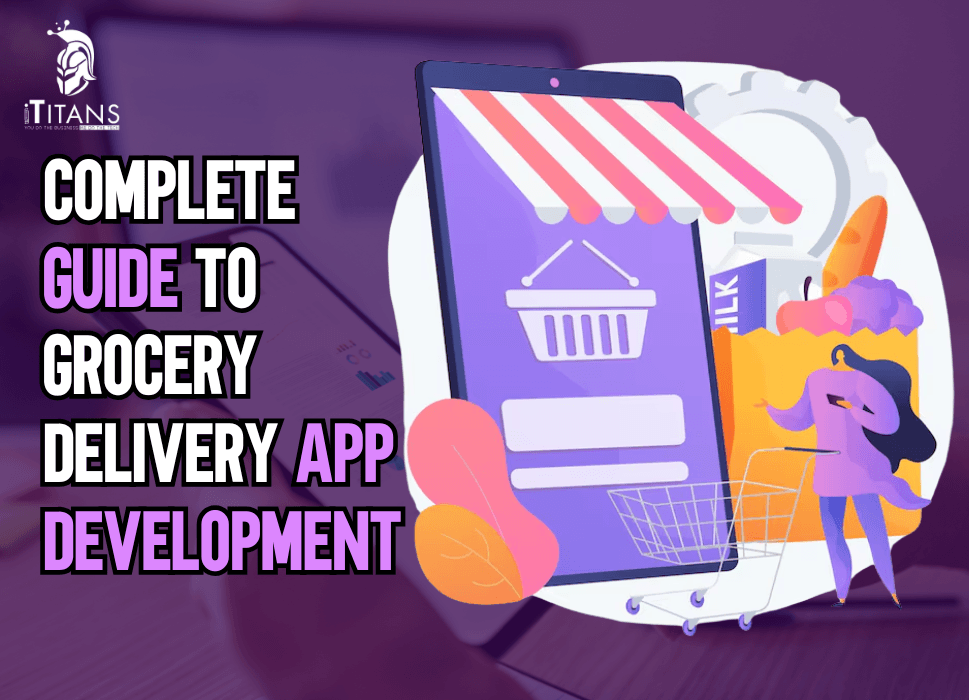
Complete Guide to Grocery Delivery App Development
Creating a top‑notch grocery delivery app is an exciting journey that marries technology, customer convenience, and business strategy. Whether you’re a startup, retailer, or tech team exploring this space, understanding what makes these apps successful can make all the difference and how to build one from scratch.
In this guide, we’ll walk through every essential aspect: from market trends to user experience, monetization, architecture, tech stack, compliance, and maintenance. I’ll even weave in how iTitans, a U.S.-based full-service software development company, can play a pivotal role in bringing your app idea to life.
Why Grocery Delivery Apps? Understanding the Surge
Grocery delivery apps have seen tremendous growth over the past few years. The global online grocery market, for instance, reached an estimated US$210 billion in 2023 and is projected to exceed US$490 billion by 2028, according to recent market research.
That’s more than doubling in just five years, reflecting how consumer behavior is shifting. People crave convenience, safety, and time savings all of which grocery apps provide.
During the COVID-19 pandemic, adoption skyrocketed as users turned to contactless shopping. But the momentum has stuck. Nowadays, even as life normalizes, many shoppers continue to prefer the comfort of home deliveries. For businesses, tapping into this trend means greater reach, customer loyalty, and fresh revenue streams.

Laying the Foundation: Strategy and Market Research
Any successful project begins with asking the right questions: Who are your target users? Are they urban professionals, busy parents, elderly users, or all of the above? Understanding their habits whether they prefer scheduled deliveries for weekly essentials or instant grocery drops for emergencies for helps shape the app’s features.
A local market deep-dive is essential too. Which competitors operate in your region? What are their strengths and weaknesses? Maybe one app offers same-day delivery but lacks good customer support; another has great rewards but limited inventory. Identifying these gaps can guide you to offer something more compelling.
Also, think about delivery logistics: Will you curate inventory from a central warehouse, partner with local stores, or allow multiple vendor listings within the app? Each model has different operational and technical implications and your initial strategy will direct much of your app’s structure.
Designing the User Experience: From Download to Delight
The journey starts the moment someone finds your app in the store. A clear, appealing app icon, a concise yet inviting description, and key screenshots or a video showing your app in action help drive initial downloads.
Once inside, the onboarding process should be smooth and friendly. Asking only for essential information like location, contact, and payment preferences to minimize friction. Offering a quick interactive tutorial or tooltips helps new users understand how to browse items, add to cart, apply discounts, and choose delivery preferences.
Visual clarity is vital. High-resolution images of grocery items (including product name, weight, price) let users shop as if they were in-store. Smart categorization such as produce, dairy, pantry staples, beverages, paired with a robust search bar that accepts common terms (“Avocados,” “whole milk,” “organic bananas”) aids quick navigation.
Personalization enhances satisfaction. A section for “Frequent Purchases” or “Saved for Later” eases repeat ordering. Push notifications that remind users about items they often order can feel helpful rather than intrusive without overloading them.
The Inner Workings: Core Features You’ll Need
Behind the sleek interface, there’s a suite of components working together smoothly. It’s helpful to think of the app in layers:
User‑Facing Layer
Here, customers can create profiles, browse inventory, scan through categories, add items to their cart, apply promo codes, select delivery time slots, pay, track real-time order status, and rate their experience.
Vendor/Store Partner Layer
If you’re partnering with local grocers, they’ll need a dedicated interface to receive orders, check stock, confirm preparation, and pack items. Some systems also let partners manage their own inventory, update prices, or run promotions.
Logistics/Courier Layer
Whether you manage your own drivers or use third-party services, a backend that assigns orders based on location, capacity, and delivery time, and then tracks them in real time, is essential. Route optimization and ETA updates matter a lot for customer satisfaction.
Admin Dashboard
Behind the scenes, the business management component gives visibility into orders, revenues, inventory levels, delivery performance, customer feedback, and analytics. This is where performance is monitored and adjustments are made to meet demand effectively.
Tech Stack: Building the Brains Behind the App
Selecting your technical architecture depends on scale, budget, and desired functionality. Mobile apps typically use native development (Swift/Kotlin) for high performance or cross-platform frameworks like React Native or Flutter for faster development across iOS and Android.
The backend often runs on frameworks such as Node.js, Django, Ruby on Rails, or .NET, with RESTful or GraphQL APIs linking frontend and backend. Cloud services such as AWS, Google Cloud, Microsoft Azure can provide hosting, database management, storage, and more.
Many apps rely on NoSQL databases (like MongoDB) for flexible inventory structures, while SQL databases (like PostgreSQL) can manage user transactions and relationships. Real‑time tracking may use WebSockets or push notifications, and integrations with payment gateways (Stripe, PayPal, local wallets) must be secure and PCI-compliant. For navigation and tracking, APIs like Google Maps or Mapbox serve the location features.
Security, Compliance, and Performance
Working with personal data and financial transactions means trust is everything. Encryptions such as SSL/TLS for data in transit, and secure storage for sensitive data should never be ignored. You’ll also need to comply with local and international regulations: GDPR in Europe, CCPA in California, PSD2 in Europe for open banking, and region-specific e-commerce laws.
Consider implementing two-factor authentication, fraud detection for unusual payment patterns, and secure password storage (hashed and salted). Performance-wise, fast load times and caching (using Redis or CDN services) help ensure smooth operations, even during peak ordering hours or promotions.

Monetization: How to Keep the App Profitable
How do grocery delivery platforms generate revenue? There are several avenues, and you can mix them based on your strategy:
- Delivery fees: Charging per order or offering a subscription for free/delayed deliveries.
- Markup on items: Adding a slight increase over wholesale or retail price.
- Promoted listings: Vendors can pay to have their items featured more prominently.
- Advertisements: Relevant, non-intrusive ads within the app.
- Commission from vendors: Earning a percentage from every transaction processed.
Transparent pricing is key. Users appreciate knowing when a mark-up or fee is added, especially if they perceive value such as faster delivery or curated product selections.
Testing, Launching, and Evolving
Before going live, extensive testing is vital. Put the app through:
- Functional Testing: To ensure every button, form, and flow functions properly.
- Performance Testing: To simulate peak load, especially during grocery rush hours.
- Security Testing: The penetration testing to identify vulnerabilities.
- User Acceptance Testing (UAT): Offers real users testing features in the wild for usability feedback.
Once tested, launch in stages: perhaps start with one city or a small vendor group and iterate based on user feedback. Monitor usage patterns, encourage reviews, and gather feedback proactively for continuous improvements.
Over time, look into advanced features such as predictive shopping suggestions using AI, integration with smart refrigerators or voice assistants, curbside pickup options, loyalty programs, or even integrating sustainability features like low-plastic packaging filters.
What Makes Metrics That Matter in Measuring Success of Grocery App
Measuring the success of a grocery delivery app goes far beyond counting downloads. In today’s hyper-competitive on-demand economy, grocery apps must track actionable, real-time metrics that reflect user satisfaction, operational efficiency, and long-term business viability. Below, we break down the essential metrics that truly matter in assessing the performance and success of a grocery delivery app in 2025 and beyond.
Daily and Monthly Active Users (DAU & MAU)
DAU and MAU are the core indicators of user engagement and app stickiness. These metrics reveal how many unique users are using your grocery app daily and monthly. A high DAU/MAU ratio (often called the “stickiness ratio”) shows users are consistently returning, which is vital for apps offering perishable goods and regular household staples. According to Statista, top grocery apps like Instacart and Amazon Fresh have witnessed an average DAU growth of 12% year-over-year.
Customer Retention Rate
Retention is a direct signal of how valuable users find your app. A high customer retention rate means users are getting enough utility to come back repeatedly. In grocery apps, a 30-day retention rate of 20-25% is considered solid, with top-tier apps achieving 30% or higher. Retaining customers is significantly more cost-effective than acquiring new ones, and this metric helps developers identify friction points in the user journey.
Average Order Value (AOV)
AOV is calculated by dividing total revenue by the number of orders and is essential in tracking customer spending habits. For grocery delivery apps, higher AOV often means customers are relying on the app for full-scale grocery shopping instead of emergency or top-up purchases. An increase in AOV can result from effective product bundling, promotions, and upselling techniques.
Conversion Rate
Conversion rate tracks how many app visitors actually complete a purchase. It’s a make-or-break metric, especially in grocery delivery where customers often browse without committing. A strong grocery app should aim for a conversion rate of 7–10%. Optimizing the checkout process, offering flexible payment options, and maintaining real-time inventory accuracy are proven ways to boost this number.
Cart Abandonment Rate
This metric uncovers how many users add items to their cart but leave without completing the purchase. For grocery apps, cart abandonment can hover as high as 60-70%. Reasons vary from unexpected delivery charges to cumbersome sign-up flows. Monitoring this rate helps product teams improve user flow and pricing transparency.
Order Fulfillment Rate
This metric measures the percentage of orders successfully delivered on time and with the correct items. A fulfillment rate below 90% often signals serious operational issues. Modern grocery apps rely on real-time inventory syncing and AI-powered route optimization to maintain a fulfillment rate above 95%, which is crucial for user trust and app credibility.
Churn Rate
Churn rate reflects how many users stop using the app over a given time frame. High churn rates indicate dissatisfaction, whether due to app bugs, delivery delays, or poor product variety. Keeping churn below 5% monthly is a healthy benchmark. Regular user feedback, push notifications, and loyalty programs can help minimize churn.
App Store Ratings and Reviews
Ratings and reviews are public indicators of app satisfaction and quality. A drop in ratings can directly impact downloads and user trust. According to Sensor Tower, apps with ratings below 3.5 stars see a 50% lower download rate than those rated 4.5 stars or higher. Regularly responding to reviews and updating features based on feedback is crucial for reputation management.
Delivery Time and Speed
Fast and accurate delivery is a major differentiator in the grocery app market. Average delivery time directly impacts user satisfaction and app ratings. Leading apps aim for delivery windows of under 60 minutes for instant needs and 2-4 hours for bulk orders. Tracking average delivery time helps assess logistics efficiency and adjust courier allocation dynamically.
Inventory Availability Rate
Inventory availability rate measures how often items shown in the app are actually available for delivery. This is critical for user trust, especially for essential items like milk, bread, or produce. A rate below 90% can lead to increased cart abandonment and poor reviews. Integration with real-time inventory systems is essential to keep this metric high.
Repeat Purchase Rate
This metric shows how many users are making repeat purchases within a given timeframe. High repeat purchase rates indicate strong user satisfaction and product-market fit. In grocery delivery apps, repeat rates of 60–70% over a 90-day period are considered excellent, especially if paired with high AOV. Personalized recommendations and loyalty incentives help lift this metric.
Average Session Duration
Session duration refers to how long users spend on the app during each visit. Longer sessions can indicate higher engagement or complex checkout processes. While a high duration may seem positive, if it’s due to confusing UI or product search issues, it might point to a problem. Balanced session duration with quick checkout flow is the goal.
Customer Lifetime Value (CLTV)
CLTV projects the total revenue a user will bring over their entire relationship with the app. It’s essential for determining how much you can afford to spend on customer acquisition. Apps with high CLTVs (especially in urban regions with high grocery demand) are more sustainable. It’s a long-term metric, often enhanced by personalization, cross-selling, and exclusive deals.
Cost Per Acquisition (CPA)
CPA measures how much it costs to acquire a new customer through marketing channels. This includes paid ads, influencer partnerships, and promotions. Keeping CPA lower than CLTV is critical for profitability. For grocery apps, average CPA can range from $5 to $25 depending on geography and competition. Effective targeting and organic growth strategies help reduce CPA.
First-Time Buyer Conversion Rate
This metric tracks how many new users convert into paying customers on their first visit. It’s a crucial indicator of onboarding success. A strong onboarding experience with guided navigation and incentives like first-order discounts can significantly boost this metric. Poor conversion here may suggest app friction or misaligned marketing messages.
Uninstall Rate
The uninstall rate reflects how many users remove the app after downloading it. High uninstall rates often correlate with unmet expectations or technical issues. Tracking this can help developers make fast fixes and reduce negative impressions. Industry averages hover around 30% within 30 days — staying under this benchmark is ideal.
Human Element: Customer Support & Trust
Building technology is only half the journey. Maintaining trust through responsive support via chat, phone, or messaging can be of great assistance. Mishaps happen: an item may be out of stock, delivery delayed, or a user confused about charges. Quick, empathetic responses foster loyalty.
Clear policies should be readily visible on refunds, returns, item substitutions. For example, allowing users to mark whether substitutions are acceptable, or summarizing how refunds are processed, helps manage expectations.

iTitans: Your Partner in Building a High‑Impact Grocery Delivery App
Now, let’s talk about how iTitans can help transform your grocery delivery app concept into a thriving digital platform.
At its core, iTitans is a comprehensive software development company headquartered in the United States but servicing clients worldwide. iTitans has expertise in website development, mobile app development, software builds, MVP creation, UI/UX design, eCommerce systems, SEO, social media marketing, digital transformation, and even staff augmentation to support dynamic needs.
Imagine you’ve got your grocery delivery app idea but you need a partner who can take it from concept through design, technical build, and successful launch. That’s where iTitans steps in:
- In the planning phase, iTitans can help refine your market strategy, craft intuitive user journeys, and define feature sets that match your goals.
- Through UI/UX design, their team can create clean, engaging screens by making users feel at home as they browse produce, select delivery windows, and check out with minimal clicks.
- For mobile and web development, iTitans excels in building cross-platform apps or native experiences using modern frameworks, whichever aligns with your performance and timeline needs.
Want to start lean and test your concept? iTitans can swiftly build a minimum viable product (MVP) that covers core functionality inventory browsing, cart, payment, delivery tracking letting you get real‑world feedback early.
Partnering with iTitans means tapping into a full‑stack capability: from ideation and design to development, marketing, and scaling allowing you to focus on building your brand and delighting customers while they handle the nuts and bolts.
Ready to Build Your App?
Ready to build a grocery delivery app that provides a solution to a problem? Contact iTitans now and let us help to turn your idea into a fully functional digital reality
FAQs
What is a grocery delivery app, and how does it work?
A grocery delivery app lets users order food and household items from local or chain supermarkets using their smartphones. The process is simple users browse products, add them to a cart, make a payment, and track the delivery in real time. The app then connects customers with personal shoppers or delivery drivers to fulfill and deliver the order to their doorstep.
How much does it cost to develop a grocery delivery app in 2025?
The cost of developing a grocery delivery app in 2025 can range between $30,000 to $150,000, depending on the app’s complexity, features, platform (iOS, Android, or both), and the development team’s location. A basic MVP version may cost around $30K–$50K, while a feature-rich, enterprise-level app could go above $120K.
What key features should be included in a grocery delivery app?
To make your app user-friendly and competitive, essential features include user registration, product search, smart filters, real-time tracking, multiple payment options, push notifications, order history, and customer support. For admin and vendors, features like inventory management, analytics dashboards, and delivery management are crucial.
How long does it take to build a grocery delivery app?
The development time for a grocery delivery app typically ranges from 3 to 9 months. A simple version can be completed in about 12–14 weeks, whereas a more advanced platform with AI features or integrations like voice search or loyalty programs may take up to 9 months or more.
Is grocery delivery app development profitable in 2025?
Absolutely! With the global online grocery market expected to reach $1.1 trillion by 2027, according to Statista, there’s huge profit potential. Consumers increasingly prefer convenience, and the pandemic further accelerated this shift. Subscription models, delivery fees, advertisements, and premium services offer solid revenue streams.
What tech stack is commonly used for grocery delivery apps?
Most grocery apps are built using technologies like React Native or Flutter for cross-platform mobile development, Node.js or Django for backend services, MongoDB or PostgreSQL for databases, and AWS or Google Cloud for hosting. Integration with payment gateways like Stripe or Razorpay is also standard.
How can I make my grocery delivery app stand out from competitors?
Offering unique features like voice-enabled shopping, AI-based recommendations, personalized deals, zero-contact delivery, or sustainable packaging options can give you a competitive edge. Prioritize user experience, fast delivery, and reliable customer support to retain users long-term.
What are the different types of grocery delivery apps?
There are three main types: Aggregator apps (like Instacart) that partner with multiple stores, Single-store apps for individual supermarkets, and Marketplace models that combine multiple stores with their own delivery fleet. Each type has different monetization strategies and target audiences.
What are some major challenges in grocery delivery app development?
Challenges include real-time inventory management, ensuring timely deliveries, maintaining product quality, and handling high traffic during peak hours. Logistics integration, user retention, and vendor management are other complex areas that need thoughtful planning and execution.
Do I need separate apps for customers, delivery agents, and store admins?
Yes, building dedicated interfaces for each user role ensures a smoother experience. Customers need browsing and payment options, delivery agents need optimized route maps and delivery alerts, while store admins require dashboards for managing stock, orders, and analytics.