Why Every Business Needs a Custom CRM App
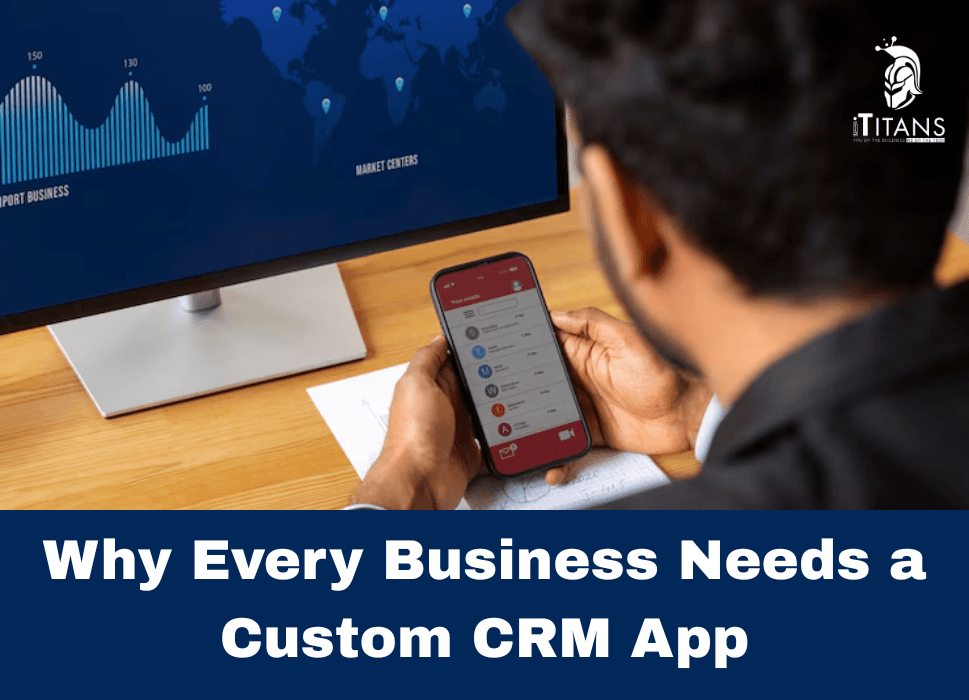
If you’re running a business, there’s one thing you can’t afford to lose control over: your customer relationships. And yet, most businesses are managing them using tools that were never designed for the way they work. Spreadsheets, disconnected software, and bloated CRM platforms often lead to more confusion than clarity.
Here’s the truth: the more your business grows, the more complex your customer data becomes. Your sales team has one set of needs. Your support team has another. And your marketing folks? They’re usually stuck juggling between platforms that barely talk to each other. What you end up with is chaos disguised as progress.
That’s why more businesses are moving towards CRM systems that are built around how they actually work and hire a leading software company to do that.
This blog breaks down exactly why a custom CRM app is becoming the go-to solution for serious businesses, what kind of benefits you can expect, and which features actually matter. If you’re a decision-maker thinking about how to improve your team’s efficiency, customer experience, or bottom line, read on.

What Is a Custom CRM App, and Why Should You Care?
Let’s get one thing out of the way. A CRM (Customer Relationship Management system) isn’t a new idea. You’ve probably used something like Salesforce, Zoho, or HubSpot at some point. These are off-the-shelf platforms designed to serve as many industries as possible. They’re packed with features. But here’s the catch: most of those features probably aren’t for you.
A custom CRM app, on the other hand, is built for your business—your processes, your teams, your customer journey. It’s not about reinventing the wheel. It’s about removing everything that doesn’t fit and keeping what drives results.
Think of it like this: imagine buying a toolbox with 50 different tools, but you only need 7 of them. Every time you want to get something done, you’re rummaging through the rest. That’s what using a generic CRM feels like for many teams.
In contrast, a custom CRM app is more like a clean workbench. Everything you need is within reach, and it’s all organized based on how you actually work.
Why More Businesses Are Ditching Generic CRMs
Let’s look at what’s really going on behind the scenes when businesses try to use generic CRM platforms:
1. Too Many Features, Not Enough Functionality
You end up paying for tools you never use. Worse, your team wastes time clicking through things they don’t need just to get to the stuff they do.
2. One Workflow Doesn’t Fit All
Every business handles leads, customers, support tickets, and sales follow-ups differently. Generic CRMs try to apply a universal method. That might work for small operations, but it usually starts falling apart as soon as your team grows or your sales process becomes more complex.
3. Data Silos Are Still a Problem
Your CRM might not connect well with your accounting software, your helpdesk tool, or your email marketing platform. Suddenly you’ve got customer info scattered across multiple tools, and no one sees the full picture.
4. Licensing and User Fees Pile Up
Most big-name CRMs charge by the user. As you scale, your monthly bill scales with it—and fast. You’re essentially renting your own customer data.
5. Your Teams Don’t Want to Use It
This is the silent killer. CRMs live or die based on adoption. If your team avoids the system because it’s confusing or time-consuming, your data quality drops—and so does your ability to make smart decisions.
Custom CRMs are growing in demand because they solve these issues. They give you control. You don’t have to adjust your business to fit the software. The software fits the way you already work.

The Benefits That Actually Matter
So what do you really get out of having a custom CRM app?
1. Your Processes, Your Way
No more trying to force your team into someone else’s sales funnel or support model. A custom CRM works the way your business runs—whether that’s industry-specific steps, region-specific compliance rules, or a unique approach to nurturing leads.
For example, a real estate company might want to track showings, inspections, and client preferences in one place. A SaaS company, meanwhile, might focus on tracking user behavior, trial signups, and upgrade triggers. Same idea, but completely different flows.
2. Faster Teams, Less Frustration
When people can find what they need in seconds, productivity goes up. When your CRM mirrors your internal language—how you label clients, projects, stages, or outcomes—everyone knows what’s going on. There’s less training, fewer mistakes, and more work getting done.
3. Everything in One Place
No more flipping between five different platforms to get a full view of a customer. A well-built CRM app can pull data from your website, your email campaigns, your support desk, and even your payment systems. You get one dashboard that tells the full story.
4. Real Reports That Drive Decisions
Generic CRMs come with dozens of reports. But most of them don’t match how your business measures success. A custom CRM lets you define exactly what you want to track. That could be how long it takes to close a lead, which sales reps bring in the most high-value deals, or which marketing channels are converting the best.
You’re not stuck with cookie-cutter charts. You get reports that actually help you make better decisions.
5. No Recurring Surprise Bills
Instead of paying per user or per month for a long list of features you don’t need, a custom CRM app is something you own. You control the access, the structure, the hosting, and the data. That means no creeping costs or vendor lock-ins.
6. Built to Scale
As your business grows, your CRM can grow with it. You can add features over time. You’re not boxed in by the limitations of someone else’s roadmap. You’re not waiting for version updates. You’re building on a system that already fits your team.
7. A Better Experience for Customers
At the end of the day, your customers feel the difference. Faster follow-ups, fewer dropped conversations, better service—these all come from having better internal systems. A CRM isn’t just a sales tool. It’s a behind-the-scenes engine that powers your entire customer journey.

The Features That Make a CRM Actually Useful
Not all CRM features are created equal. Just because a system offers a lot of bells and whistles doesn’t mean those tools bring value to your business. When building a custom CRM app, the goal isn’t to cram in as much functionality as possible—it’s to include the right features that solve the actual problems your team faces daily.
Here are the core features that most businesses find essential—and how they deliver real results.
1. Contact and Lead Management (Done Right)
At the heart of every CRM is a contact database. But in a custom CRM, that database works the way you need it to.
Instead of dealing with generic fields or trying to make templates fit your sales process, you define what matters: client type, lead source, referral channel, industry, buying stage, or any custom tags that help your team sort and act faster.
Imagine having a lead come in through your website, automatically categorized by service type, assigned to the right rep, and logged with the source campaign—all without someone manually entering data. That’s not just convenience. That’s time and money saved every day.
2. Sales Pipeline Tracking
A visual sales pipeline helps your team see exactly where each opportunity stands. More importantly, it helps managers forecast revenue, identify bottlenecks, and make smarter resourcing decisions.
But in a custom CRM, this pipeline reflects how your sales process actually works. You can name your stages, assign specific tasks at each stage, set automatic reminders, and even build in approval flows for deals over a certain value.
For businesses with longer or high-touch sales cycles, this kind of clarity can be a game-changer.
3. Task and Activity Automation
The more manual steps your team has to complete, the more likely things will slip through the cracks. Custom CRMs can automate key workflows like:
- Assigning follow-up tasks after a lead reaches a certain stage
- Sending reminders when a contract hasn’t been signed within a deadline
- Alerting managers when a deal sits idle too long
- Sending personalized email sequences based on deal status
It’s not about replacing your team. It’s about giving them tools that remove repetitive tasks and let them focus on real conversations.
4. Integration With Existing Tools
One of the biggest wins of a custom CRM is the ability to connect it with the tools your business already uses. That might be your accounting system, your email platform, a cloud storage service, or even a quoting or proposal tool.
Instead of siloed information and disconnected workflows, you get a central system that keeps everything in sync.
For example, imagine a CRM that automatically pulls in invoices from QuickBooks, tracks customer support tickets from Zendesk, and updates customer profiles when they make a new purchase. That’s a single source of truth your entire team can rely on.
5. User Roles and Permissions
Not everyone in your business needs access to everything. With a custom CRM, you can build permission levels based on job roles. That keeps your data secure and ensures people only see what’s relevant to their work.
- Sales reps can see and manage their leads
- Managers can track team performance
- Support teams can access client history
- Finance can track invoicing or payment activity
This makes onboarding easier and protects sensitive information without slowing anyone down.
6. Custom Dashboards and Reports
Pre-built dashboards in most off-the-shelf CRMs are either too broad or too narrow in scope. You end up downloading spreadsheets and building your own reports outside the system.
A custom CRM flips this. You decide which metrics matter and how they should be displayed.
- Want a quick view of how many high-value leads came in from a recent event?
- Need a report that shows deal velocity by sales rep?
- Want to filter your pipeline by product type, region, or lead source?
You can do all of that from one screen, updated in real-time.
7. Mobile Access
In today’s world, your team isn’t always sitting at a desk. Whether they’re in the field, traveling, or working remotely, mobile access to your CRM means faster updates and fewer missed opportunities.
A good custom CRM will come with a responsive interface or a dedicated mobile app, so your team can check in, update data, and stay productive wherever they are.
8. Customer History and Communication Logs
Every conversation your team has with a client should be stored in one place—emails, calls, meeting notes, chat logs. This history helps your sales and support teams pick up where someone else left off without asking the client to repeat themselves.
More importantly, it gives context. You can understand what the client asked for, how your team responded, what was promised, and what next steps are pending.
This isn’t just about efficiency. It’s about building trust and delivering a consistent customer experience.
9. Alerts and Notifications
You don’t want to babysit your CRM. It should notify you when something needs your attention—whether that’s a deal at risk of stalling, a contract ready for review, or a customer who hasn’t been contacted in 30 days.
These alerts keep your team proactive instead of reactive. You’re not waiting for problems to appear—you’re catching them before they cost you business.

Smarter Decisions, Backed by Smarter Data
The biggest benefit of a custom CRM isn’t just organization. It’s insight. When your system is built to capture the exact data points your business needs, you start to see patterns. You get answers to questions that actually matter.
- Where are your best leads coming from?
- Which reps close the fastest?
- What are the common traits of your most profitable clients?
- Which parts of your funnel are leaking the most?
You’re no longer guessing. You’re acting based on real, relevant information.
Over time, this clarity leads to better decisions across the board—how you budget, where you invest in marketing, which clients you prioritize, and how you scale your team.
And unlike third-party tools where your data is trapped in someone else’s platform, a custom CRM gives you complete ownership and visibility. You’re not just collecting data. You’re turning it into action.
How to Build a Custom CRM App That Actually Works
You’ve seen the benefits. You know the features. Now comes the part that either makes or breaks the value of a CRM: how it’s built.
Too many businesses jump into CRM development without a clear plan. They end up with a half-working system that no one uses or something so complex it becomes a burden.
Here’s a breakdown of how the development process should actually go if you want a CRM that solves problems, gets used every day, and drives growth.
Step 1: Define the Real-World Problems First
Before writing a single line of code, talk to the people who will use the system: your sales reps, account managers, support teams, and leadership. Ask:
- What slows you down most during the day?
- What information do you constantly search for?
- What systems do you switch between regularly?
- Where do things fall through the cracks?
A successful CRM starts with understanding what’s broken—not just adding features for the sake of features. If your CRM doesn’t solve real issues, it will get ignored.
Step 2: Map Out Your Process in Plain English
Every business has its own way of managing leads, handling sales, onboarding customers, or delivering support.
So before building anything, you need to map out how work actually gets done in your company—not how you think it should happen, but how it really happens. That includes:
- Lead intake and qualification
- Deal stages and hand-offs
- Follow-up timelines
- Customer onboarding
- Contract management
- Renewal or upsell opportunities
When these steps are clear, your CRM can be structured to support them—not disrupt them.
Step 3: Choose the Right Development Partner
This is not a project you should hand to a freelancer on the side or a team that builds basic apps for generic use.
You need a partner that understands how businesses work and has experience building CRM systems that scale. That means asking the right questions:
- Have they built custom CRM apps before?
- Do they offer consultation and not just coding?
- Can they integrate with your existing tools?
- Will they provide post-launch support and maintenance?
A good team won’t just build what you ask for. They’ll ask why—and help you create a better version of it.
Step 4: Focus on the MVP (Minimum Viable Product)
Don’t try to build everything at once. Start with the core functionality your team needs right now to work better.
That could mean:
- A clean contact database
- A simple pipeline tracker
- Automatic task reminders
- Email integration
Once that’s running smoothly, you can add features over time. This approach helps you get results faster, stay on budget, and make smarter choices about what to add next—based on real usage, not assumptions.
Step 5: Train Your Team—Then Listen to Them
Even the best system won’t get used if your team isn’t confident using it.
Make sure your development partner provides proper training sessions, help guides, and onboarding support for your staff. Not once, but on an ongoing basis.
And once your team starts using the CRM, listen to their feedback. What’s confusing? What’s working? Where are they still falling back on old habits?
Your CRM isn’t a one-and-done project. It’s a living system that should evolve with your business.

Why the Right CRM Isn’t a Tool. It’s a Business Strategy.
For many businesses, CRM is treated like a digital filing cabinet. Something to hold contacts and send an occasional sales email.
But when done right, a custom CRM becomes the system that runs your business.
It holds your customer data. It powers your sales. It tracks your performance. It connects your teams. It gives leadership real-time visibility. It turns leads into revenue and customers into repeat clients.
Most importantly, it scales with you. As your business grows, your CRM adapts. You’re not boxed in by software limits or held hostage by licensing restrictions. You’re in control.
If you’re serious about creating a system that actually works the way your business does, then you don’t just need another software. You need a tool that’s designed for you, with you, and built around how your business operates in the real world.
The Right Time to Build a Custom CRM Is Before You Need One
If your team is drowning in spreadsheets, switching between too many tools, or constantly missing follow-ups, you’re already feeling the pain of not having a system that fits.
Building a custom CRM isn’t just a tech upgrade, it’s a business move. One that pays off with faster sales, smoother operations, happier clients, and better decisions across the board.
At iTitans, we don’t believe in one-size-fits-all software. We build custom CRM apps that solve the real problems businesses face, from messy workflows and missed leads to disconnected systems and poor visibility.
Let’s build something that works. Contact us today and let’s talk about what your business really needs.
Related Posts