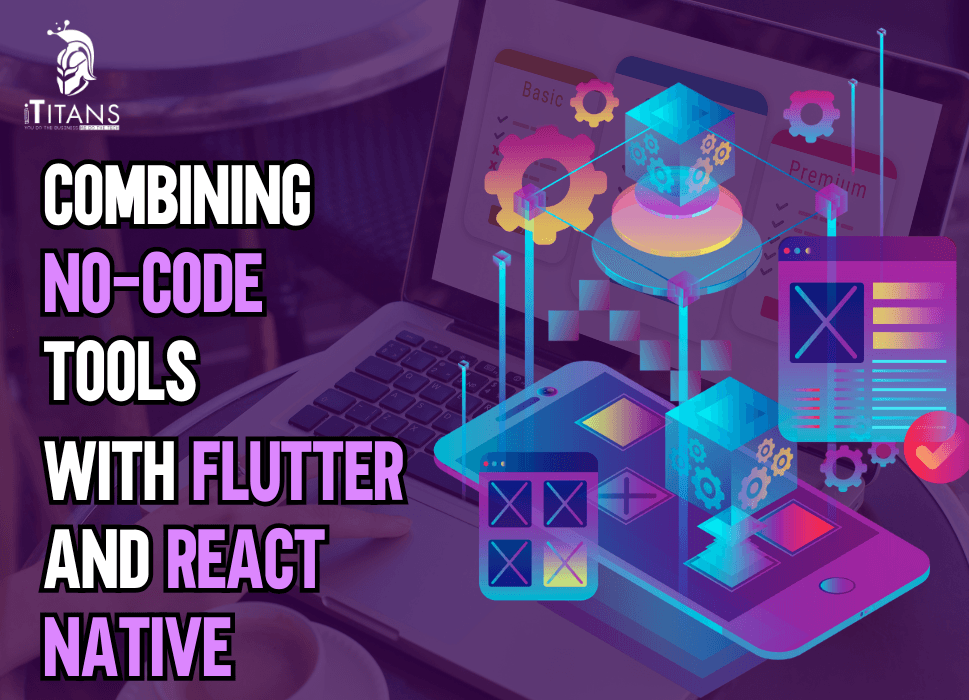
Combining No-Code Tools with Flutter and React Native
You’ve probably heard the buzz around no-code platforms and how they’re helping non-developers build apps without writing a single line of code.
At the same time, Flutter and React Native continue to dominate the cross-platform app development scene for developers who need flexibility, customization, and performance.
But here’s a twist: what happens when you combine both?
Not as an “either-or,” but as a strategic combo.
At iTitans, we’ve worked on projects where founders came to us with half-built apps from no-code builders like Adalo or Glide, and we took their MVP to the next level using Flutter or React Native.
In other cases, we used no-code tools to prototype, test, or integrate parts of the app ecosystem before writing a single line of Dart or JavaScript code.
In this blog, we’ll walk you through why and how combining no-code platforms with Flutter and React Native can give you a real advantage in both speed and quality.

Why You Don’t Always Need to Code Everything from Scratch
Not every feature in your app needs to be hardcoded. That’s not a shortcut—it’s just smart resource management.
Startups especially need to move fast. If it takes three months to get your idea tested, you’ve probably missed the train.
No-code tools give you the ability to:
- Test user flows without writing code
- Build admin dashboards in a day
- Automate backend processes without spinning up a server
At iTitans, we often advise startups to prototype core features using no-code tools like:
- Bubble for workflows and basic UI logic
- Glide great for quick internal tools or MVPs
- Thunkable or Adalo to test a mobile app flow
And when the product finds traction, we scale it with Flutter or React Native for better UI, performance, and full control.
Where No-Code Ends and Flutter/React Native Begins
Here’s the truth most no-code platforms won’t tell you:
They’re great—but only up to a certain point.
When you need:
- Complex state management
- Custom animations or gestures
- Deep platform integrations like Bluetooth, background services, camera handling
- A single codebase that runs on web, iOS, and Android with pixel-perfect control
That’s when we shift to Flutter or React Native.
But the transition doesn’t need to be a teardown. We’ve helped several clients integrate no-code features into custom-coded apps.
For example:
- A client used Airtable and Zapier to manage bookings. We built the Flutter app to pull and push data using APIs.
- Another used Glide for staff tracking, which we embedded into a React Native project for internal use.
- One founder built their onboarding process in Webflow and linked it with a Flutter app for core interactions.
So instead of viewing no-code and traditional dev as rivals, we look at them as puzzle pieces.
When Does This Hybrid Strategy Make Sense?
This combo strategy isn’t for every app. But in the following scenarios, it’s incredibly effective:
1. Idea Validation Stage
Let’s say you want to build a fitness app.
You can:
- Build the workout tracking feature in Flutter
- Use Thunkable or Glide to test user registration and profile flows
- Connect it all using Airtable or Xano as a backend
You get feedback without burning through your dev budget.
2. Internal Tools and Dashboards
A Flutter or React Native app handles the frontend for customers.
Meanwhile:
- Backend tools like Retool or Softr manage your admin team’s dashboards
- You push and pull data through secure APIs
This setup is clean, fast, and efficient.
3. Rapid Feature Prototyping
Need to add a new module but want to test it first?
- Build the module in Bubble or Adalo
- Connect with your main app for testing
- Rebuild it in Flutter or React Native only after users confirm it works well
This saves weeks of development cycles.
How iTitans Approaches No-Code with Flutter and React Native Projects
When a client approaches us with a partially built no-code project—or an idea they want to validate—we follow a hybrid roadmap:
Step 1: Audit the No-Code Structure
We check:
- How is the database built, e.g., Airtable, Xano, Backendless?
- What workflows are running, such as Zapier or Integromat?
- How scalable the logic is
Step 2: Isolate Critical Features
We identify:
- Features that need to stay no-code (admin dashboards, simple forms)
- Features that must be moved to Flutter or React Native (animations, offline mode, device APIs)
Step 3: Create API Endpoints or Middleware
We create bridges using:
- Node.js, Firebase Functions, or Supabase
- REST or GraphQL APIs for smooth data exchange
Step 4: Merge and Optimize
Once everything talks to each other:
- We embed parts of no-code, e.g., a WebView for a no-code dashboard
- Or we replace them gradually with custom code
- We optimize performance and responsiveness in Flutter or React Native
This phased method works better than trying to rebuild everything from scratch.

Common Tools That Work Well Together
Here’s a quick list of tools that we’ve successfully combined with Flutter and React Native projects:
Backend
Xano and Airtable are great for quickly setting up a backend without managing servers. We often connect them with Flutter and React Native apps using APIs to handle data storage and logic.
Dashboards
For admin panels or internal tools, we use Retool and Glide, which integrate smoothly with Flutter apps. They’re fast to set up and allow non-dev teams to manage backend data easily.
Automation
Zapier and Make help automate workflows like sending emails, updating records, or syncing between services. We commonly use them alongside Firebase or Supabase to automate backend tasks.
UI/UX Prototyping
When working with React Native, tools like Bravo Studio or Draftbit let us convert Figma designs into functional app prototypes quickly, ideal for early-stage testing.
Data Storage
Supabase and Firebase offer scalable, real-time databases. They pair perfectly with Flutter and React Native when you’re ready to move beyond basic no-code storage.
Frontend MVP
For building quick frontend MVPs, Adalo and Thunkable are solid choices. Once the idea is validated, we transition the app to React Native or Flutter for better performance and control.
Challenges You Need to Know About
Mixing no-code with traditional dev is powerful—but it’s not perfect. Here’s where it can get tricky:
1. Vendor Lock-In
Many no-code tools don’t allow easy export of your data model or workflows.
We’ve worked with clients who had to redo entire features because their no-code tool didn’t allow migration.
2. API Rate Limits
Tools like Airtable or Xano may have rate limits that can bottleneck your app’s performance if not handled right.
We often cache data on the client side using Flutter or React Native to solve this.
3. Limited Customization
You can’t always get the exact look, feel, or behavior with no-code.
That’s why we use it as a stepping stone, not a destination.
Real-World Use Cases Where No-Code with Flutter and React Native Shine
Let’s go beyond theory. Here are real scenarios where this hybrid model helped teams save time, test better, and scale smarter.
Use Case 1: Fitness App MVP Built in 3 Weeks
One of our clients, a solo founder with no technical background, wanted to build a fitness app targeting busy professionals.
Here’s what we did:
- User onboarding and profile setup were built in Adalo within days.
- Workout content management was handled via Airtable, so the client could add/edit routines in a spreadsheet-like format.
- The mobile app was built in Flutter, which pulled data from Airtable via REST APIs.
This setup let the founder:
- Launch in under a month
- Test with 150 beta users
- Gather data before raising funds
Later, we rebuilt the backend using Firebase and moved everything to Flutter, keeping the momentum without disrupting users.
Use Case 2: Corporate Travel App for Internal Teams
A large corporation came to us with a request: build a travel app for their internal teams to book, approve, and monitor business trips. Time and budget were tight.
Here’s how we combined no-code and React Native:
- Webflow was used to build the internal team’s dashboard.
- Zapier connected the dashboard to Google Sheets, which served as the initial backend.
- React Native handled the mobile app experience for employees, with form submissions and approval requests syncing through Zapier.
This worked well because:
- They didn’t need to build a dashboard from scratch
- Their internal workflows could be tested and adjusted without changing any code
- Mobile users still enjoyed a smooth React Native experience
Use Case 3: On-Demand Laundry App with Smart Scheduling
An on-demand laundry startup wanted to test an advanced scheduling feature. But building custom logic for timeslots, pickups, and routing would’ve cost weeks.
So we split the stack:
- Flutter was used to develop the customer app with tracking and payments.
- The scheduling logic was built in Bubble, which processed orders and sent the next pickup time to the mobile app via API.
- A Retool dashboard let the admin staff assign drivers and check order history.
The client launched in just six weeks, attracted their first 500 customers, and raised capital. Once funded, we replaced the Bubble backend with a custom Node.js service.
Why Flutter and React Native Are Ideal for Scaling Beyond No-Code
Once your app grows beyond MVP, you’ll hit no-code limits. That’s where Flutter and React Native shine.
Flutter: Pixel-Perfect UI Across Devices
We often recommend Flutter when:
- The app requires rich visuals, animations, or brand-driven design
- You want consistent behavior across iOS and Android
- Performance is a top priority
Flutter allows full control of each screen, making it perfect for customer-facing apps where look and feel matter.
You also get access to:
- Offline caching
- Native integrations (camera, Bluetooth, GPS)
- Complex gesture handling
For instance, we recently migrated a journaling app from Adalo to Flutter. The client wanted custom animations and better offline support.
With Flutter, we added:
- Swipe gestures for navigating entries
- End-to-end encryption
- A beautiful dark mode UI that matched the brand’s vibe
React Native: Great for Modular Code and Quick Iteration
React Native is powerful when:
- You need rapid iteration
- Your team already knows React
- You’re integrating with existing web-based infrastructure
One of our clients—a startup in the gig economy space—had a web app built in React. We reused much of the logic in React Native to build their mobile app.
The app is integrated:
- Stripe payments
- Firebase authentication
- Google Maps for job locations
React Native allowed for faster onboarding of developers and easier updates across platforms. And the best part? We built it while still keeping the admin dashboard in Softr, connected via APIs.
Common Integration Patterns: How We Make It Work
Mixing no-code tools with traditional code isn’t just about connecting dots. There’s a method to the madness. Here are three integration patterns that work well:
Pattern 1: API-First Architecture
Build your no-code tool or backend, such as Xano, Airtable, or Bubble, around a robust API structure.
Why this works:
- Flutter or React Native apps can fetch and push data easily
- You keep your app frontend lightweight
- No need to rebuild backend logic right away
At iTitans, we often use Supabase or Firebase as the glue between no-code backends and mobile frontends.
Pattern 2: WebView Embedding
Sometimes, the easiest route is embedding no-code apps directly inside your Flutter or React Native app using WebView.
Use this when:
- The user dashboard or admin panel doesn’t need native features
- You want to avoid duplicating UI work
- Your client already built something in Glide or Webflow
But this comes with limitations. You lose access to native components and must ensure the embedded site is mobile-optimized.
Pattern 3: Hybrid Logic Distribution
This one’s more advanced.
You split the app logic intentionally:
- User onboarding, settings, or feedback with no-code (Bubble or Thunkable)
- Core interactions with Flutter or React Native
- Backend logic with Firebase Functions or Node.js
- Automation with Zapier or Make
It’s like building your app in layers. We use this for startups that expect to scale but still want flexibility early on.

Is This Strategy Right for You?
Ask yourself:
- Are you testing an idea that isn’t fully validated yet?
- Do you need to build fast and cheap—but still expect to scale?
- Do you already have a no-code tool you’re comfortable with?
If yes to any of those, combining no-code tools with Flutter or React Native could be your smartest move.
But don’t try to wing it. Mismanaging this hybrid stack can create more problems than it solves.
That’s why at iTitans, we:
- Create scalable data models from the start
- Document API flows thoroughly
- Plan clear transition paths from no-code to code
How to Transition from No-Code to Full Code Without Losing Momentum
You’ve built your MVP with Glide or Bubble. You’ve validated the idea. Now comes the hard part: scaling.
The transition from no-code to full code can be rough—if you don’t plan it right. We’ve seen projects collapse because developers tried to rebuild everything at once or tossed out useful no-code components too early.
Here’s how we guide clients through a step-by-step transition plan:
Step 1: Identify What Needs to Go First
You don’t need to replace everything at once. We always start with performance-sensitive features—anything that’s slow, clunky, or too limited on the current no-code stack.
This usually includes:
- Login and authentication flows
- Real-time features like messaging or notifications
- Payment gateways
- In-app purchases
We rebuild these in Flutter or React Native with secure backend support like Firebase or Supabase, while keeping admin tools or dashboards in no-code.
Step 2: Build API-Based Communication
If your no-code platform allows it, move data access to APIs.
- Instead of directly using Airtable’s front end, connect your mobile app to Airtable’s API.
- If you’re using Xano or Backendless, keep them for backend logic but let Flutter or React Native handle the UI.
This reduces tech debt and avoids tight coupling between your UI and backend logic. It also gives your development team more control over performance.
Step 3: Migrate Database Layer Gradually
Most no-code tools store data in simplified structures. They’re fine for MVPs but can’t handle relational complexity, user-level permissions, or large-scale transactions.
Here’s what we do:
- Export Airtable/Adalo data into Postgres via Supabase or Hasura
- Set up real-time listeners, indexes, and proper user roles
- Reconnect the app through APIs or directly into the codebase
This makes your app future-proof. It also lets your tech stack grow with your audience.
Step 4: Rebuild the UI in Flutter or React Native
This is the fun part—and the most visible. Instead of sticking to pre-designed no-code layouts, we recreate the interface:
- Based on your existing user flows
- Optimized for mobile gestures, responsiveness, and offline use
- Using native animations, transitions, and interactions
This isn’t just a beauty upgrade. It gives you:
- Better load times
- More control over states and data
- A seamless experience on iOS and Android
One of our clients, a mental wellness startup, had built their journaling interface in Bubble. We moved it to Flutter, allowing:
- Local storage for offline entries
- Encryption of sensitive user data
- Custom gestures for browsing journal entries
The user feedback was overwhelmingly positive.
Step 5: Phase Out No-Code Where Necessary
There’s no shame in keeping no-code in your stack—as long as it doesn’t block growth.
We often recommend keeping tools like:
- Retool for admin dashboards
- Webflow for landing pages
- Zapier for backend automations that don’t need real-time
Eventually, as your team grows and your needs evolve, you might outgrow even these. That’s when we help you set up:
- Internal admin portals with React
- Cron jobs and workflows using Firebase Functions or Node.js
- Landing pages through custom CMS or headless WordPress
But don’t rush it. The hybrid model gives you time to scale smartly.
Mistakes to Avoid When Mixing No-Code and Flutter/React Native
Combining these tools can unlock real speed and flexibility—but if you get it wrong, it can turn into a disaster. Here are common mistakes to watch out for:
Mistake 1: Treating No-Code Like Final Product
No-code platforms are great, but most aren’t designed for scale. Don’t assume what works for 10 users will work for 10,000.
Tip: Think of no-code like scaffolding. Useful to build fast, but not meant to hold the building forever.
Mistake 2: Ignoring API Limitations
Many no-code tools have tight API limits, e.g., Airtable has 5 requests/second per base. When your app starts growing, this becomes a bottleneck.
Tip: Implement client-side caching or move high-frequency operations to a real backend early.
Mistake 3: Poor Data Modeling
No-code tools make it easy to create quick-and-dirty data models. But when you move to Flutter or React Native, bad structures become expensive.
Tip: Normalize your data, plan relationships, and prepare for future growth—even if your backend starts on Airtable or Xano.
Mistake 4: Not Planning for Offline Support
Many no-code platforms require constant internet access. When you move to Flutter or React Native, you can build offline-first experiences—but only if you plan for them.
Tip: Use local storage or cache systems like Hive (Flutter) or Redux-Persist (React Native) to offer offline features.
Mistake 5: Lack of Documentation
A Frankenstein stack of no-code tools and custom code without documentation is a nightmare for any dev team.
Tip: Document every tool, every API endpoint, and every workflow—even if it’s built in Zapier. It’ll save you months later.

Why iTitans Believes in This Hybrid Strategy
We’ve built products for startups and enterprises across the US, UK, and GCC that started with no-code tools. The best outcomes came from clients who understood that no-code is a launchpad, not the rocket.
At iTitans, we:
- Help startups launch MVPs with minimal dev cost
- Build robust Flutter and React Native apps ready to scale
- Seamlessly integrate no-code tools when it makes sense
- Plan for technical debt and migration from day one
This strategy isn’t about cutting corners. It’s about building smart. Whether you’re a solo founder or an in-house team, this model gives you the freedom to test, build, and grow—without burning out your budget or your team.
Need expert help to build or scale your app?
Talk to iTitans, your trusted partner for no-code MVPs, Flutter builds, and React Native apps that don’t just look good but work at scale.
FAQs
What are the risks of relying too much on no-code before switching to code?
It can lead to technical debt and messy transitions, especially if workflows or databases weren’t structured for scaling.
How do I prepare my no-code MVP for a smooth transition to Flutter or React Native?
Use API-friendly tools like Supabase or Xano, keep your data structured, and avoid complex logic inside visual workflows.
Can I keep some parts of my app in no-code even after switching to custom development?
Yes, admin panels, dashboards, and automations can stay in no-code while critical app features move to Flutter or React Native.
What’s the best backend if I want to start no-code and scale later?
Supabase and Firebase are great choices, they support APIs, mobile SDKs, and scale well with coded apps.
How do I choose between Flutter and React Native after no-code?
Choose Flutter for performance and design control; React Native works well if you already use React or web tech.
What’s a common mistake when blending no-code with mobile app development?
Pushing complex app logic into no-code tools instead of using them just for quick validation and simple workflows.