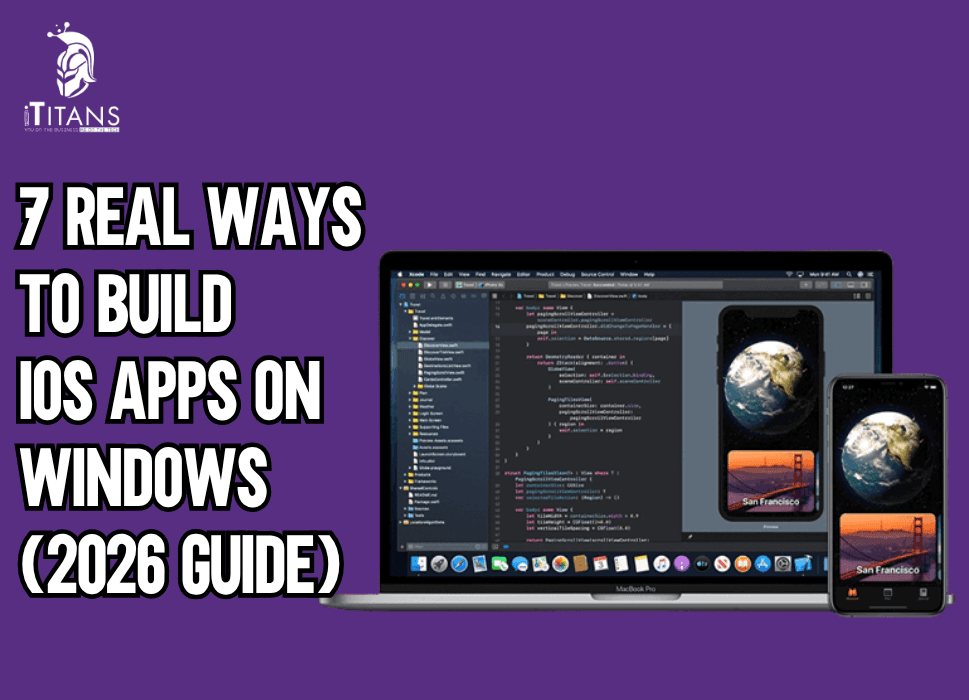
7 Real Ways to Build iOS Apps on Windows (2026 Guide)
For many founders and CTOs, one frustrating reality appears early in the product planning stage: Apple’s development ecosystem assumes you are working on macOS. Yet most engineering teams across startups and enterprises operate on Windows machines.
The result is a common question from product leaders and developers alike: can you realistically build iOS apps on Windows without investing in expensive Apple hardware?
The answer is yes. But the reality is more nuanced than most tutorials suggest.
Developers searching for ways to build iOS apps without Mac hardware often encounter outdated blog posts, incomplete developer forums, or complicated workarounds that fail in real-world production environments.
When a company is preparing to launch a mobile product, uncertainty around the development setup can quickly escalate into budget overruns, delayed timelines, and technical compromises that surface months later.
Understanding how iOS development on Windows actually works is not just a technical question. It is a strategic decision that affects hiring flexibility, infrastructure costs, and long-term product maintainability.
Why Apple Requires macOS for iOS Development
To understand the workarounds, you first need to understand the rule.
Apple’s official development environment is Xcode, and it only runs on macOS. If you want to compile an application written in Swift or Objective-C and distribute it through the App Store, the final build must pass through Apple’s toolchain.
This is why so many developers search for solutions like run Xcode on Windows or ask whether it is possible to compile an iOS application from a Windows machine.
The limitation does not exist because of technical impossibility. It exists because Apple tightly controls its ecosystem.
The final packaging, code signing, and App Store submission steps rely on macOS tools. Even companies building apps with cross-platform frameworks eventually interact with Apple’s build environment.
However, modern development workflows have separated writing the code from compiling the final binary. That shift has created several practical paths for teams who want to develop iOS apps on Windows PC systems.
In many cases, the majority of development can happen entirely on Windows machines while macOS is used only during the final build stage.
For startup teams, this approach dramatically lowers infrastructure costs and makes hiring easier because developers are no longer restricted to a specific operating system.
When Companies Choose to Build iOS Apps on Windows
Before exploring the technical methods, it is helpful to look at why companies choose this route in the first place.
Many early-stage startups begin product development before securing large funding rounds. Purchasing multiple Mac machines for engineering teams may seem trivial for large enterprises, but it can be a noticeable expense for early companies trying to manage burn rate.
There are also operational reasons.
Many engineering teams are already standardized around Windows-based development environments. Switching the entire team to macOS often creates unnecessary friction, especially when backend systems, DevOps tools, and internal software workflows are optimized for Windows.
Another factor is global hiring.
Many offshore development teams and engineering contractors primarily use Windows systems. Requiring macOS hardware can complicate onboarding and increase infrastructure management overhead.
These realities explain the constant demand for guides on how to build iOS apps on Windows without Mac systems.
But the real solution is not about bypassing Apple’s rules. It is about structuring the development workflow in a way that separates coding from the final macOS build stage.
Method 1: Use Cloud Mac Infrastructure
One of the most widely adopted solutions today involves remote macOS environments hosted in the cloud. This approach allows developers to keep working on Windows machines while accessing macOS infrastructure only when necessary.
For teams researching remote Mac for iOS development, cloud services provide a practical and scalable option.
Instead of purchasing and maintaining physical Mac hardware, companies rent macOS servers hosted in professional data centers. Developers connect to these machines remotely whenever they need to run Xcode or compile an iOS build.
How Cloud Mac Development Works
In this setup, developers write most of their application code on Windows machines using their preferred development tools. Frameworks like Flutter, React Native, or even Swift-based environments can be configured locally.
When the project needs to be compiled for iOS, the codebase is pushed to a remote macOS server.
From there, the macOS environment handles:
- Running Xcode
- Compiling the iOS application
- Code signing
- App Store packaging
The developer interacts with the Mac machine through remote desktop access or automated build pipelines.
This approach is one of the most common answers to the question of how developers build iOS apps without a Mac locally.
Popular Cloud Mac Providers
Several companies now specialize in providing cloud Mac for iOS development setup environments.
The most widely used services include:
- MacStadium
- MacinCloud
- AWS EC2 Mac Instances
These platforms host genuine Apple hardware in data centers and allow developers to rent access by the hour or month.
For growing startups, this model offers two advantages.
First, the infrastructure cost becomes predictable and scalable. Instead of purchasing machines upfront, companies pay only for the time they actually use macOS environments.
Second, development teams remain flexible. Engineers can continue coding on Windows while the build environment runs remotely.
When Cloud Mac Infrastructure Makes Sense
This workflow works best when:
- The development team primarily uses Windows
- The application uses cross-platform frameworks
- The macOS environment is only needed for compilation
Many product teams also integrate cloud Mac machines directly into their CI pipelines, allowing builds to run automatically whenever new code is pushed to the repository.
In those setups, developers rarely interact with macOS directly. The build system handles everything behind the scenes.
For startups that want to build iOS apps on Windows without restructuring their entire engineering environment, cloud Mac infrastructure often becomes the first practical solution.
Method 2: Running macOS in a Virtual Machine
Another common method developers explore is virtualization.
Many developers searching for solutions around run Xcode on Windows eventually discover the possibility of running macOS through a virtual machine.
This method attempts to replicate a macOS environment within a Windows computer using virtualization software.
How macOS Virtual Machines Work
Virtualization tools allow one operating system to run inside another. In theory, this means macOS can run inside Windows through a virtual environment.
Developers researching run Xcode on Windows using virtual machine setups often experiment with tools such as:
- VMware
- VirtualBox
- Hyper-V
Once the macOS environment is installed, Xcode can be installed inside the virtual machine, allowing developers to write and compile iOS applications within the virtualized environment.
Limitations of Virtual macOS Environments
While this approach sounds appealing in theory, it comes with serious drawbacks.
Performance is the most obvious issue.
macOS virtual machines tend to run slowly, especially when compiling large mobile applications. The virtualization layer consumes significant system resources, making development frustrating and inefficient.
There are also legal considerations. Apple’s licensing terms restrict running macOS on non-Apple hardware in many situations.
Because of these limitations, most production engineering teams avoid relying on virtualization for serious iOS development.
However, some developers still use virtual machines for experimentation, testing small projects, or learning the basics of the Apple development ecosystem.
For production products and startup environments with tight deadlines, virtualization rarely provides the stability needed for long-term workflows.
That is why modern engineering teams increasingly rely on cloud Mac environments or cross-platform frameworks instead of trying to force macOS to run locally on Windows machines.
Method 3: Use Cross-Platform Frameworks to Build iOS Apps from Windows
For many modern startups, the most practical answer to the question of how to build iOS apps on Windows lies in cross-platform development frameworks. Instead of relying exclusively on Apple’s native toolchain, companies build the core application using frameworks that allow developers to write code once and deploy it across multiple platforms.
This model has dramatically changed how mobile products are developed.
A decade ago, building an iOS application almost always meant hiring Swift or Objective-C developers working directly in Xcode. Today, many successful apps are written using cross-platform frameworks that allow engineers to develop most of the product on Windows machines while still delivering high-performance mobile experiences.
For startups trying to move quickly while managing engineering budgets, cross-platform development has become one of the most practical solutions for teams that want to develop iOS apps on Windows without maintaining an entirely macOS-based infrastructure.
Why Cross-Platform Development Appeals to Founders
From a product leadership perspective, cross-platform frameworks address several business challenges at once.
- They significantly reduce development costs. Instead of hiring separate teams for iOS and Android, companies can build both platforms from a shared codebase.
- They reduce delivery timelines. When a startup is preparing to launch its MVP, having one unified codebase means features are developed simultaneously across platforms rather than sequentially.
- They simplify team structure. Developers can work from Windows environments while still targeting both iOS and Android devices.
These advantages explain why cross-platform frameworks have become one of the most searched solutions for cross platform iOS development tools.
However, not all frameworks work the same way, and each has different implications for how the final iOS build is compiled.
Let’s examine the most widely used frameworks that allow teams to build iOS apps without Mac environments for most of the development lifecycle.
Flutter
The Most Popular Option for Startups
Flutter, developed by Google, has quickly become one of the most widely adopted frameworks for mobile application development. It allows developers to write applications in Dart and compile them into native mobile apps for both Android and iOS.
Many startups searching for ways to build iOS apps using Flutter on Windows discover that the majority of the development process can happen entirely within Windows environments.
Flutter provides its own UI rendering engine, which means the framework does not rely heavily on native platform components during development.
Developers can build interfaces, test business logic, and run Android builds directly from Windows machines. The only stage where macOS becomes necessary is the final iOS compilation process.
At that stage, the project can be sent to a macOS environment or cloud build system where the iOS binary is compiled using Xcode.
For many product teams, this workflow dramatically simplifies the development process.

React Native
A JavaScript-Based Approach to Mobile Apps
Another widely used framework that allows teams to build iOS app without mac using React Native is React Native.
Originally developed by Facebook, React Native allows developers to build mobile applications using JavaScript and the React ecosystem.
For companies that already use React for web development, React Native offers a familiar environment where engineers can transition into mobile development without learning an entirely new language.
From a Windows development perspective, React Native works similarly to Flutter. Developers can build most of the application within Windows environments and test Android versions locally.
The iOS version of the app is compiled later using a macOS build environment.
This workflow has made React Native one of the most widely adopted frameworks among startups looking for ways to develop iOS apps on Windows PC systems.
However, React Native requires careful architectural planning to avoid performance bottlenecks when applications scale.
Many teams eventually integrate native modules written in Swift or Objective-C to handle performance-critical features.
Xamarin
Microsoft’s Cross-Platform Framework
Another option frequently considered by enterprises exploring iOS development on Windows is Xamarin.
Xamarin allows developers to build mobile applications using C# and the .NET ecosystem. It is particularly appealing for organizations already heavily invested in Microsoft technologies.
Because Xamarin integrates closely with Visual Studio, Windows developers can write and manage most of the application code directly from their familiar development environment.
However, like other cross-platform frameworks, Xamarin still requires macOS for final compilation.
Many teams therefore combine Xamarin development with remote Mac for iOS development environments to complete the build process.
While Xamarin has lost some momentum to newer frameworks like Flutter, it remains a viable option for enterprise teams building internal mobile applications within Microsoft ecosystems.
Method 4: Remote Build Servers for iOS Compilation
While cross-platform frameworks allow developers to write most of their code on Windows machines, the final iOS application must still pass through Apple’s build tools.
This is where remote build servers become essential.
A remote build server is essentially a macOS machine dedicated to compiling iOS applications for the development team. Developers push their code to the server, which then runs the compilation process automatically.
This method is widely used by engineering teams that want to build iOS apps on Windows while maintaining centralized control over the build environment.
How Remote Build Servers Work
In a remote build setup, developers work locally on Windows machines while the macOS server handles tasks such as:
- Running Xcode build processes
- Signing application packages
- Generating iOS binaries
- Preparing App Store submission packages
The code is typically pushed to a version control repository such as GitHub or GitLab. Once new commits are detected, the build server automatically compiles the iOS application.
Developers can then download the compiled build for testing or distribution.
This approach is especially useful for distributed engineering teams where multiple developers are working on the same mobile application.
Advantages of Remote Build Servers
Remote build servers provide several benefits beyond simply enabling build iOS apps without Mac workflows.
They create a standardized build environment. Every developer interacts with the same macOS configuration, which reduces compatibility issues.
They also improve security. Apple signing certificates and provisioning profiles remain stored in one centralized environment rather than being distributed across multiple machines.
Most importantly, remote build servers support automation.
This automation becomes particularly valuable when teams integrate the server into continuous integration pipelines.
Method 5: CI/CD Cloud Build Systems
Modern development teams rarely compile mobile applications manually anymore.
Instead, automated pipelines handle the build process whenever new code is pushed to the repository.
For teams trying to build iOS apps on Windows, cloud-based CI/CD services have become one of the most efficient solutions.
CI/CD platforms automatically compile, test, and package applications using macOS infrastructure behind the scenes.
This means developers never have to interact directly with macOS environments.
Popular iOS Cloud Build Platforms
Several platforms specialize in automated iOS builds.
Some of the most widely used include:
- Bitrise
- Codemagic
- GitHub Actions
- CircleCI
These services provide macOS build environments capable of running Xcode and compiling iOS applications automatically.
Developers working on Windows machines simply push their code to the repository, and the pipeline handles the rest.
This workflow has become extremely popular among startups searching for how to build iOS apps on Windows without Mac environments.
Why CI/CD Pipelines Matter for Product Teams
Automated pipelines do more than just compile applications.
They enforce consistency in the development process. Every build follows the same steps, reducing the risk of configuration errors that often appear when developers build apps manually on individual machines.
For founders and product leaders, CI/CD also reduces operational risk.
Missed release deadlines often happen because the build environment breaks shortly before launch. Automated pipelines reduce that risk by ensuring the application can be compiled reliably at any time.
This level of automation is one reason many engineering teams now prefer CI/CD workflows instead of relying on local macOS machines.
Method 6: Build iOS Apps Using Game Engines Like Unity
While most discussions about build iOS apps on Windows focus on traditional mobile frameworks, another powerful option exists that many teams overlook: game engines.
Platforms such as Unity allow developers to create mobile applications, simulations, and games entirely from Windows environments. For companies building interactive experiences, mobile games, or 3D applications, this method offers a practical way to develop iOS apps on Windows without depending heavily on macOS machines during the development stage.
Unity has become one of the most widely used engines for cross-platform development. Thousands of successful mobile games on the App Store have been built using Unity workflows that begin on Windows machines.
How Unity Enables iOS Development from Windows
Unity uses C# as its primary scripting language and provides a complete development environment that runs smoothly on Windows. Developers design game logic, animations, user interfaces, and physics systems directly inside the Unity editor.
During development, teams typically test their builds on Android devices or emulators since Android compilation works directly from Windows.
When the project is ready for an iOS build, Unity exports the project files required for Apple’s development environment. These files are then transferred to a macOS system where the final compilation occurs using Xcode.
This workflow allows most of the engineering work to happen on Windows machines while macOS is used only for final packaging.
For studios researching how to build iOS apps on Windows without Mac, Unity has become a reliable option when the product involves heavy graphics, simulations, or gaming experiences.
When Unity Is the Right Choice
Unity works best for projects involving:
- Mobile games
- AR and VR applications
- Simulation tools
- Interactive educational apps
- Visualization platforms
For standard business applications, cross-platform frameworks like Flutter or React Native often make more sense. However, for graphics-heavy applications, Unity dramatically simplifies the development process.
Because Unity projects compile into native iOS applications, the final performance remains competitive with native mobile development.
Method 7: Low-Code and No-Code iOS Builders
The final method for teams exploring ways to build iOS apps on Windows involves low-code or no-code development platforms.
These platforms allow companies to design mobile applications using visual builders rather than writing large volumes of code. While experienced engineering teams may prefer traditional frameworks, low-code platforms can accelerate development for MVP products or internal business tools.
This category has expanded rapidly in recent years as more founders search for faster ways to validate product ideas before investing heavily in engineering teams.
How Low-Code Platforms Support Windows-Based Development
Low-code tools typically operate through browser-based development environments. Because the development interface runs in the cloud, teams can access the platform from any operating system, including Windows.
Developers design application flows, user interfaces, and business logic through graphical interfaces. The platform then generates the mobile application code automatically.
When teams publish the application, the platform handles the compilation and packaging process, often using cloud macOS environments in the background.
This model has made low-code platforms attractive to founders researching cross platform iOS development tools that reduce technical complexity during early product development.
Popular Platforms Used by Startups
Several platforms have gained popularity in this space:
- FlutterFlow
- Adalo
- Thunkable
- Appgyver
Each platform targets slightly different use cases, ranging from prototype development to full production applications.
While these platforms make it possible to build iOS apps without Mac hardware, they come with limitations around customization and long-term scalability.
As a result, most companies eventually transition to traditional development frameworks once their product gains traction.

Build Your iOS App with the Right Development Team
At iTitans, experienced engineers help startups and enterprises design, build, and launch high-performance mobile applications across iOS and Android.
FAQs
Can developers submit an iOS app to the App Store without owning a Mac?
Yes, but the final build must still be compiled using macOS. Many teams use cloud Mac services or CI/CD build pipelines to package and submit apps without owning physical Apple hardware.
What is the safest way to build iOS apps on Windows without Mac hardware?
Using cloud macOS infrastructure such as MacStadium or automated CI pipelines is the most stable option because the build environment runs on real Apple hardware.
Is it possible to install Xcode directly on Windows?
No, Xcode only runs on macOS. Developers searching for ways to run Xcode on Windows usually rely on remote Mac machines or cloud build environments.
Do cross-platform frameworks remove the need for macOS completely?
Not entirely. Frameworks like Flutter and React Native allow teams to develop iOS apps on Windows PC, but the final iOS build must still be compiled using Apple’s macOS toolchain.
How do development teams automate iOS builds from Windows environments?
Most companies use CI/CD services such as Bitrise, Codemagic, or GitHub Actions that run macOS build environments in the cloud.
Can Flutter fully support iOS development from Windows machines?
Yes. Developers can write and test most of the application on Windows, and the iOS version is compiled later using a macOS environment.
Are macOS virtual machines reliable for professional iOS development?
Virtual machines can work for experimentation, but they are often unstable and slow. Most production teams prefer cloud Mac infrastructure instead.
What is the fastest way for startups to build iOS apps without changing their Windows-based workflow?
Cross-platform frameworks combined with cloud build pipelines allow teams to build iOS apps on Windows while minimizing infrastructure changes.