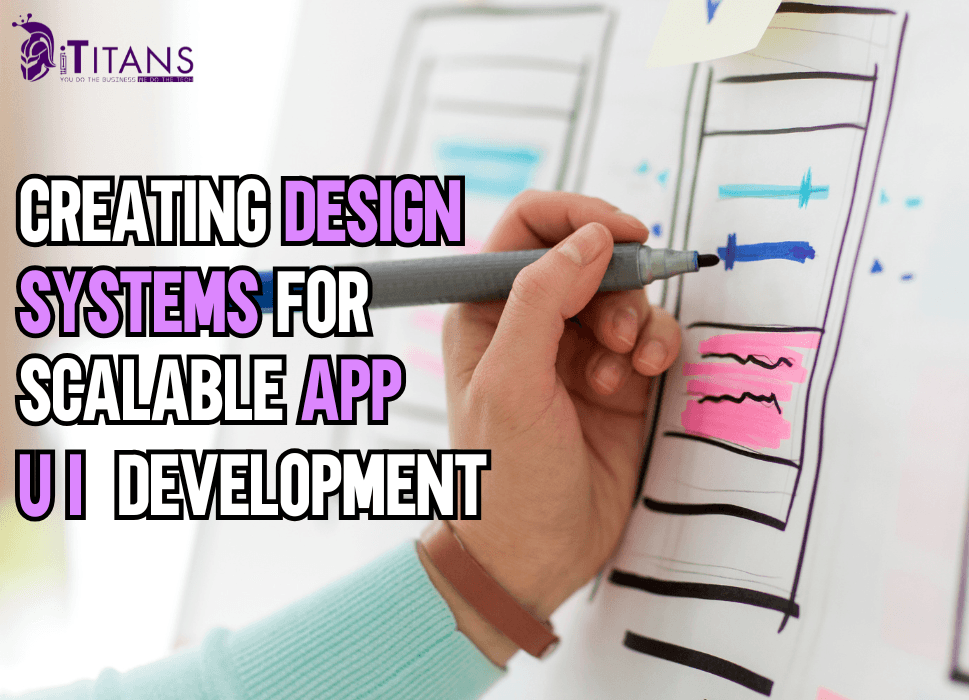
Creating Design Systems for Scalable UI App Development
In today’s fast-paced digital landscape, applications are not only expected to function seamlessly but also to provide a consistent and engaging user experience. As organizations scale, maintaining that consistency across multiple products, platforms, and devices becomes a challenge.
This is where design systems come into play which acts as the foundation for scalable UI in mobile app development. By unifying design principles, visual components, and interaction patterns, a design system helps teams build apps faster, with better quality and consistency.
In this article, we will comprehensively discuss the importance of creating design systems for scalable app UI development, explores industry insights and statistics, discusses best practices, and highlights how companies like iTitans play a pivotal role in enabling businesses to achieve design scalability.
Understanding Design Systems in App UI Development
A design system is more than just a style guide. It is a living collection of design principles, reusable UI components, and coding standards that bring harmony to digital products. Instead of reinventing the wheel for every new feature, design systems allow teams to work with a shared language and pre-defined patterns.
For instance, companies like Google with Material Design and Apple with Human Interface Guidelines have set strong industry standards that serve as global references. These systems are not just about aesthetics but also about usability, accessibility, and scalability to ensure that products work well across different devices, screen sizes, and user needs.
The growing reliance on design systems is reflected in industry adoption. According to a 2023 UXPin report, over 76% of design teams across enterprises now rely on a centralized design system to streamline development. This trend emphasizes how businesses view design systems as critical to achieving scalability and efficiency.

Why Design Systems Matter for Scalability
When an app grows, so does its complexity. Without a unified approach, teams often face redundant design work, inconsistent UI elements, and slower release cycles. This inconsistency not only frustrates developers and designers but also weakens brand identity.
A design system addresses these issues by acting as a single source of truth. It allows teams to:
- Ensure consistency across all user touchpoints.
- Accelerate development cycles with ready-to-use UI components.
- Improve collaboration between designers, developers, and product managers.
- Reduce costs by eliminating repetitive work.
- Enhance user trust by delivering predictable UX design.
From startups to enterprise-level platforms, scalability in design is saves time and budget to remain competitive in the markets where updates are often required.
5 Core Elements of a Strong Design System
Every design system has unique elements tailored to the brand, but there are some universal building blocks:
- Design Principles
These are the values and philosophies that guide design decisions. For example, a fintech app may prioritize clarity and trust, while an entertainment app may focus on delight and engagement.
- Pattern Libraries
These are collections of reusable UI components like buttons, forms, navigation bars, and modals. By reusing patterns, teams ensure uniformity across different features.
- Style Guides
This includes typography, color schemes, iconography, and spacing rules. A unified style guide ensures that all interfaces align with brand identity.
- Accessibility Standards
A scalable system must consider inclusivity. Adding guidelines for screen readers, contrast ratios, and keyboard navigation ensures compliance with accessibility standards like WCAG 2.1.
- Code Components
Modern design systems often integrate with frontend frameworks such as React, Vue, or Angular, providing developers with pre-coded components. This bridge between design and development makes scaling easier.
What is the Role of Collaboration in Building Design Systems?
Design systems thrive on collaboration. A siloed approach often leads to fragmented designs, but when cross-functional teams including designers, developers, marketers, and product managers working together in order to present a cohesive outcome.
Industry leaders like Airbnb and IBM have proven this. Airbnb’s Design Language System (DLS) is celebrated for creating seamless experiences across their apps. IBM’s Carbon Design System empowers thousands of developers globally, maintaining consistency across products while allowing flexibility for innovation.
The key takeaway is that design systems are not static documents but evolving ecosystems, requiring input from multiple disciplines to stay relevant and effective.
Industry Trends in Scalable UI Development
The demand for design systems has accelerated in recent years, largely because of the rise of multi-platform products. According to InVision’s Design Maturity Report (2022), companies with robust design systems release products 30% faster than those without.
Some key industry trends include:
- Component-driven development: Modern tools like Figma, Sketch, and Storybook encourage the use of reusable UI components.
- Integration with design tokens: These tokens store values for colors, fonts, and spacing, ensuring consistency across code and design files.
- Focus on accessibility: With global regulations pushing for inclusive design, accessibility has become a non-negotiable aspect of design systems.
- AI-powered design systems: Emerging tools leverage AI to recommend design improvements, automate component generation, and even detect inconsistencies.

Challenges in Building and Maintaining Design Systems
While the benefits are clear, building and scaling design systems isn’t without challenges.
- Adoption resistance: Teams may hesitate to shift from established workflows.
- Maintenance burden: A design system must evolve as the product grows. Without continuous updates, it becomes outdated.
- Balancing flexibility with consistency: Too rigid a system stifles creativity, while too loose a system risks inconsistency.
- Resource investment: Initial setup requires time, skilled talent, and financial resources.
Organizations that overcome these challenges typically see long-term payoffs in speed, quality, and scalability.
How to Create Design Systems for Scalable App UI? 14 Best Practices
When it comes to building scalable app user interfaces (UI), design systems are the unsung heroes that keep everything consistent, efficient, and future-proof. A design system acts like the “DNA” of your app as it includes the reusable components, design rules, and guidelines that ensure your product looks and feels cohesive across screens, platforms, and devices.
According to a 2023 study by InVision, teams that rely on well-defined design systems ship products 30% faster and maintain a 20% higher consistency rate in UI compared to teams without one. That alone makes it worth investing in.
Here are the 14 best practices that should be followed to create design systems for scalable app UI:
1. Establish a Clear Design Language
Every design system needs a foundation, and that foundation is the design language. This includes your app’s colors, typography, spacing, iconography, and tone. Without a unified design language, your app can quickly look like a patchwork quilt made by different people at different times.
A strong design language ensures that every button, card, or dropdown menu feels like it belongs to the same family. Big players like Google with Material Design and Apple with Human Interface Guidelines set the gold standard here, proving that a clear design language makes scaling effortless.
2. Build a Component Library
A scalable UI relies heavily on reusable components such as buttons, input fields, sliders, cards, and more. Having a centralized component library prevents designers and developers from reinventing the wheel every time they build a screen.
According to Figma’s 2022 design systems report, over 80% of product teams save significant development time when components are centralized. Plus, it ensures consistency, such as your “primary button” looks the same whether it’s in the login screen or the checkout page.
3. Prioritize Accessibility from the Start
Designing with accessibility in mind means considering things like contrast ratios, text sizes, keyboard navigation, and screen reader compatibility. With 1 in 6 people globally experiencing significant disabilities (WHO, 2023), ignoring accessibility can alienate a huge user base. Incorporating accessibility guidelines directly into your design system makes sure your app scales inclusively, reaching more people and complying with regulations like WCAG.
4. Document Everything Clearly
A design system without documentation is like a toolbox without labels you’ll waste time figuring out what’s what. Documentation should explain not just how components look, but also when and why to use them. This avoids misuse and ensures consistency across different teams.
Tools like Storybook or Zeroheight make documentation easy by combining visuals with usage guidelines. Clear documentation becomes especially critical as your team grows and new members join in.
5. Design for Flexibility and Customization
While consistency is key, rigidity can stifle creativity. A good design system should strike a balance between standardization and flexibility. For example, a button component can have variations such as primary, secondary, destructive but all of them share a common style foundation. This allows teams to adapt designs for unique use cases without straying from the system. Think of it like LEGO blocks: the pieces are standard, but the possibilities are endless.
6. Collaborate Across Teams
Design systems thrive when designers, developers, and product managers collaborate from the get-go. This cross-functional teamwork ensures that components are not only visually appealing but also technically feasible and aligned with business goals.
A 2022 McKinsey report revealed that companies with high design maturity, where design and development work hand in hand can see up to 32% higher revenue growth. Collaboration makes the design system more robust and widely adopted.
7. Start Small and Scale Gradually
One mistake team make is trying to build a massive design system all at once. Instead, start small to create a few essential components like buttons, text styles, and input fields and then grow it as your app expands.
This agile approach keeps the system relevant and avoids wasting time on components that may never be used. As your product matures, your design system can evolve into a comprehensive library without overwhelming your team in the early stages.
8. Ensure Cross-Platform Consistency
With apps running on iOS, Android, and the web, it’s easy for designs to drift apart across platforms. A scalable design system should account for platform-specific differences while maintaining a consistent brand identity.
For example, a button might follow iOS design conventions on iPhones and Material Design on Android, but the brand colors, typography, and spacing stay aligned. This makes the user experience seamless, no matter what device they’re on.
9. Automate Where Possible
Automation can supercharge your design system. Tools like Figma Tokens, Style Dictionary, and DesignOps pipelines allow teams to sync design tokens (colors, spacing, typography values) directly into code. This reduces manual errors and ensures designers and developers work from the same source of truth. In fact, companies using automated design tokens report 25–40% faster handoff times, according to UX Collective’s 2023 survey.
10. Regularly Audit and Update the System
A design system isn’t something you create once and forget because it needs constant upkeep. Regular audits help identify outdated components, unused styles, or inconsistencies that creep in over time. Updating the system ensures it keeps pace with evolving business goals, user needs, and technology. Think of your design system as a living document that grows and adapts just like your app does.
11. Promote Adoption with Training and Onboarding
Even the most beautifully crafted design system is useless if no one uses it. That’s why adoption is crucial. Conduct training sessions, create onboarding materials, and provide hands-on support to help teams get comfortable with the system. Many organizations even appoint design system advocates who are the champions who spread awareness and ensure everyone follows the system. Adoption rates directly impact scalability, so the more buy-in you have, the smoother things run.
12. Leverage Analytics to Measure Impact
It’s important to measure how well your design system performs. Tracking metrics like time-to-market, component reuse rates, or reduction in design inconsistencies can prove its value to stakeholders. For instance, Airbnb reported a 50% decrease in design debt after introducing their design system. Data-driven insights help refine the system and showcase ROI, making it easier to secure resources for continued investment.
13. Focus on Brand Consistency
At the end of the day, your app UI is about usability as well as about expressing your brand identity. A design system helps maintain brand consistency across marketing sites, in-app experiences, and even external integrations. From colors to tone of voice, every element should reinforce your brand values. This builds trust with users and makes your product instantly recognizable, which is crucial for scaling.
14. Future-Proof with Scalability in Mind
Finally, always design with the future in mind. Your app today might have 10 screens, but in two years, it could have 100. By building a design system that’s scalable, modular, and adaptable, you save yourself headaches down the road.
This means thinking ahead about component variations, global styles, and responsive layouts that can handle growth without breaking. Future-proofing ensures your app scales smoothly without needing to rebuild the system from scratch.

How iTitans Focus on Design System Development
When businesses aim to scale digital products, partnering with an experienced technology provider can make a significant difference. This is where iTitans stands out. Based in the United States with a global reach, iTitans is a full-service software development company specializing in:
- Website Development
- Mobile App Development
- Software Development
- MVP Development
- UI/UX Designing
- eCommerce Development
- SEO & Social Media Marketing
- Digital Transformation
- Staff Augmentation
With expertise in UI/UX designing, iTitans helps businesses establish design systems that ensure consistency, efficiency, and scalability. Their approach is rooted in combining aesthetics with functionality making digital products not only visually appealing but also user-friendly and reliable.
By leveraging modern frameworks, best practices, and collaborative workflows, iTitans supports businesses in creating robust design systems tailored to their needs. Whether it’s a startup building its first MVP or an enterprise scaling across platforms, iTitans brings the technical and creative expertise necessary to drive long-term success.
Future of Design Systems in Scalable UI Development
Looking ahead, design systems will continue to evolve alongside technology. The integration of AI and automation will make design systems more adaptive, capable of identifying inconsistencies in real time and suggesting improvements.
The rise of cross-platform frameworks like Flutter and React Native will push for even more unified systems that work seamlessly across iOS, Android, and web. Additionally, as AR/VR and wearable technologies become mainstream, design systems will need to adapt to new interaction models.
Ultimately, businesses that invest in strong, scalable design systems today will be better positioned to meet the demands of tomorrow’s digital economy.
Creating design systems for scalable app UI development is no longer an option but a necessity. As businesses expand, the need for consistency, speed, and user trust becomes critical. By establishing a robust design system, organizations can align teams, accelerate development, and ensure long-term scalability.
Companies like iTitans play a vital role in this journey, providing expertise in UI/UX design and software development to help brands stay competitive in the ever-changing digital landscape.
Do you want to build mobile apps that grow with your business? Contact iTitans now to build scalable UI for your mobile apps based on design systems that are built with team collaborations.
FAQs
What is a design system in app UI development?
A design system is a structured collection of reusable components, design standards, and guidelines that help teams build consistent and scalable user interfaces. It usually includes typography, colors, icons, grids, and coded components. Instead of reinventing the wheel for every project, teams rely on the system as a single source of truth, making UI development faster and more unified.
Why are design systems important for scalable app development?
Design systems ensure consistency across platforms and speed up the design-to-development process. Without them, teams often struggle with mismatched UI elements, duplicated efforts, and higher maintenance costs. A study by InVision found that teams using design systems improved efficiency by up to 47% and reduced inconsistencies significantly, which is huge when building apps that need to scale.
What are the key components of a design system?
At its core, a design system includes a color palette, typography, spacing, and iconography. But modern systems also have UI components like buttons, forms, navigation bars, and even motion guidelines. The most robust design systems, like Google’s Material Design or IBM’s Carbon, combine documentation, code snippets, and accessibility standards to ensure products scale seamlessly.
How do design systems improve collaboration between designers and developers?
By providing a shared language and predefined components, design systems reduce back-and-forth communication. Designers don’t need to explain every detail, and developers don’t waste time guessing implementation. According to Figma’s 2023 report, 82% of product teams said design systems improved collaboration across departments, creating smoother workflows and fewer errors in handoffs.
Can small startups benefit from creating a design system?
Absolutely. While many people think design systems are only for big companies, small teams often benefit even more. Startups move fast, and a design system ensures their UI remains consistent even when multiple developers contribute. Building one early on also prevents costly redesigns later, saving both time and money as the product grows.
How do design systems impact app scalability?
Scalability means being able to grow your app without breaking consistency or slowing down workflows. Design systems make this possible because every new feature can reuse established components. For example, Airbnb reported that its design system, “DLS,” cut design debt and allowed teams to roll out updates across platforms at scale with minimal effort.
What tools are commonly used to build and manage design systems?
Popular tools include Figma, Sketch, and Adobe XD for design, while Storybook and Zeroheight help with documentation and coded components. Many teams also rely on GitHub for version control. Figma leads the market, with over 4 million users worldwide in 2023, because it allows real-time collaboration and seamless integration between designers and developers.
How do design systems support accessibility in apps?
Accessibility is built-in when design systems define contrast ratios, font sizes, and interaction guidelines from the start. This ensures apps are usable for people with disabilities. For example, Material Design includes accessibility principles that comply with WCAG 2.1 standards, making it easier for developers to create inclusive experiences without having to reinvent guidelines each time.
What are some examples of successful design systems used by big companies?
Some of the most influential design systems include Google’s Material Design, IBM’s Carbon Design System, and Microsoft’s Fluent Design. These systems are widely documented and publicly available, serving as inspiration for smaller teams. They’ve allowed these companies to scale apps across millions of users while maintaining a consistent look, feel, and usability across platforms.