Shopify vs WooCommerce | Which Is Best for Your Store?
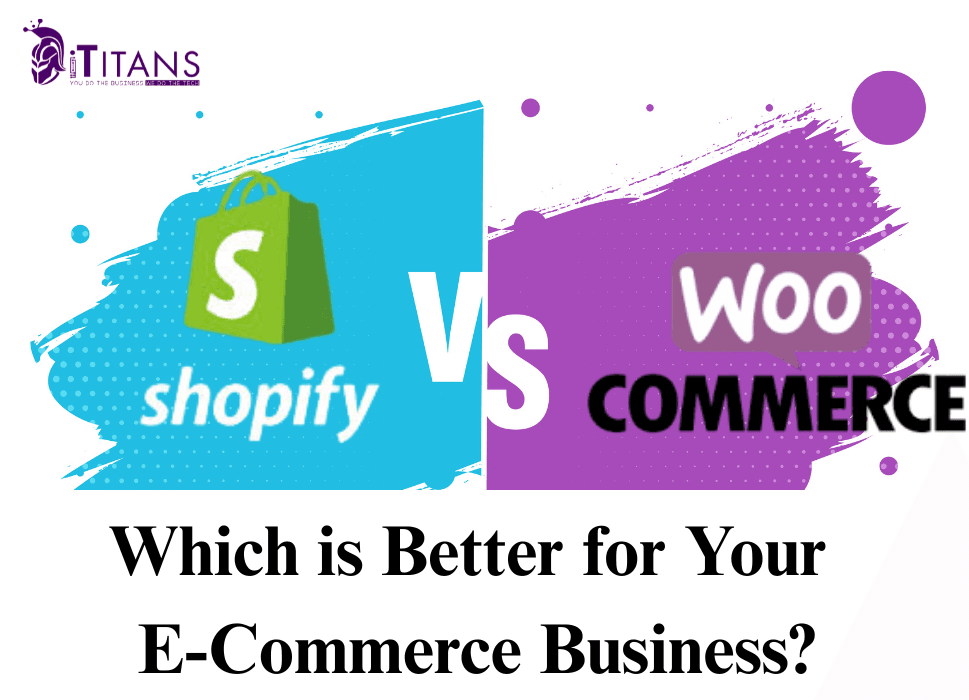
You’ve got the product. You’ve got the passion. Now comes the biggest decision: which platform will power your online store?
Choosing between Shopify and WooCommerce isn’t just about features, it’s about future-proofing your business. Your platform will shape how easily you launch, scale, customize, and market your store.
This detailed breakdown compares Shopify vs WooCommerce in areas that really impact your success: setup, design, pricing, performance, SEO, flexibility, and ownership. Let’s start with the basics.

Platform Overview: Shopify vs WooCommerce
Shopify is an all-in-one e-commerce solution. Everything from hosting to security, payments, and design tools is included. You sign up, customize your store, and start selling. It’s beginner-friendly, fast, and takes the technical heavy lifting off your shoulders.
WooCommerce, on the other hand, is a powerful plugin that turns a WordPress website into a fully functional online store. It’s open-source, which means you have complete control over every detail. But it also means you’re responsible for managing your hosting, plugins, and updates.
Think of Shopify as renting a fully furnished store where everything is ready to go. WooCommerce is like building your own space, where you decide how everything looks, functions, and grows.
Ease of Use: Which One Helps You Launch Faster?
If you’ve never built a website before, Shopify is built with you in mind. From the moment you sign up, the platform guides you step-by-step through picking a theme, adding your products, connecting a domain, and launching your store. Everything is in one place, and the dashboard is clean and easy to navigate. You don’t need a developer to get started.
WooCommerce starts with installing WordPress, followed by adding the WooCommerce plugin. You’ll then configure settings like shipping, tax, and payments. If you’re using a reliable hosting provider like SiteGround or Bluehost, you might get a one-click install, but the process still involves more steps. You also need to install a few extra plugins to handle things like caching, security, and backups.
In short: Shopify gets you up and running faster with less effort. WooCommerce gives you more freedom, but there’s a learning curve.
Design and Themes: How Much Can You Customize?
Shopify offers more than 100 professionally designed themes. Many are free, while premium themes cost between $180 and $350. These themes are optimized for conversions, mobile-friendly, and easy to customize with Shopify’s built-in visual editor. You can change colors, fonts, layouts, and even do some code tweaking if needed.
The downside? Full design flexibility is somewhat limited unless you dive into Liquid (Shopify’s custom coding language) or hire a developer.
WooCommerce lets you tap into the entire WordPress theme ecosystem. You can choose from thousands of themes, including e-commerce focused ones like Astra, OceanWP, and Storefront, and customize them using page builders like Elementor or Divi. This opens the door to virtually unlimited design possibilities, especially if you know a bit of HTML or CSS.
If you want a store that looks great out of the box with minimal setup, Shopify is a solid choice. But if you want complete design freedom, WooCommerce gives you more creative control.
Cost Comparison: Which One’s Better for Your Budget?
When it comes to cost, Shopify and WooCommerce take two very different approaches.
Shopify runs on a monthly subscription model. Its Basic plan starts at $39/month, while more advanced tiers like Shopify ($105/month) and Advanced Shopify ($399/month) offer additional features. This pricing includes hosting, SSL security, automatic updates, and 24/7 support. However, some extras can creep up on you.
Many powerful apps require monthly fees, and if you use third-party payment gateways like PayPal or Stripe, Shopify may charge up to 2% transaction fees, unless you’re on higher-tier plans or use Shopify Payments.
WooCommerce, on the other hand, is free to install, but the actual cost comes down to your choices. You’ll need to pay for hosting (anywhere between $5 to $30/month), a domain name, SSL, and potentially some premium plugins or themes.
There are no platform or transaction fees. If you’re tech-savvy or already on WordPress, WooCommerce can be much more affordable in the long run. But it also requires more setup and ongoing management.
If you want peace of mind and simplicity, Shopify is worth the predictable spend. If you prefer flexibility and control over where your money goes, WooCommerce wins.
Payment Gateways and Fees
Shopify makes payment processing easy, especially if you’re using Shopify Payments. This built-in gateway offers a smooth experience and saves you from additional transaction fees. However, if you choose to use external options like Stripe or PayPal, expect a 2% fee on each transaction, unless you’re on the higher pricing plans.
WooCommerce, in contrast, gives you full freedom. You can use just about any payment provider, Stripe, PayPal, Authorize.net, bank transfers, even crypto, without penalty. You’re only responsible for the gateway’s standard processing fees (like 2.9% + 30¢), not any platform commissions.
If fee transparency and full payment control are important to your business, WooCommerce is the winner here.
SEO and Marketing Capabilities
Your store isn’t just about products, it’s about visibility. And SEO plays a major role.
WooCommerce is built on WordPress, the world’s most SEO-friendly CMS. That gives you deep access to SEO plugins like Rank Math or Yoast, schema markup, customizable permalinks, and full blog functionality. You can tweak every part of your product or page metadata, helping you dominate in Google’s organic rankings.
Shopify does a good job too, it offers clean URLs, fast load times, and mobile-responsive themes. You also get features like abandoned cart recovery, discount codes, and basic blog tools.
However, for more advanced SEO capabilities or custom marketing campaigns, you may need paid apps. Some important features like advanced redirects, canonical tag control, or schema may not be as straightforward as WooCommerce.
If SEO and content marketing are going to be your primary traffic drivers, WooCommerce gives you more muscle.

Apps, Plugins, and Extensions
One area where both platforms shine, but in different ways, is their plugin ecosystems.
Shopify has a curated App Store with over 8,000 apps. These are user-friendly and often integrate seamlessly into your store. You’ll find tools for everything, email marketing, upsells, loyalty programs, shipping, and automation. But many of these apps are subscription-based, so monthly costs can climb quickly.
WooCommerce’s advantage is its open-source flexibility. You have access to thousands of WordPress plugins, many of which are free or require just a one-time payment. You can customize, stack, or even build your own plugins.
The tradeoff is you’ll need to manage plugin compatibility and updates yourself. And sometimes, less-polished plugins may break things if not carefully selected.
In short, Shopify wins for polished simplicity, while WooCommerce gives you unlimited options, especially if you don’t mind the DIY route.
Security and Compliance
With Shopify, security is handled for you. You get SSL encryption, PCI compliance, automated updates, and built-in fraud analysis right out of the box. It’s ideal for store owners who don’t want to think about backups, malware, or plugin vulnerabilities.
WooCommerce, by comparison, puts security in your hands. While modern hosting providers like Kinsta or SiteGround offer strong built-in protection, you’re still responsible for keeping WordPress, themes, and plugins up to date. You’ll also want to use security tools like Wordfence or iThemes Security, and set up backups.
If you want peace of mind and hands-free protection, Shopify wins. If you want control and already have a secure WordPress setup, WooCommerce works just fine.
Scalability: Can They Grow With You?
Both platforms are scalable, but in different ways.
Shopify is built to scale with ease. You don’t need to manage performance, uptime, or server load. If your sales go from 10 to 10,000 orders per month, Shopify handles the backend. For fast-growing businesses, Shopify Plus offers advanced features, automation, and global capabilities.
WooCommerce, while incredibly powerful, requires more hands-on management as you grow. Your site speed, uptime, and transaction handling depend heavily on your hosting and optimization. But the reward? Unlimited freedom to build whatever features, workflows, or checkout experiences you need.
Choose Shopify if you want to grow without tech headaches. Choose WooCommerce if you want growth without platform limits.
Control and Ownership
This might be the most underrated but crucial factor of all.
With Shopify, you’re essentially renting a store on their platform. Yes, you own your content and products, but your store lives on their infrastructure. Shopify controls the environment, and that means if they ever suspend your account or change their policies, you don’t have full control over what happens next.
With WooCommerce, you own everything, your domain, your files, your hosting, your data. You can move your store, change platforms, export your customer list, or tweak the backend code whenever you want. For brands focused on long-term independence, that kind of ownership is powerful.
Support and Community: Where Can You Turn When You’re Stuck?
Shopify provides 24/7 support via chat, email, and even phone on higher-tier plans. For new store owners, this is a huge relief. If your checkout stops working at 2:00 AM, help is just a click away. There’s also a large knowledge base, official forums, and a growing YouTube channel filled with tutorials.
WooCommerce doesn’t offer direct 24/7 support unless you pay for managed hosting or a premium plugin that includes support. That said, the global WordPress community is massive. Forums, Facebook groups, and YouTube tutorials are everywhere. Whether you need a plugin fix or advanced developer help, there’s someone out there who can assist.
If you value official support and live help, Shopify is the better option. If you prefer self-research, community resources, or already have a WordPress developer on hand, WooCommerce will serve you just fine.

Which One Is Right for You?
Let’s recap based on the type of e-commerce entrepreneur you are:
Choose Shopify If You:
- Want to launch fast without technical headaches
- Prefer fixed monthly costs and built-in security
- Need round-the-clock support
- Don’t want to worry about hosting, backups, or performance
- Value convenience over deep customization
Choose WooCommerce If You:
- Already use or are comfortable with WordPress
- Want full control over your store and hosting
- Are focused on long-term SEO and blogging
- Need custom features, complex products, or unique checkout flows
- Care about owning your data and platform
The platform you choose will shape your business’s future. Think about what you need today, and what you’ll want a year from now.
SEO Performance: Organic Growth from Day One
If SEO is your long-term growth plan, WooCommerce is the heavyweight champion.
Because it runs on WordPress, you can build out full-featured blog content, control every metadata tag, and structure your URLs exactly the way Google loves. From schema markup to AMP support, WooCommerce gives you full control.
Shopify’s SEO capabilities are good but not great. Clean URLs, mobile optimization, and fast load times help, but things like blog structure and meta customizations are limited unless you add apps.
If you plan to scale your store using content marketing and organic traffic, WooCommerce will give you a stronger foundation.
Website Speed and Performance
Shopify delivers performance straight out of the box. Its infrastructure is optimized for e-commerce, global CDNs, lazy loading, image optimization, and server-side rendering come standard. You don’t need to tweak anything, just focus on your products and marketing.
With WooCommerce, speed is a matter of setup. A fast site depends on:
- The quality of your hosting
- How optimized your theme and plugins are
- Whether you’re using caching, a CDN, and image compression tools
A well-configured WooCommerce store can match Shopify’s speed, but it takes effort and knowledge.
If you want instant speed, Shopify is the default winner. But WooCommerce can catch up if you know what you’re doing, or hire someone who does.
Real-Life Use Cases
Let’s make things more practical:
Case 1: Dropshipping Startup
You want to sell trending items with apps like Oberlo or Spocket, and don’t want to think about hosting or servers. Go Shopify.
Case 2: Local Handmade Business
You want to share your story, blog about your process, and own every piece of your store. WooCommerce is the way.
Case 3: Fashion Brand Going Global
You’re scaling fast and need reliable checkout, multiple currencies, and enterprise support. Shopify Plus fits the bill.
Case 4: Custom Tech Product Business
You’re offering complex configurations or subscriptions. WooCommerce gives you the freedom to build exactly what you want.
Platform Migration: Can You Switch Later?
Yes, but switching isn’t always smooth sailing.
Shopify to WooCommerce: You’ll need to export your data (products, customers, orders), choose a new theme, and set up everything again. Tools like Cart2Cart or LitExtension can help, but design elements and functionality won’t carry over.
WooCommerce to Shopify: A bit easier. Shopify offers import tools, but you’ll still need to reconfigure your store’s layout and plugins manually.
In both cases, always backup your data and expect to invest time in rebuilding your customer journey and design.
iTitans Pro Tip: Focus on What You Need Now
Trying to predict your business’s exact future is impossible. Instead of overthinking, ask yourself:
- Am I okay with learning some tech or not at all?
- Do I want to launch fast or invest time building from scratch?
- Will I rely on SEO and blogging, or ads and social media?
- Do I need custom checkout options or will a standard cart do?
Don’t pick WooCommerce or Shopify based on trends. Pick based on what helps you start, sell, and grow right now.
So, Shopify or WooCommerce?
There’s no one-size-fits-all. Shopify is like renting a shop in a mall, clean, secure, and easy to set up. WooCommerce is like building your own store from the ground up, flexible, powerful, but hands-on.
If convenience, speed, and support are your top priorities, go with Shopify.
If you want full control, better SEO, and long-term autonomy, go with WooCommerce.
Still confused about which platform fits your business?
At iTitans, we’ve launched, scaled, and optimized both Shopify and WooCommerce stores for clients around the world. Whether you’re building from scratch, switching platforms, or scaling your next big idea, we know what works.
Let’s talk. We’ll help you figure it out, no tech jargon, just honest advice.
FAQs
1. Is Shopify better than WooCommerce for beginners?
Yes. Shopify is easier to use for beginners, thanks to its all-in-one setup and intuitive builder. WooCommerce is more technical but offers more control.
2. Which is more SEO-friendly: Shopify or WooCommerce?
WooCommerce is more SEO-friendly due to its WordPress foundation and access to advanced plugins like Yoast and Rank Math.
3. Can I switch from Shopify to WooCommerce later?
Yes. You can migrate your store data, but you’ll need to rebuild the design and reconfigure plugins manually.
4. Which platform is cheaper: WooCommerce or Shopify?
WooCommerce often has lower upfront costs if self-managed. Shopify has predictable monthly pricing but becomes costly with apps and transaction fees.