Leveraging Cloud-Based Solutions in Web App Development for Scalability
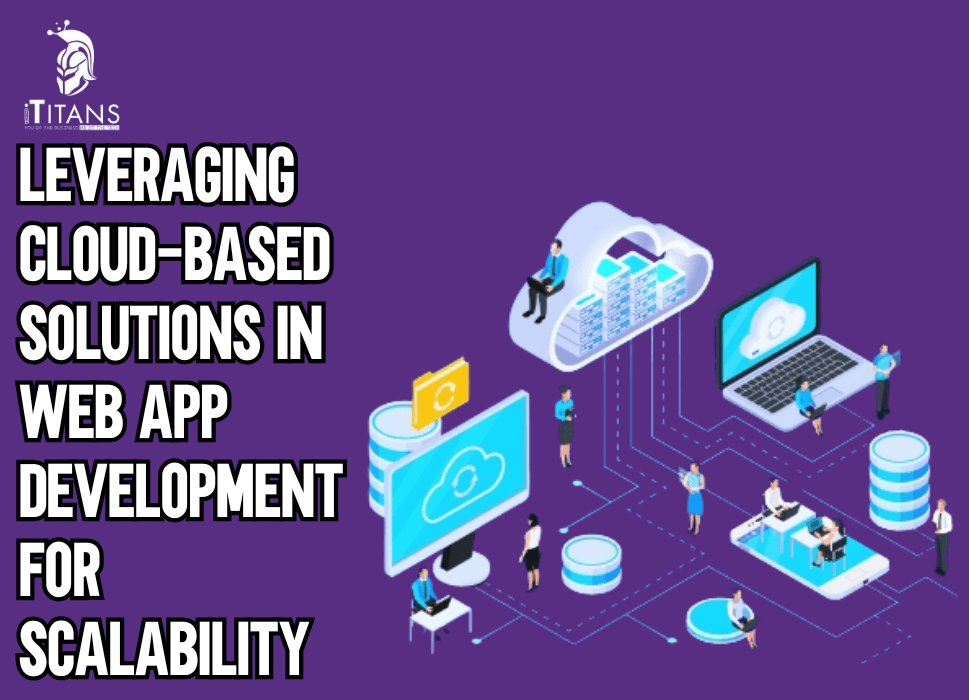
Modern web applications do not fail because of bad ideas. They fail because the infrastructure cannot keep up when usage spikes. Traffic grows faster than expected. Features expand. Data multiplies. And suddenly, a web app that worked fine with 5,000 users struggles when 50,000 users log in at the same time.
This is where cloud based web app development scalability becomes a business necessity rather than a technical choice.
Scalability is not about preparing for “one day” growth. It is about building web applications that can absorb pressure without slowing down, crashing, or burning infrastructure budgets. For companies launching SaaS platforms, marketplaces, enterprise dashboards, or consumer-facing products, the ability to scale smoothly decides whether growth becomes an advantage or a liability.
This is exactly why cloud based web app development has become the default approach for teams that expect real-world usage, unpredictable demand, and continuous feature expansion.
In this guide, we go deep into how to scale web applications using cloud services, what actually breaks when apps grow, and how cloud architecture solves those problems in ways traditional setups never could.

What Is Cloud-Based Web App Development?
Cloud based web app development refers to building and running web applications on cloud infrastructure instead of fixed, on-premise servers. Instead of relying on one physical machine or a limited server setup, cloud platforms distribute computing power, storage, and networking across multiple systems that can expand or shrink on demand.
In practical terms, this means:
- Your application does not depend on a single server
- Traffic spikes do not crash the system
- Resources adjust automatically based on usage
- Infrastructure costs align more closely with actual demand
Unlike traditional hosting, where scaling often means manual upgrades, downtime, or expensive hardware purchases, cloud platforms allow apps to grow dynamically. This dynamic growth is the backbone of cloud application scalability best practices.
For web apps expecting variable traffic patterns such as seasonal spikes, marketing campaigns, or viral growth, cloud infrastructure becomes the only realistic option.
Why Scalability Is the Biggest Challenge in Web App Growth
Most web applications are built to solve an immediate problem. Very few are built to survive rapid success.
Here is what typically happens when scalability is not planned early:
- Pages load slower as traffic increases
- APIs start timing out
- Databases become bottlenecks
- Infrastructure costs spiral out of control
- Downtime damages user trust
Scalability issues do not appear gradually. They appear suddenly, often at the worst possible time.
This is why benefits of cloud for web app scalability go far beyond technical convenience. They directly impact user experience, revenue, and brand credibility.
A scalable web application should be able to:
- Handle traffic growth without performance drops
- Maintain consistent response times
- Add new features without re-architecting the system
- Recover quickly from failures
Cloud platforms are designed around these exact requirements.
Cloud vs On-Premise Scalability for Web Apps
Understanding cloud vs on-premise scalability for web apps makes the advantages very clear.
On-Premise Infrastructure Limitations
Traditional on-premise setups rely on fixed resources. Once capacity is reached, the only options are:
- Upgrade hardware
- Add new servers manually
- Accept performance degradation
These approaches involve downtime, long planning cycles, and high upfront costs. Worse, infrastructure is often over-purchased “just in case,” leading to wasted resources.
Cloud Infrastructure Advantages
Cloud environments work differently:
- Resources scale automatically
- Capacity expands in minutes, not months
- Failures are isolated instead of catastrophic
- Global availability becomes achievable
This is why cloud hosting for web apps is no longer just about hosting. It is about building systems that survive growth.
How Cloud-Based Solutions Enable Web App Scalability
Autoscaling: The Backbone of Cloud Growth
One of the most powerful features of cloud platforms is autoscaling. Autoscaling allows systems to increase or decrease computing resources based on real-time demand.
This directly supports autoscaling strategies for cloud-based applications, such as:
- Adding application instances during peak traffic
- Reducing resources during low-usage periods
- Maintaining stable performance without manual intervention
For example, an eCommerce web app during a flash sale can automatically scale to handle thousands of concurrent users and then scale back once traffic drops.
Load Balancing for Consistent Performance
Load balancing distributes incoming traffic across multiple application instances. Without it, a single server becomes overwhelmed while others sit idle.
Load balancing plays a key role in scalable web application architecture by:
- Preventing server overload
- Improving response times
- Ensuring high availability
- Supporting horizontal scaling
Cloud platforms offer managed load balancers that integrate directly with autoscaling systems, reducing operational complexity.
Microservices and Cloud-Native Architecture
Traditional monolithic applications scale poorly because every part of the system depends on everything else. Cloud environments encourage breaking applications into smaller, independent services.
This approach supports cloud native architecture for web app scalability by:
- Allowing individual services to scale independently
- Reducing deployment risks
- Improving fault isolation
- Enabling faster development cycles
For example, user authentication, payments, and analytics can scale separately instead of competing for the same resources.
Serverless Components for Traffic Spikes
Serverless computing removes the need to manage servers altogether. Code runs only when triggered, making it ideal for unpredictable workloads.
Serverless functions are especially useful for:
- Background jobs
- Event processing
- API endpoints with uneven traffic
This directly supports tips for designing scalable cloud web apps that must handle sudden spikes without wasting infrastructure.
Choosing the Right Cloud Platforms for Scalable Web Apps
When discussing best cloud solutions for scalable web apps, three major providers dominate the landscape:
- Amazon Web Services (AWS)
- Microsoft Azure
- Google Cloud Platform (GCP)
Each offers:
- Managed autoscaling
- Load balancing
- Cloud databases
- Monitoring and analytics tools
The key is not choosing the “biggest” provider but choosing the one that aligns with application architecture, data needs, and long-term growth goals.
This decision directly impacts best cloud service providers for scalable web apps discussions, which we will break down in detail later in this guide.
Why Scalability Should Be Planned From Day One
Many teams attempt to “scale later.” This almost always leads to expensive rewrites, downtime, and frustrated users.
Planning for cloud scalability benefits for web applications early allows teams to:
- Avoid architectural bottlenecks
- Control infrastructure costs
- Maintain consistent performance
- Support future features without rework
Scalability is not an add-on. It is a design decision.
Scalable Web Application Architecture Built for Cloud Environments
A web application does not become scalable because it runs on the cloud. It becomes scalable because the architecture is designed to grow without breaking. Cloud platforms only amplify good decisions. They also expose bad ones very quickly.
This is why scalable web application architecture is the foundation of long-term success in cloud based web app development scalability.
A scalable architecture answers one core question clearly: What happens when usage grows 10x?
If the honest answer involves manual upgrades, late-night firefighting, or database locks, the architecture will fail under pressure.

Autoscaling Strategies for Cloud-Based Applications
Autoscaling is often misunderstood. Many teams enable autoscaling but still face slow performance and high costs because they do not scale the right components.
Effective autoscaling strategies for cloud-based applications focus on three layers:
Application Layer Scaling
At this level, multiple instances of the web application run simultaneously. When traffic increases:
- New instances are added automatically
- Load balancers distribute traffic evenly
- Failed instances are replaced without downtime
This directly supports how to scale web applications using cloud services without manual effort.
Infrastructure Layer Scaling
Cloud providers allow automatic scaling of:
- Virtual machines
- Containers
- Network throughput
This ensures the infrastructure never becomes the bottleneck when demand increases.
Event-Based Scaling
Event-driven components such as queues, background workers, and serverless functions scale based on events, not traffic. This method is essential for handling bursts without constant resource consumption.
Together, these layers create a system that grows smoothly instead of reacting late.
Cloud Hosting for Web Apps That Expect Unpredictable Traffic
Traditional hosting assumes stable traffic. Modern web applications rarely have stable usage patterns.
Cloud hosting for web apps allows teams to plan for:
- Product launches
- Marketing campaigns
- Seasonal demand
- Regional expansion
Instead of guessing future capacity, cloud systems adjust in real time. This prevents both under-provisioning and over-spending.
For fast-growing products, this flexibility is non-negotiable.
Database Scaling: The First Point of Failure
Most scalability problems begin in the database.
When traffic grows, databases face:
- Increased read/write operations
- Lock contention
- Slow queries
- Storage limitations
Ignoring database scalability undermines even the best application architecture.
Horizontal vs Vertical Database Scaling
Vertical scaling involves upgrading a single database server. This approach has limits and creates single points of failure.
Horizontal scaling distributes data across multiple databases. This supports cloud native architecture for web app scalability by:
- Reducing load on individual nodes
- Improving read performance
- Increasing fault tolerance
Techniques include:
- Read replicas
- Sharding
- Distributed databases
Using Managed Cloud Databases for Scalability
Managed databases offered by cloud platforms simplify scaling significantly. They handle:
- Automated backups
- Failover
- Replication
- Performance tuning
This allows development teams to focus on application logic instead of infrastructure management.
Using managed databases is one of the most practical tips for designing scalable cloud web apps, especially for teams without dedicated database engineers.
Cost Control: The Hidden Side of Cloud Scalability
One of the biggest misconceptions about cloud scalability is that it is automatically cost-efficient. Scalability without cost control leads to unpredictable bills.
Understanding cloud scalability benefits for web applications also means understanding how to manage cloud spending.
Common Cost Traps
- Autoscaling without upper limits
- Idle resources running continuously
- Over-provisioned databases
- Unoptimized data storage
Cost Control Strategies
- Define autoscaling thresholds carefully
- Use usage-based serverless components
- Monitor resource consumption regularly
- Archive cold data instead of keeping it live
Cost control is not about cutting corners. It is about aligning resource usage with real demand.
Monitoring and Observability in Scalable Cloud Systems
You cannot scale what you cannot measure.
Monitoring is a critical part of cloud application scalability best practices. Without visibility, performance issues go unnoticed until users complain.
Key metrics to track include:
- Response times
- Error rates
- Resource utilization
- Database query performance
Modern cloud platforms provide built-in monitoring tools that allow teams to detect issues before they impact users.
Security and Scalability Must Grow Together
As applications scale, their attack surface expands. Security must scale alongside infrastructure.
Cloud platforms support scalable security through:
- Identity and access management
- Automated patching
- Network isolation
- Distributed denial-of-service protection
Security is not a separate concern. It is part of cloud based web app development at scale.
Common Cloud Scalability Mistakes That Hurt Growth
Even experienced teams make mistakes that limit scalability.
Overloading the Monolith
Keeping everything in one codebase prevents independent scaling and slows down development.
Ignoring Database Bottlenecks
Scaling the application layer without fixing the database only delays failure.
Blind Autoscaling
Autoscaling without monitoring causes cost spikes and unpredictable performance.
Choosing Tools Without Long-Term Planning
Short-term convenience often leads to long-term scalability issues.
Avoiding these mistakes separates scalable products from fragile ones.
Why Scalable Cloud Architecture Is a Competitive Advantage
Scalability is not just about handling traffic. It is about enabling growth without friction.
Companies that invest early in best cloud solutions for scalable web apps:
- Launch features faster
- Enter new markets confidently
- Maintain performance during rapid growth
- Reduce operational stress
This advantage compounds over time.
Best Cloud Service Providers for Scalable Web Apps
When teams search for the best cloud service providers for scalable web apps, they are not looking for brand names. They are looking for predictable performance, scaling control, and long-term cost stability.
Each major cloud platform supports cloud based web app development scalability, but they differ in execution.
Amazon Web Services (AWS)
AWS offers the widest range of scalability tools, making it suitable for large and complex systems.
Key strengths:
- Mature autoscaling groups
- Deep service integrations
- Advanced database scaling options
- Global availability zones
AWS works well for applications with unpredictable traffic patterns and long-term growth plans. However, without strong governance, costs can rise quickly.
Microsoft Azure
Azure integrates well with enterprise ecosystems, especially for companies already using Microsoft tools.
Key strengths:
- Strong identity and access control
- Hybrid cloud support
- Reliable autoscaling for enterprise workloads
Azure fits organizations building internal platforms, dashboards, and enterprise-facing web applications.
Google Cloud Platform (GCP)
GCP focuses heavily on performance, data processing, and developer efficiency.
Key strengths:
- High-performance networking
- Managed Kubernetes services
- Strong analytics and monitoring tools
GCP works well for applications built around microservices and cloud native architecture for web app scalability.
There is no universal winner. The right platform depends on architecture, traffic behavior, and long-term scaling goals.
Real-World Implementation: How Scalable Cloud Web Apps Actually Work
Understanding how to autoscale a web app in the cloud requires moving beyond diagrams.
In real-world systems:
- Traffic increases are rarely linear
- Some features scale faster than others
- Databases experience stress before applications do
A scalable system separates concerns clearly.
For example:
- Authentication services scale independently
- Payment services have strict reliability controls
- Analytics services process data asynchronously
This separation supports autoscaling strategies for cloud-based applications that respond intelligently instead of blindly increasing resources.
Cloud-Based Scalability in High-Growth Scenarios
SaaS Platforms
SaaS applications benefit directly from cloud scalability benefits for web applications because:
- User growth is unpredictable
- Feature usage varies across customers
- Data volumes increase continuously
Scalable cloud systems allow SaaS platforms to onboard new customers without performance loss.
Marketplaces and Consumer Apps
Marketplaces face traffic spikes during promotions and peak hours. Cloud infrastructure absorbs these spikes while maintaining consistent user experience.
This is where cloud hosting for web apps proves its value by balancing traffic automatically.
Enterprise Web Applications
Enterprise apps often handle fewer users but heavier workloads. Cloud scalability allows them to process large data operations without blocking other users.
Cloud vs On-Premise Scalability for Web Apps Revisited
At scale, cloud vs on-premise scalability for web apps is no longer a technical debate. It is an operational one.
On-premise systems:
- Require long planning cycles
- Scale slowly
- Create fixed cost structures
Cloud systems:
- Scale in real time
- Adjust costs based on usage
- Support global access
For businesses aiming to grow without infrastructure friction, cloud scalability is the logical choice.

Strategic Takeaways for Long-Term Scalability
Scalability is not achieved by copying architectures or following trends. It is achieved by understanding user behavior, traffic patterns, and system limits.
Successful cloud application scalability best practices include:
- Designing for failure, not perfection
- Scaling databases early
- Monitoring continuously
- Aligning infrastructure growth with business growth
When scalability becomes part of the product strategy, growth stops being risky.
Build Scalable Cloud Web Applications That Grow Without Limits
At iTitans, we help businesses design and implement cloud based web app development scalability that supports real traffic growth, complex workloads, and long-term expansion.
If you are planning growth or already facing scaling challenges, our cloud experts can help you move forward with confidence.
FAQs
What is cloud-based web app development?
Cloud based web app development is the process of building web applications on cloud infrastructure where computing resources scale automatically based on demand. This approach removes dependency on fixed servers and supports continuous growth.
How does cloud computing help in web app scalability?
Cloud computing improves scalability by enabling autoscaling, load balancing, and distributed architectures that handle traffic increases without performance issues. Resources expand or shrink in real time based on usage.
What are the best cloud platforms for scalable web applications?
The most commonly used platforms for scalable web apps are AWS, Microsoft Azure, and Google Cloud Platform. Each offers autoscaling, managed databases, and global infrastructure to support growth.
What is a scalable web application architecture?
A scalable web application architecture allows individual components such as APIs, databases, and services to scale independently. This prevents system-wide slowdowns when traffic or data volume increases.
How do autoscaling strategies work in cloud-based applications?
Autoscaling strategies for cloud-based applications automatically add or remove resources based on metrics like CPU usage, memory, or request volume. This ensures stable performance during traffic spikes.
What are common scalability challenges in cloud web apps?
Common challenges include database bottlenecks, uncontrolled autoscaling costs, poor monitoring, and monolithic application design. These issues limit the effectiveness of cloud application scalability best practices.
Is cloud hosting better than on-premise for web app scalability?
Cloud vs on-premise scalability for web apps favors cloud environments because cloud systems scale faster, reduce upfront costs, and support global availability. On-premise setups require manual upgrades and long planning cycles.