Figma to Flutter | How We Bridge the Gap Between Designers and Developers
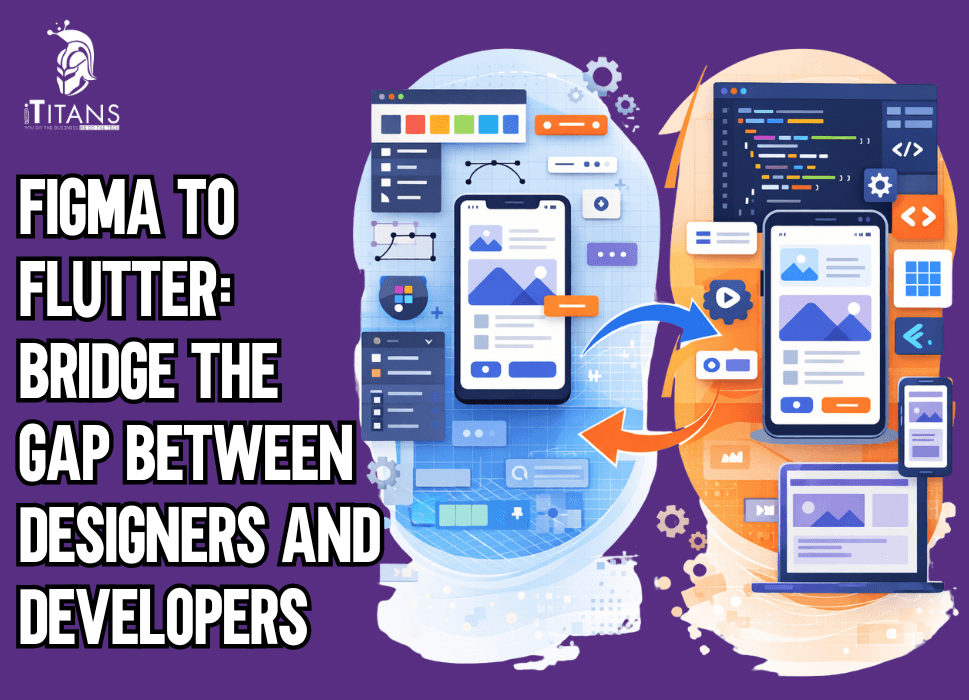
Almost every modern product starts in Figma. Screens look clean, flows make sense, and stakeholders approve designs quickly. Then development starts and everything changes. The UI feels different, spacing looks off, components behave inconsistently, and suddenly the product no longer matches what was approved.
This is the real problem Figma to Flutter workflows face. It is not a tooling issue. It is a process issue.
Teams often assume that if a UI/UX design looks good in Figma, it can be converted into Flutter without friction. In reality, Flutter is not a canvas. It is a framework with layout rules, widget constraints, and performance considerations. When teams ignore this, the gap between designers and developers widens.
This is why Figma to Flutter conversion fails so often in real projects and why bridging this gap requires more than plugins or handoff files.

What Is Figma to Flutter?
Figma to Flutter is the process of converting UI designs created in Figma into functional Flutter interfaces by translating design components into reusable Flutter widgets while maintaining layout behavior, responsiveness, and performance across devices.
This sounds simple in theory. In real projects, it’s one of the most misunderstood and error-prone stages of product development.
Most teams don’t struggle because Flutter is hard. They struggle because design intent gets lost between Figma files and Flutter code.
Why Do Figma Designs Look Different in Flutter Apps?
Figma designs look different in Flutter apps because Figma uses a free-form canvas, while Flutter layouts are constraint-based and driven by widget hierarchies, screen sizes, and dynamic content behavior.
Figma allows absolute positioning, overlapping elements, and fixed spacing that may look perfect in a static design. Flutter, on the other hand, renders UI based on parent–child constraints. When designs ignore this reality, visual gaps appear during development.
This mismatch is the root cause behind most Figma to Flutter conversion failures in production apps.
Why Figma to Flutter Conversion Fails in Real Projects
Figma to Flutter conversion fails when teams treat design handoff as a file transfer instead of a shared process between designers and developers.
In many teams, designers finalize screens, export assets, and hand everything to developers with the expectation of a perfect match. Developers then try to recreate layouts without understanding design intent, responsive behavior, or component logic.
Common reasons why Figma designs fail in Flutter development include:
- Heavy reliance on absolute positioning
- Designs that don’t account for dynamic text length
- Inconsistent spacing systems
- No component hierarchy in design files
These issues are not Flutter problems. They are workflow problems.
What Is the Figma to Flutter Workflow That Actually Works?
The Figma to Flutter workflow is a structured design-to-development process where layouts are reviewed for Flutter constraints, broken into reusable components, mapped to widgets, and validated through continuous design QA.
A working Figma to Flutter workflow starts before development begins. Designers and developers collaborate early to identify risky layouts, responsive challenges, and reusable elements.
Without this alignment, teams rely on guesswork during development, which leads to rework and frustration on both sides.
Why Flutter UI From Figma Breaks Without Early Collaboration
Flutter UI from Figma breaks when developers receive final designs without context, component logic, or responsive behavior definitions.
Designers often assume developers will “figure it out.” Developers assume designs are final and technically feasible. This silent assumption gap widens quickly.
The result:
- Designers feel their work is compromised
- Developers feel designs are unrealistic
- Stakeholders lose confidence in both
This breakdown is common in teams struggling with bridging designers and developers in Flutter.
What the Figma to Flutter Handoff Process Should Actually Include
A proper Figma to Flutter handoff process includes design intent, component behavior, spacing logic, and responsive rules, not just screens and assets.
Most handoffs fail because they focus only on visuals. Screens alone do not explain how UI should behave when:
- Content grows
- Screen size changes
- User interactions occur
A strong handoff documents intent, not just appearance. This dramatically improves how to convert Figma design to Flutter without constant rework.
Can Figma Designs Be Directly Converted to Flutter?
Figma designs cannot be directly converted to Flutter for production apps without manual intervention, architectural decisions, and widget restructuring.
Plugins and automation tools can help with:
- Asset extraction
- Initial layout references
They fail at:
- Widget reuse
- State handling
- Performance optimization
- Long-term maintainability
This is why Figma to Flutter for production apps cannot rely on automation alone.
Why Figma to Flutter Automation Breaks at Scale
Figma to Flutter automation breaks at scale because generated code lacks reusable structure, ignores app-wide design systems, and becomes difficult to maintain as features grow.
Auto-generated code often:
- Creates deeply nested widgets
- Hardcodes spacing and sizes
- Produces unreadable layouts
Teams end up rewriting most of the code anyway. Automation should support developers, not replace design thinking or architecture.
How We Approach Figma Design to Flutter App Development
At ITitans, we don’t treat Figma design as a conversion task for Flutter mobile app development. We treat it as a collaboration system.
Our focus is not pixel imitation. It’s consistency, responsiveness, and long-term stability.
We align designers and developers early, agree on constraints, and build Flutter UI that respects design intent without fighting the framework.
This approach is what allows us to deliver custom Flutter UI from Figma designs that actually scale.
Why Design Systems Matter in Figma to Flutter
Design systems are the backbone of successful Figma to Flutter execution because they provide shared rules for spacing, typography, colors, and components.
When both designers and developers use the same system:
- UI stays consistent
- Changes propagate safely
- Development speed improves
This system-driven approach is one of the most effective Figma to Flutter best practices in real-world products.
The Hidden Cost of Ignoring the Designer–Developer Gap
Ignoring the gap between designers and developers increases development time, UI inconsistencies, and long-term maintenance cost.
Teams that skip proper design to development workflow pay later through:
- Endless UI tweaks
- Slower feature delivery
- Growing technical debt
Bridging this gap early is always cheaper than fixing it later.
What Is the Figma to Flutter Development Process?
The Figma to Flutter development process is a structured workflow where designs are reviewed for Flutter constraints, broken into reusable components, mapped to widgets, and validated through continuous design and development collaboration.
This process exists to prevent UI drift, rework, and delays. Without it, teams rely on assumptions, which almost always break under real product pressure.
Why Does the Figma to Flutter Development Process Need to Start Before Coding?
The Figma to Flutter development process must start before coding because many layout, responsiveness, and component issues cannot be fixed efficiently once Flutter implementation begins.
When developers are brought in only after designs are finalized, they are forced to adapt layouts that were never meant for Flutter’s constraint-based system. This leads to compromises, rework, and frustration on both sides.
Early involvement prevents most Figma to Flutter conversion failures.
How Do We Break Figma Screens Into Flutter-Ready Components?
Figma screens are converted into Flutter-ready components by identifying reusable UI elements, defining layout hierarchy, and mapping each design component to a logical Flutter widget structure.
Instead of thinking in full screens, we focus on:
- Layout containers
- Reusable UI blocks
- Interaction states
This component-first approach ensures Flutter UI from Figma remains consistent and scalable as the app grows.

How Do You Map Figma Layouts to Flutter Widgets?
Figma layouts are mapped to Flutter widgets by translating visual groupings into rows, columns, stacks, and flexible containers that respect Flutter’s layout constraints.
Absolute positioning is avoided wherever possible. Instead, we rely on:
- Constraint-based layouts
- Flexible sizing rules
- Parent–child widget relationships
This method is central to how to convert Figma design to Flutter without breaking responsiveness.
Why Does Responsiveness Break During Figma to Flutter Conversion?
Responsiveness breaks during Figma to Flutter conversion because designs often assume fixed screen sizes, while Flutter renders layouts dynamically based on device constraints.
To prevent this, responsiveness rules are defined before development begins:
- Flexible spacing instead of fixed values
- Adaptive text behavior
- Safe area awareness
This proactive planning is critical for Figma to Flutter for production apps, where screen diversity is unavoidable.
What Role Do Design Tokens Play in Figma to Flutter?
Design tokens act as shared variables for colors, typography, and spacing, ensuring visual consistency between Figma designs and Flutter code.
Instead of hardcoding values, we use tokens to:
- Maintain consistency
- Speed up UI changes
- Reduce regression bugs
This practice strengthens the design to development workflow and is one of the most effective Figma to Flutter best practices at scale.
How Do Reusable Flutter Widgets Improve Figma to Flutter Outcomes?
Reusable Flutter widgets reduce duplication, maintain visual consistency, and make design updates easier across the entire app.
Each reusable Figma component is translated into a reusable Flutter widget. This ensures:
- Faster development
- Easier maintenance
- Predictable UI behavior
This widget-based strategy is essential for building custom Flutter UI from Figma designs that last beyond the first release.
Why Are Designer–Developer Review Loops So Important?
Designer–developer review loops prevent UI drift by validating Flutter builds against design intent throughout development, not just at the end.
Instead of relying on screenshots, designers review live builds. Developers explain layout trade-offs. Adjustments happen early, before issues multiply.
These loops are the foundation of bridging designers and developers in Flutter successfully.
Can Figma to Flutter Automation Replace Manual Development?
Figma to Flutter automation cannot replace manual development for production apps because generated code lacks architectural structure, reusable widgets, and long-term maintainability.
Automation tools can assist with:
- Asset export
- Initial layout references
They fail when:
- State management is required
- Performance matters
- Features evolve
This is why Figma to Flutter automation should support developers, not define the architecture.
What Are the Most Common Figma to Flutter Handoff Process Mistakes?
The most common Figma to Flutter handoff process mistakes involve missing context, unclear behavior rules, and overemphasis on static visuals.
These include:
- No documentation of interactions
- Ignoring empty and error states
- Assuming Flutter will match pixels exactly
Avoiding these mistakes dramatically improves development speed and output quality.
How Do We Balance Design Accuracy With Flutter Constraints?
Design accuracy in Flutter is achieved by prioritizing consistency and behavior over pixel matching, while respecting Flutter’s layout system.
Instead of chasing exact pixels, we focus on:
- Visual balance
- Predictable layout behavior
- Performance stability
This balance is key to successful Figma design to Flutter app execution in real-world scenarios.
How This Process Reduces Time and Rework
A structured Figma to Flutter workflow reduces rework by aligning expectations early, minimizing layout fixes, and preventing UI inconsistencies.
When designers and developers share the same system:
- Fewer revisions are needed
- UI stays consistent
- Development moves faster
This is why process-driven teams outperform tool-driven teams.
What Are the Most Important Figma to Flutter Best Practices at Scale?
The most important Figma to Flutter best practices at scale focus on reusable components, shared design systems, continuous design QA, and disciplined collaboration between designers and developers.
At scale, the problem is not getting the first screens right. The problem is keeping the UI consistent as features grow, teams expand, and designs evolve. Teams that don’t plan for this early usually end up with UI drift, duplicated widgets, and slow development cycles.
Why Does the Design to Development Workflow Break Over Time?
The design to development workflow breaks over time because teams skip technical review, rush delivery, and apply visual changes without updating underlying systems.
Early in a project, designers and developers collaborate closely. As deadlines increase, shortcuts appear:
- Design changes bypass review
- Developers apply quick UI fixes
- Tokens and components are ignored
This gradual breakdown causes inconsistencies that are expensive to fix later.
How Do You Keep Flutter UI From Figma Consistent as the App Grows?
Flutter UI from Figma stays consistent when teams rely on reusable widget libraries, shared design tokens, and enforced component usage instead of screen-by-screen fixes.
Consistency is maintained by:
- Centralizing UI logic
- Avoiding one-off widgets
- Reviewing UI changes against systems, not screenshots
This approach allows multiple developers to work on the same app without breaking visual alignment.
What Is Design QA in Figma to Flutter for Production Apps?
Design QA in Figma to Flutter for production apps is the process of validating Flutter builds against design intent, behavior, and responsiveness—not just static visuals.
Design QA checks:
- Layout behavior on different screen sizes
- Text overflow and dynamic content handling
- Component states and interactions
Skipping design QA leads to subtle UI issues that damage user trust over time.
How Should Teams Handle Design Changes Without Breaking Flutter Code?
Design changes should be handled by updating design tokens and reusable widgets first, allowing changes to propagate safely across the app.
Instead of patching individual screens, teams should:
- Adjust system-level values
- Update shared widgets
- Validate changes through design QA
This controlled approach protects custom Flutter UI from Figma designs from regressions.
What Are the Most Common Figma to Flutter Handoff Process Failures?
The most common Figma to Flutter handoff process failures happen when designs lack behavioral context and developers are forced to make assumptions.
These failures include:
- Missing interaction details
- Ignoring empty, error, and loading states
- No explanation of layout intent
A strong handoff documents how the UI should behave, not just how it should look.
Why Does Pixel-Perfect Thinking Hurt Figma to Flutter Projects?
Pixel-perfect thinking hurts Figma to Flutter projects because Flutter relies on flexible layouts, and forcing exact pixels often leads to complex, fragile code.
Over-focusing on pixels causes:
- Over-nested widget trees
- Layout hacks
- Performance issues
Instead, teams should aim for visual consistency and predictable behavior, which Flutter handles far better.
Can Figma to Flutter Automation Work for Real Products?
Figma to Flutter automation cannot fully support real products because generated code lacks architectural structure, state management, and scalability.
Automation tools are useful for:
- Asset extraction
- Layout references
They fail when:
- Features evolve
- State becomes complex
- Performance matters
This is why Figma to Flutter automation should assist developers, not replace structured development.
How Do You Measure Success in a Figma to Flutter Workflow?
Success in a Figma to Flutter workflow is measured by UI consistency, developer confidence in making changes, and designer trust in shipped builds.
Successful teams experience:
- Fewer UI regressions
- Faster iterations
- Reduced designer–developer friction
Matching screenshots is not success. Sustainable delivery is.

Why Is Bridging Designers and Developers a Leadership Responsibility?
Bridging designers and developers in Flutter is a leadership responsibility because alignment depends on process enforcement, shared ownership, and collaboration culture.
When leadership treats design and development as silos, friction is inevitable. When shared systems and review loops are enforced, alignment becomes the norm.
This cultural shift often has more impact than any tool or framework.
Ready to Fix Your Figma to Flutter Workflow?
At ITitans, we help teams build Figma to Flutter workflows that work in real production environments, not just demos.
Talk to our Flutter experts and see how we turn Figma designs into stable, scalable Flutter apps.
FAQs
1. Can Figma designs be directly converted to Flutter without changes?
No. Figma designs cannot be directly converted to Flutter for production apps because Flutter uses constraint-based layouts and widget hierarchies. Manual restructuring is required to handle responsiveness, reusable components, and performance correctly.
2. Why does Flutter UI from Figma often look inconsistent across screens?
Flutter UI from Figma looks inconsistent when designs rely on fixed spacing or absolute positioning. Flutter adapts layouts dynamically based on screen size and constraints, which exposes design assumptions that weren’t planned for responsiveness.
3. What is the biggest reason Figma to Flutter conversion fails in real projects?
The biggest reason Figma to Flutter conversion fails is poor handoff. Designs are shared as visuals without component logic, interaction rules, or layout intent, forcing developers to guess during implementation.
4. Is Figma to Flutter automation reliable for production apps?
No. Figma to Flutter automation is not reliable for production apps because generated code lacks reusable widget structure, proper state handling, and long-term maintainability. Automation tools should assist developers, not define architecture.
5. What makes a good Figma to Flutter handoff process?
A good Figma to Flutter handoff process includes design intent, component behavior, spacing rules, responsive logic, and edge cases. Screens alone are not enough for accurate Flutter implementation.
6. How do teams bridge designers and developers in Flutter effectively?
Teams bridge designers and developers in Flutter by involving developers early, using shared design systems, reviewing live builds together, and validating UI behavior continuously instead of relying on final screenshots.
7. What role do design systems play in Figma to Flutter workflows?
Design systems are critical in Figma to Flutter workflows because they standardize spacing, typography, colors, and components. This allows Flutter widgets to stay consistent as designs change and features scale.
8. What is the most overlooked step in Figma to Flutter for production apps?
The most overlooked step in Figma to Flutter for production apps is design QA. Without reviewing Flutter builds against design intent across devices, small UI issues accumulate and hurt long-term product quality.